
Summary
Editor's rating
Value: good for flats and rentals, less convincing if you can install a wired doorbell
Design: discreet from the outside, a bit plasticky inside
Battery: decent life if your door isn’t in a high-traffic war zone
Durability & reliability: decent build, but some reports of random failures
Performance: video quality is good, app and detection are okay but not perfect
What you actually get and how it works in real life
Pros
- Easy, wire-free installation using the existing peephole (fits a wide range of door and hole sizes)
- Good 1080p image quality with wide 155° field of view and usable night vision
- Local microSD storage up to 256 GB, so you can avoid monthly cloud subscriptions
Cons
- App interface is clunky, with confusing notification settings and buried options
- PIR motion detection can trigger a bit late and drains battery faster in busy areas
- Some user reports of random failures just after warranty period, so long-term reliability is a question mark

Specifications
View full product page →| Brand | EZVIZ |
A door viewer for people who don’t want to rewire their house
I’ve been using the EZVIZ DP2C on my flat door for a few weeks now, and I’ll be honest: I bought it because I didn’t want to mess around with drilling extra holes, running cables, or arguing with the landlord. I already had a standard peephole, and this thing basically replaces it with a camera and a small screen. That alone made it interesting for me.
My situation: no window facing the entrance, parcel deliveries all the time, and I’m not always at home. I also wanted something my older relatives could use easily when they visit, without having to fiddle with a phone app. The built-in 4.3" screen seemed like a decent solution for that, while I still get notifications on my phone.
During these weeks, I’ve tested pretty much everything: motion alerts, live view from outside the house, charging, SD card recording, night vision in a dim corridor, and a couple of connection drops. I also dug into the app more than I wanted to, because some settings are buried in there. So this is not a quick unboxing impression; it’s more the view of someone who actually lives with the thing on their door.
Overall, it’s a practical, mid-range product: not perfect, a bit rough on the software side, but it mostly does what it promises. If you expect premium build, super smart AI and a polished app, this isn’t it. If you just want to see who’s at the door without rewiring the building, then it starts to make sense. I’ll break down where it’s strong and where it’s clearly just “good enough”.
Value: good for flats and rentals, less convincing if you can install a wired doorbell
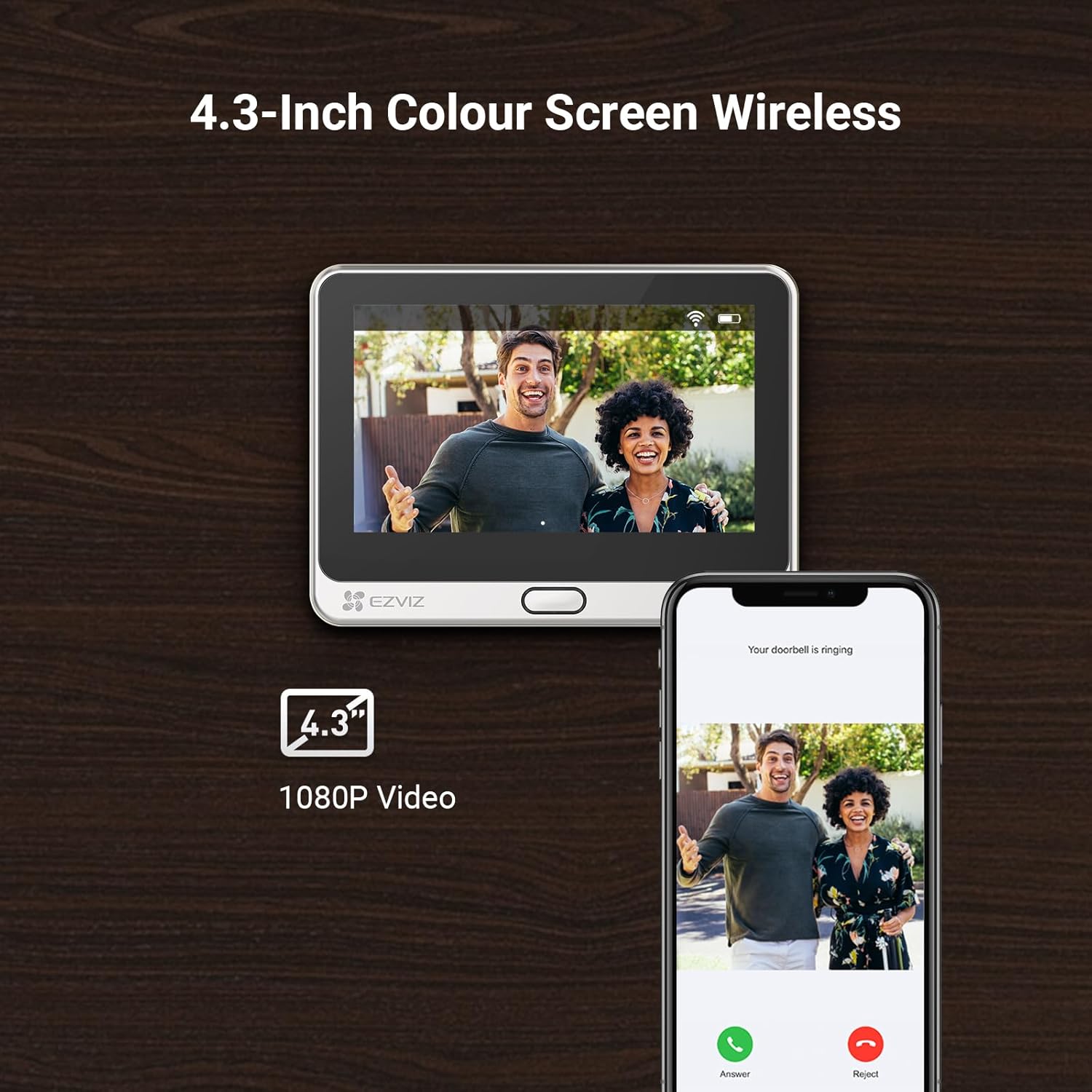
In terms of value for money, I’d say the DP2C sits in a comfortable middle zone. It’s not the cheapest gadget out there, but for what it offers – 1080p camera, 4.3" indoor screen, PIR motion detection, local SD recording, two-way audio, and Wi-Fi app control – the price is fair. You’re basically paying to avoid drilling for a wired doorbell and to keep your landlord or building management calm, since it just uses the existing peephole hole.
The big plus for value, in my opinion, is the local microSD storage up to 256 GB and the fact that you can totally skip the subscription if you want. Many competing video doorbells push you hard into monthly cloud fees. Here, the subscription is optional. You can pay a small monthly fee if you want extra cloud features, but the basic stuff – alerts and local recordings – already covers what most people actually need. That keeps the long-term cost under control.
Where the value drops a bit is when you compare it to a proper wired video doorbell if you own your house and can do whatever you want with the walls. For a similar price, some wired models give you stronger chimes, better integration with smart home systems, and often more polished apps. The DP2C is more niche: it shines for apartments and rentals where running cables or replacing the whole doorbell system is a pain, and where a peephole replacement is the easiest legal option.
So, is it worth it? If you’re in a flat, have an existing spyhole, and want a simple, self-contained solution with no drilling and optional subscription, I’d say yes, it’s good value. If you’re in a house, can easily install a wired doorbell, and want something more future-proof with stronger support and smarter software, I’d probably look at other brands first. This sits nicely as a practical, mid-range option rather than a bargain or a premium product.
Design: discreet from the outside, a bit plasticky inside
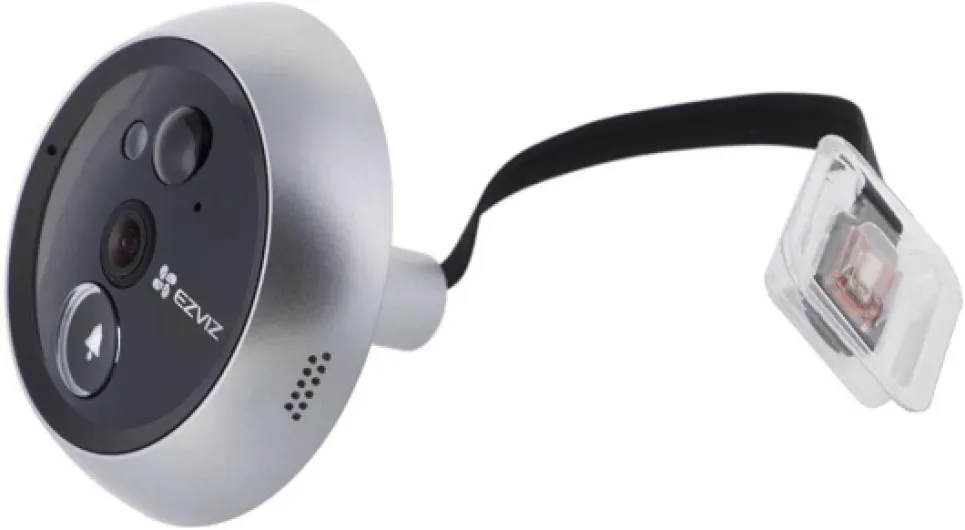
Design-wise, the DP2C is pretty low-key, which I liked. From the outside, it looks like a small round camera with a button – not like a massive smart doorbell that screams “expensive gadget”. On a flat door in a shared corridor, that’s actually a plus. It doesn’t attract too much attention, and it just looks like a slightly modern peephole.
On the inside, the 4.3" screen unit is more obviously a gadget. It’s a black plastic rectangle that sticks on the door. It’s not ugly, but it definitely looks like functional tech, not decor. The bezels are a bit thick by today’s standards, and the plastic doesn’t feel premium. That said, the screen is bright enough, viewing angles are fine, and older family members can see the image clearly without squinting. That’s more important to me than fancy aesthetics.
The layout is simple: screen, a few touch buttons on the side, and a micro-USB port for charging. The tamper-proof mounting from the outside is a nice touch – you can’t just twist it out by hand from the corridor. The module goes through the door hole and is secured from the inside, so someone would have to break the door or open it to remove the device. I also like that it fits a 16.5–50 mm peephole hole and door thickness up to 105 mm, so it’s pretty flexible for different doors.
One thing to be aware of is the overall bulk on the inside. If your hallway is narrow, you might brush against the screen when passing close to the door. In my case it’s fine, but in a very tight entryway it could be annoying. Also, the silver/black colour combo is neutral, but you can’t really customise it. So, design verdict: no real wow factor, a bit plasticky, but discreet and practical. For a security gadget that just sits on the door, that’s good enough for me.
Battery: decent life if your door isn’t in a high-traffic war zone
The DP2C has a 4600 mAh battery, which on paper sounds okay but not huge. In real use, it’s actually better than I expected, as long as your door doesn’t face a busy corridor or street with constant motion. In my case, I’m at the end of a corridor with just one neighbour, so traffic is moderate. With motion detection on medium and around 10–15 triggers per day, I saw the battery drop roughly 10–12% per week. That means a rough estimate of 1–2 months per charge depending on how paranoid you are with sensitivity and how often you open live view.
Charging is done via micro-USB, which is a bit dated but not a big deal. You can charge it while it’s still mounted, which is handy. I ended up doing what another user mentioned: I plug in a power bank and just let it sit on top of the unit for a while, instead of removing the whole thing. Technically the manufacturer prefers you to switch it off for charging, but in reality it works fine plugged in and on. If your door is near a socket, you can also just use a longer USB cable and top it up without dismounting anything.
Where the battery can take a hit is high traffic and constant live viewing. If your door opens right onto a busy landing or directly to the street with people and cars constantly triggering the PIR, expect to charge more often. Also, if you set motion sensitivity to high and keep checking the feed every time your phone buzzes, you’ll drain it faster. It’s not a camera you set and forget for six months; it’s more like a monthly or bi-monthly routine, depending on your situation.
On the plus side, if the battery degrades after a few years, you can technically just leave it permanently plugged in like a wired device, as some users have done. Not ideal, but better than throwing it away. So, battery verdict: not spectacular, but good enough if your door isn’t facing constant movement. Just don’t expect the 90 days standby claim if you have a busy entrance and motion alerts on full blast.
Durability & reliability: decent build, but some reports of random failures
From a physical build point of view, the DP2C feels okay but not bulletproof. The outside module has an IP65 rating, so it’s fine for rain and dust if your door opens to the outside. The lens and housing don’t feel flimsy, and after a few weeks of people pressing the button and occasional knocks when moving furniture in the corridor, there are no obvious marks or looseness. The inside unit is just plastic but hasn’t creaked or shifted on the door so far.
Where I’m a bit more cautious is the long-term reliability and support. Some users report having theirs running for almost two years without trouble, which is reassuring. But there are also reviews mentioning that the unit suddenly stopped connecting right after the warranty period, with support basically offering only a small discount on a new one. That kind of failure – no damage, no big event, just dead – is what worries me more than cosmetic wear. It’s hard to judge after only a few weeks, but it’s something to keep in mind.
On the software side, firmware updates are available through the app, and I’d strongly recommend doing them as soon as you install. One user mentioned that their SD card wasn’t recognised until they updated, and I had a smoother experience after updating too. I haven’t had major crashes, but the app did log me out once and I had to log in again to see the live feed. Annoying, but not catastrophic. Connection stability also depends a lot on your Wi-Fi; the device really wants a decent 2.4 GHz signal near the door. If your router is far away or behind thick walls, expect occasional disconnects.
So, durability verdict: hardware feels fine for the price, and the weather rating is reassuring if your door is exposed. But there is a small risk of electronic failure after the 2-year warranty, like with any budget-ish smart gadget. I wouldn’t base my entire home security on this one device, but as an extra eye on the door, it’s acceptable. Just register the product, keep the receipt, and be aware that support might not be super generous once the warranty ends.
Performance: video quality is good, app and detection are okay but not perfect
On the video side, the DP2C is pretty solid for the price. The 1080p image is clear enough to recognise faces, read delivery labels if they’re not too far, and see what’s happening in the corridor. The 155° wide angle really covers a big area; in my case, I see my neighbour’s door, the lift area and the floor where parcels are dropped. During the day, image quality is sharp with decent colours. It’s not on the level of a high-end IP camera, but for a peephole doorbell it gets the job done.
At night, the infrared night vision kicks in automatically. In a fully dark hallway, you get black-and-white footage for up to around 5 metres. In my building the corridor lights are motion activated, so the camera sometimes switches back and forth between night mode and normal mode when someone walks by. Still, I could clearly see people’s faces and what they were holding. It’s not pretty footage, but it’s perfectly usable. No big grain or useless blur unless someone runs past very fast.
About motion detection: it’s based on PIR (heat-based sensor) with some AI human-detection logic. In practice, it detects people reliably, but there is often a 2–4 second delay before it triggers. So if someone walks quickly past your door, you might only get them from the side or as they leave the frame. Sensitivity can be set to high/medium/low. Medium worked for me: it didn’t trigger for every tiny shadow, and it mostly caught people coming to the door. If your door faces a busy hallway or street, you’ll probably need to tone it down or you’ll drain the battery faster and fill your SD card with useless clips.
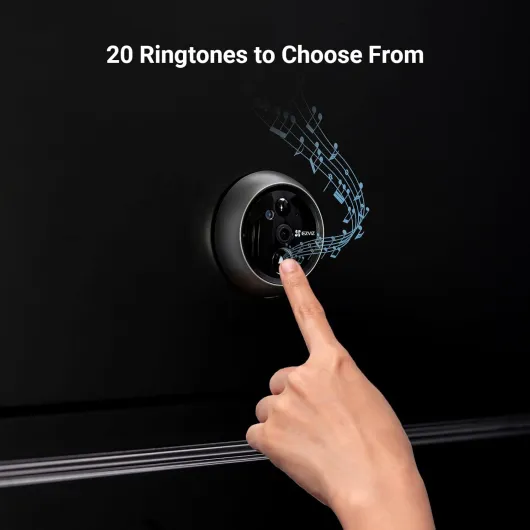
The EZVIZ app is where things feel a bit rough. It works – I get alerts, I can see live view from outside my home, and I can talk to visitors. But some settings are buried deep in menus, and notification categories are not very clear. For example, tweaking which alerts you want (motion vs button press vs other) takes way too many taps, and the labels are confusing. Also, you can’t easily set a separate ringtone just for the doorbell, which is annoying when you want to distinguish it from normal calls. Overall, performance is good enough for daily use, but don’t expect super polished software or perfect instant detection.
What you actually get and how it works in real life
The DP2C is basically a digital peephole with a camera on the outside and a small monitor on the inside of the door. The outside part replaces your existing spyhole: camera, doorbell button, and PIR motion sensor are all in that module. Inside, you’ve got a 4.3 inch colour screen with the battery and the microSD slot. Everything is powered by the built-in 4600 mAh battery, so no mains wiring needed.
In terms of picture, you get 1080p resolution with a 155° wide angle, which is wide enough to see the whole corridor in my building and even half my neighbour’s door. For a front door or flat entrance, that’s plenty. The camera switches to infrared at night, and you can see clearly a few metres away. It’s black-and-white at night, nothing fancy, but you can recognise faces and see parcels on the floor.
The main ways you use it day to day are pretty simple: press the inside button to see who’s outside, or wait for motion or a doorbell press to trigger an alert. The EZVIZ app then sends a notification and basically calls you with a video feed. You can talk to the person thanks to the two-way audio, either from the app or by using the mic/speaker combo built into the unit. The nice part is you can record directly onto a microSD card up to 256 GB, so you don’t have to pay a subscription if you don’t care about cloud storage.
In practice, the core functions – seeing who’s there, getting motion alerts, and checking recordings – all work. There are some quirks, like slightly delayed PIR detection and an app that sometimes feels like a maze of menus, but nothing that stopped me from using it. It feels like a product made for people in apartments or rentals who want more visibility at the door without installing a full wired doorbell system.
Pros
- Easy, wire-free installation using the existing peephole (fits a wide range of door and hole sizes)
- Good 1080p image quality with wide 155° field of view and usable night vision
- Local microSD storage up to 256 GB, so you can avoid monthly cloud subscriptions
Cons
- App interface is clunky, with confusing notification settings and buried options
- PIR motion detection can trigger a bit late and drains battery faster in busy areas
- Some user reports of random failures just after warranty period, so long-term reliability is a question mark
Conclusion
Editor's rating
After living with the EZVIZ DP2C for a while, my conclusion is pretty simple: it does what it’s supposed to do, with a few annoyances, but nothing deal-breaking. Video quality is clear enough, the wide angle covers a lot, and night vision is perfectly usable. The fact that it fits directly into an existing peephole and runs off a battery makes it very practical if you’re renting or don’t want to touch your wiring. The 4.3" screen is also handy for kids, guests, or older relatives who don’t want to mess around with an app.
On the downside, the app could use serious cleanup, motion detection is sometimes a bit slow, and you need a decent Wi-Fi signal near the door. There are also a few reports of units failing just after the warranty, which doesn’t inspire complete confidence in long-term reliability. But if you understand that this is a mid-range, no-drama solution and not a high-end smart doorbell, it’s easier to accept its limits.
I’d recommend it mainly for apartment dwellers and renters who already have a peephole and want more visibility without drilling or arguing with building management. If you’re in a high-traffic area, just keep in mind you’ll probably charge it more often and maybe dial down the motion sensitivity. If you own a house and can install a wired system, you might get more features and polish elsewhere for a similar budget. For what it is, though, the DP2C is a practical, decent-value door viewer that gets the basic job done.