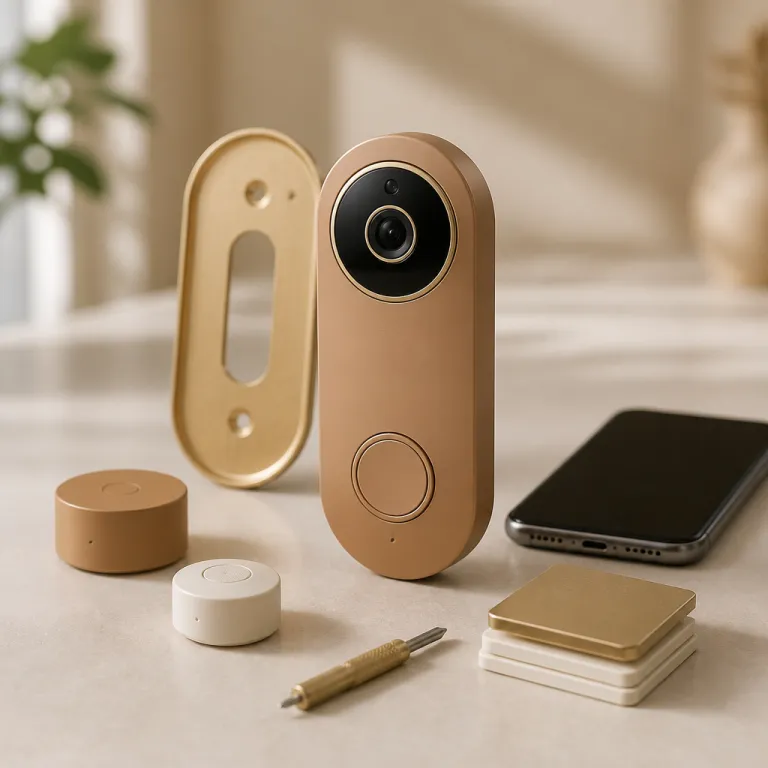
The Ring Appstore shift: from doorbell to software platform
Ring is no longer selling only a doorbell with a camera. The company is quietly building a Ring Appstore for third party apps that treats every Ring Video Doorbell and camera as a small edge computer, always on and always watching. For a security conscious family, that means your front step becomes a programmable sensor grid rather than just a chime and a live video feed.
At launch, the Ring Appstore opened with about 15 apps, and that small catalogue tells you exactly where Amazon wants to go with this app store strategy. You see PoolScout watching for toddlers near a pool, Meld analysing pet behaviour when you are away, Maytronics checking pool equipment diagnostics, and Spacture AI or Visionify tuning cameras for small business loss prevention and safety monitoring. These apps run on top of existing Ring devices, using the same live video stream and motion events that your standard Ring app already exposes to you as a user.
Think of the new Ring Appstore ecosystem as an extra software layer that sits between your camera and the cloud. The platform lets each approved third party developer request access to specific data points, such as motion events, live video frames, or historical clips, through documented Ring APIs. You still open the familiar Ring app or mobile app to manage your Ring account, but behind the scenes the system routes data to each app according to your explicit account linking choices.
For families who already rely on a Ring doorbell to monitor deliveries and late night visitors, this platform play changes the upgrade path. Instead of replacing hardware every few years, you will increasingly add apps inside the Ring Appstore, some free with a Ring Protect subscription and others paid à la carte. The new third party app layer effectively turns your existing doorbell into a modular security hub that can adapt to new risks, from pool safety to elder care, without drilling another hole in the wall.
Amazon’s strategic bet is clear, even if the marketing language stays cautious. By opening a developer portal at developer.ring.com and exposing more Ring APIs, the company is inviting every security startup and AI developer to build on top of the installed base of millions of Ring customers. In 2023, for example, Amazon said Ring devices had been used to capture and store billions of video events in its annual shareholder communication, a scale that makes the Appstore attractive to software makers looking for real world camera data and long term usage patterns.
For you as a user, the immediate question is not whether the Ring Appstore model is clever. The real question is whether you want your front door camera to become an extensible computing surface that multiple apps can touch, analyse, and learn from in real time. That shift brings powerful new capabilities, but it also drags in fresh privacy, data handling, and complexity risks that a simple doorbell never had to manage.
What kinds of apps you can run on your Ring doorbell today
The first wave of apps in the Ring Appstore is narrow but revealing. PoolScout, for example, uses the live video feed from compatible Ring devices facing your backyard to detect toddlers, adults, or pets approaching a pool, then sends a high priority notice to your Ring app and email. For a family with children and a swimming pool, that single app can turn a standard doorbell camera into a safety sentinel that watches the water line in real time.
Pet owners see a different value proposition in apps like Meld. This app uses Ring APIs to pull motion events and video clips from indoor cameras, then classifies behaviours such as pacing, barking, or unusual inactivity while you are away. Instead of scrolling through hours of live video or recorded view history in the mobile app, you get a structured report that flags anomalies and lets you jump straight to the relevant clip.
Small business owners, who already use a Ring doorbell at the front entrance and several Ring devices inside, are the target for Spacture AI and Visionify. These apps plug into the Ring Appstore framework to analyse motion events around shelves, exits, and cash registers, looking for patterns that might indicate shoplifting or unsafe behaviour. The same live video that once served only for basic monitoring now feeds specialised models that run either on the camera or on an MCP server in the cloud, depending on the app’s design.
Maytronics and Lumeo point toward a broader industrial and care angle. Maytronics focuses on pool equipment diagnostics, using the Ring Appstore to surface alerts about pump failures or abnormal water movement, while Lumeo offers fall detection and people counting for households caring for older relatives. In both cases, the apps rely on tight integration with the Ring app, so that a fall detection notice or equipment alert appears alongside your usual doorbell rings and motion notifications.
From a business model perspective, the Ring Appstore mixes free and paid options. Some apps are bundled with an existing Ring Protect subscription, effectively increasing the value of that recurring fee without changing the hardware, while others require a separate in app subscription managed through the app store interface. For a family already paying for cloud recording, the decision becomes whether each extra app capability justifies another monthly charge, or whether you prefer to keep your Ring account lean and focused on core security.
This is where the platform starts to resemble a broader smart home ecosystem, similar to how Ecobee bundles comfort and security features in its own system. If you are comparing ecosystems, a detailed review such as the Ecobee total security and savings bundle analysis shows how one vendor can stitch heating, security, and automation together. Ring’s approach with its third party app marketplace is to let external developers fill those niches, so your doorbell and cameras become the shared eyes and ears for many overlapping services.
Privacy, data access, and the new risk surface for families
Turning your doorbell into a platform means more developers touching your video, audio, and motion data. Every third party app in the Ring Appstore must request specific permissions, and you will see a privacy notice and terms of service summary before you authorise account linking. That consent screen is not a formality anymore, because each integration can involve continuous access to live video streams, stored clips, and behavioural metadata about how your household moves.
When you install an app from the Ring Appstore, the Ring app shows which Ring devices it wants to access and what kind of data flows will occur. A pool safety app might need only daytime live video from a backyard camera, while a fall detection app could request 24/7 access to motion events and low resolution frames inside a hallway. The more granular the controls, the easier it becomes for a user to align access with their actual risk tolerance and family routines.
Behind the scenes, the Ring platform routes these data requests through managed Ring APIs and an MCP server layer that enforces policy. The MCP concept, short for media control plane, lets Ring throttle, log, and audit how each third party developer uses live video and historical clips, rather than giving direct raw access to every stream. In public technical briefings and AWS architecture talks, Amazon has described this kind of control plane as a way to centralise authorisation, token validation, and retention rules, which matters when you need to cut off access quickly if a developer violates the privacy notice or the platform’s terms of service.
In practice, that means an app requests a specific scope, the MCP issues time limited access tokens, and every call to fetch live video frames or motion events is checked against those scopes and logged. If Ring detects abuse or a breach, it can revoke the token, block the developer’s keys, and stop further data export without you having to touch each individual camera. Developer onboarding typically includes identity verification, security questionnaires, and periodic reviews before an integration is allowed to move from test data to real household footage.
For a security conscious parent, the practical question is how many apps you really want connected to your Ring account. Each extra integration increases the chance of a misconfigured permission, a weak password on a developer portal, or a poorly secured MCP server endpoint that could expose sensitive household data. You reduce that risk by pruning unused apps regularly, revoking access for any developer you no longer trust, and using strong unique passwords plus multi factor authentication on your Ring account and email.
There is also a softer privacy dimension that does not show up in any API diagram. As more apps analyse your motion events and live video, they can infer patterns about when your children come home, how often you receive deliveries, and when the house usually sits empty. Even if each integration follows the written privacy notice, the combined data set across several apps can become more revealing than any single Ring app feature you used before.
A concrete example helps make this risk less abstract. In 2020, several smart home vendors disclosed incidents where third party integrations exposed camera feeds or account details after credentials were reused or access tokens were mishandled. Those cases did not always involve Ring, but they illustrate how a single weak link in an app ecosystem can undermine otherwise solid camera hardware and encryption.
If you are already juggling other smart cameras or doorbells, it helps to compare how different vendors handle this risk. A detailed test such as the G410 smart doorbell camera review shows how a HomeKit Secure Video approach keeps more analysis on device and inside Apple’s ecosystem. By contrast, the Ring Appstore leans into cloud based analysis and external developers, which offers more flexibility but demands more active privacy management from every user.
How to evaluate Ring Appstore apps before you install them
Choosing apps in the Ring Appstore is not like picking a new ringtone. Each app you add to your Ring based stack can change how your cameras behave, how often they alert you, and who else can see or process your data. Treat every new installation as a security decision, not just a convenience upgrade.
Start with the basics inside the app store listing. Look for a clear description of what data the app needs, how it uses live video or motion events, and whether it processes footage locally on Ring devices or sends it to an external MCP server. If the developer cannot explain their integration model in plain language, that is a strong signal to pause before granting access to your Ring account.
Next, examine the business model and subscription structure. Some apps are free for all Ring customers, some unlock only if you already pay for a Ring Protect subscription, and others add their own monthly fee on top of your existing costs. A pool safety app that genuinely reduces drowning risk may justify a dedicated subscription, while a marginal analytics app that simply repackages existing Ring app features probably does not earn another line on your credit card statement.
Then, look at the developer’s broader footprint. A well established Ring developer with a documented history on the developer portal, clear support contacts, and a transparent privacy notice is easier to trust than a one person operation with no website beyond the app store page. You want to see evidence that the developer will maintain the integration over time, respond to security reports, and honour the platform’s terms of service when Ring tightens policies.
From a usability angle, ask how the app will change your daily routine. Will it flood your mobile app with extra notices every time a cat walks past, or will it intelligently filter motion events so you only see what matters. A good Ring Appstore integration should reduce noise, not add friction, and it should make the live view and live video features in your Ring app more actionable rather than more complicated.
Finally, test how well the app plays with the rest of your smart home. If you already use an Echo Show for quick live view checks, guides such as this deep dive on Ring live view and motion previews can help you understand the baseline behaviour. Layering a third party app on top of that should feel like a natural extension of your existing Ring devices, not a confusing parallel system that makes you want to return Ring hardware out of frustration.
Key figures and trends in camera platforms and app ecosystems
- Market analysts at firms such as IDC have estimated that tens of millions of smart doorbells and cameras are now installed globally, creating a large potential base for any Ring Appstore style ecosystem to target with software upgrades rather than hardware swaps. IDC’s 2022 smart home tracker, for instance, projected more than 180 million networked cameras in use worldwide, a figure cited in multiple industry summaries of the connected home market.
- Industry surveys of Ring customers and other smart camera owners consistently show that a majority of users access their camera feeds primarily through a mobile app, which makes app store design, notification quality, and live video performance central to perceived security value.
- Reports on smart home security incidents have highlighted that misconfigured third party integrations and weak account linking practices are a growing share of breaches, underscoring why clear privacy notices and strict Ring APIs governance matter as platforms open to more developers.
- Subscription revenue has become a dominant business model in home security, with many vendors reporting that recurring fees from cloud recording and premium apps now rival or exceed hardware margins, which explains the strategic push toward app store ecosystems.
- Comparative testing of smart doorbells has found that devices with robust app ecosystems and reliable real time notifications tend to achieve higher user satisfaction scores than hardware focused products, even when raw video resolution or field of view is similar.
Before you install another Ring Appstore integration, run through a short checklist: read the data access description carefully, confirm which cameras and motion events it can see, decide whether the subscription cost matches the risk it reduces, and set a reminder to review and revoke unused permissions every few months. Treating your Ring doorbell as a camera platform rather than a simple chime helps you enjoy the benefits of smarter security without losing sight of who is watching your front door.