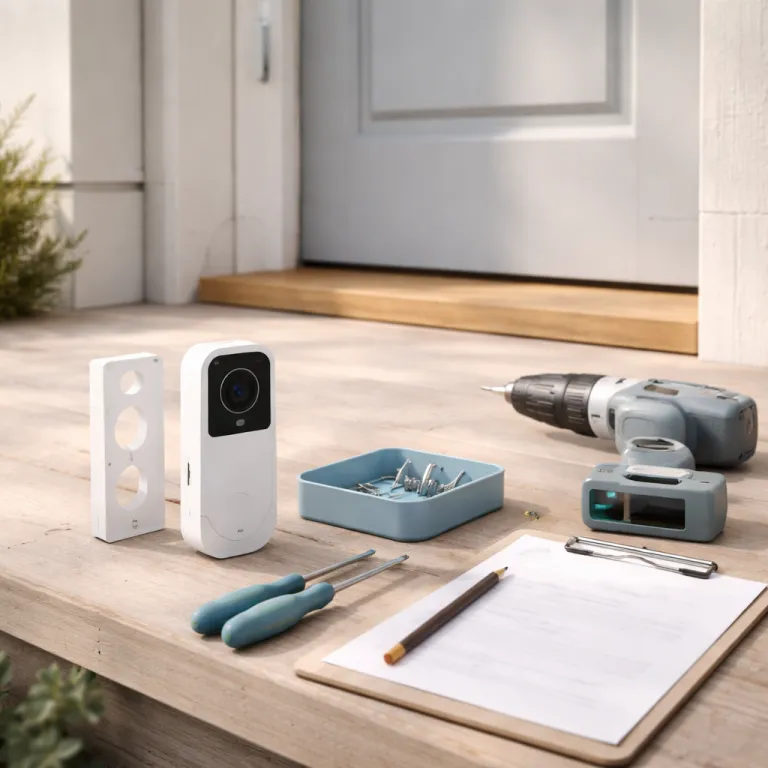
Choose the right Ring doorbell and core vacation settings
Before you fine tune any settings, run a quick pre trip checklist for your Ring doorbell vacation security setup: charge batteries to at least ninety five percent, run a Wi-Fi speed test at the front door, confirm that the chime and transformer work, walk through an Alarm test if you use Ring Alarm, add at least one Shared User, and back up any important clips from your video history. With those basics covered, you can focus on choosing the right hardware and dialing in the details that matter while you are away.
Your Ring doorbell vacation security configuration starts with choosing the right product for your doorway. A wired Ring Video Doorbell Pro or Pro 2 is usually better for long trips, while a battery model suits renters who cannot touch existing cabling but still want reliable motion detection and smart alerts. Think about your Wi-Fi strength at the front door, because a stable wireless signal is as important as the security camera itself.
For most people, a Ring Video Doorbell Pro with a strong Wi-Fi connection and a Ring Protect plan offers the best balance of video storage, live view access, and motion detection controls. If you prefer a simpler product, a basic wired Ring doorbell still gives you high resolution video, two way audio, and enough motion zones to cover the main field of view around your porch. Battery models pair well with a Ring Solar Charger, which can save you from mid vacation power worries if your door gets at least three to four hours of direct sunlight each day.
Before you leave, open the Ring app and check the video descriptions for your recent clips to confirm that faces, packages, and plates are clear in both day vision and night vision. If the resolution looks soft or the field of view misses part of the path, adjust the horizontal and vertical angle using the wedge kit or change the mounting height to improve low light performance. A few minutes spent here will protect you from frustrating blind spots when you are thousands of kilometres away and relying on live view and recorded video storage.
Power, wifi, and Ring Alarm: make sure everything stays on
Nothing undermines a Ring doorbell vacation monitoring plan faster than a dead battery or a dropped Wi-Fi connection. Charge a battery powered Ring doorbell to one hundred percent, confirm that any solar charger or outdoor cam power adapter is working, and test live view several times in a row to stress the connection. For wired models, check that the transformer is rated correctly for your specific product and that the chime still rings, because a failing transformer can quietly kill both video and audio.
Most wired Ring doorbells expect a low voltage AC transformer in the sixteen to twenty four volt range, typically rated between ten and forty volt amps depending on the model, as outlined in Ring’s support specifications. If your existing doorbell transformer is older or below the recommended rating, consider upgrading before a long trip so that your video doorbell does not reboot or drop offline under load. When in doubt, compare the label on your transformer with the voltage and VA requirements listed in the Ring app or on the official product page.
Walk outside with your phone and run a Wi-Fi speed test near the doorbell to confirm that the signal is strong enough for high resolution video streaming. Aim for at least two Mbps upload speed per Ring device for HD video and around one Mbps for standard definition, and more if you have several cameras or doorbells. If the numbers are weak, move your router closer, add a mesh node, or use a Ring Chime Pro to extend Wi-Fi so that motion detection and smart alerts do not lag or fail while you are away. In the app, enable rich notifications so that alerts include quick video descriptions, which helps you decide whether to open live view or ignore a harmless passer by.
If you use Ring Alarm, this is the moment to test Armed Away mode and any professional monitoring you have through a Ring Protect plan. Follow a detailed guide such as this Ring Alarm testing checklist to confirm that contact sensors, motion detectors, and sirens all trigger alerts correctly. As a simple pre trip script, arm the system, open a door with a contact sensor, walk past a motion detector, and confirm that the siren sounds and a push notification appears on your phone. When your doorbell, security camera units, and Ring Alarm work together, you get layered protection instead of relying on a single cam at the front door.
Dial in motion zones, night vision, and smart alerts before you fly
Once power and connectivity are stable, refine the motion zones that underpin your Ring doorbell holiday surveillance setup. Use the app to draw motion zones that cover your walkway and doorstep but exclude the street, then increase sensitivity slightly so that motion detection catches slow movers like cautious intruders without triggering on every car. This is where adjustable detection settings and advanced motion tools matter, because they let you tune the field of view instead of living with constant false alerts.
Switch on advanced smart alerts if your model supports them, so that the system can label people, packages, or generic motion in the notifications. These labels, combined with short video descriptions in the alert, help you decide quickly whether to open live view, call a neighbour, or simply save the clip to video storage for later review. For homes with multiple security camera devices or an outdoor cam watching the driveway, align their motion zones so that you get a logical sequence of alerts as someone approaches, not a confusing burst from every angle at once.
Night vision deserves special attention before a summer trip, because many break ins happen in low light conditions. Test both standard night vision and any colour night vision options by walking up to your door after sunset, then review the video to check facial detail, clothing descriptions, and the overall night time clarity. If the image looks washed out or too dark, add a small porch light to improve illumination, adjust the horizontal and vertical tilt to reduce glare, and consult a practical guide such as this mounting and field of view tutorial to refine your installation.
Use Alexa, shared access, and response plans while you are away
Technology only helps if you have a clear plan for what happens after an alert, especially when your Ring doorbell vacation security setup is running while you relax on a distant beach. Set up Alexa routines that turn lights and a television on and off in the evening, using your Ring doorbell or other security camera motion as a trigger to simulate someone moving through the house. If your model supports Alexa Greetings with a Ring Protect plan, enable it so that the system can handle deliveries and casual visitors with pre recorded audio while you stay offline.
Share Ring access with a trusted neighbour or house sitter by adding them as a Shared User in the app, giving them permission to view live video, answer doorbell rings, and review recent video storage when you cannot respond. Agree in advance on what each person will do when motion detection or ring alerts arrive, including when to call you, when to call local police, and when to simply save the clip and move on. A written response plan, like the one outlined in this step by step Ring response guide, turns random alerts into calm, predictable actions.
While you are several time zones away, resist the urge to open every alert immediately and instead rely on smart alerts, clear video descriptions, and the judgement of your Shared Users. Use live view selectively to check on specific events, then download and save important clips to off platform storage if they show suspicious behaviour or attempted entry. With a well tuned mix of Ring hardware, adjustable detection settings, Wi-Fi stability, and human backup, your front door becomes the kind of quiet, always on guard that you barely think about until you really need it.
FAQ
How should I set motion sensitivity on my Ring before vacation ?
Increase motion sensitivity one or two steps above your normal setting, then redraw motion zones to focus on your path, driveway, and doorstep rather than the street. Test by walking slowly at the edge of each zone to confirm that motion detection triggers without constant false alerts from passing cars. Adjust again after reviewing a day of notifications, aiming for a balance where real visitors always generate alerts but wind blown plants do not.
Is a wired Ring doorbell better than battery powered for long trips ?
A wired Ring doorbell is usually more reliable for long absences, because it does not depend on battery charge levels or solar exposure. If you rent or cannot install wiring, a battery model paired with a Ring Solar Charger and a Ring Protect plan can still provide continuous video storage and live view access. In both cases, test power and Wi-Fi stability for several days before leaving to ensure that your Ring doorbell vacation security setup will hold up while you travel.
Do I really need a Ring Protect plan for vacation security ?
A Ring Protect plan is not mandatory, but it significantly improves a vacation focused setup by enabling cloud video storage, rich notifications, and some advanced smart alerts. Without a subscription, you only get live view and real time alerts, which means you cannot review past events if you miss a notification while on a flight. For most travellers, the modest monthly cost is worth the ability to save and share clips if something suspicious happens at the front door.
What should I do if I get a suspicious alert while abroad ?
First, open the notification and check the thumbnail or short video description to understand whether it shows a person, package, or generic motion. If it looks suspicious, use live view to assess the situation, speak through the audio channel if safe, and then contact your Shared User or local authorities rather than trying to manage everything yourself from another country. Save the clip to secure storage, note the time and any visible details, and follow the response plan you agreed on before leaving.
Can Alexa really make my home look occupied while I am away ?
Alexa routines can switch lights, smart plugs, and even televisions on and off at realistic times, which helps your home appear lived in during long summer evenings. When combined with motion detection from your Ring doorbell or other security camera devices, these routines can react to activity outside by turning on porch lights or interior lamps. Used alongside a Ring Protect plan and clear motion zones, this creates a layered deterrent that makes your property a less appealing target.