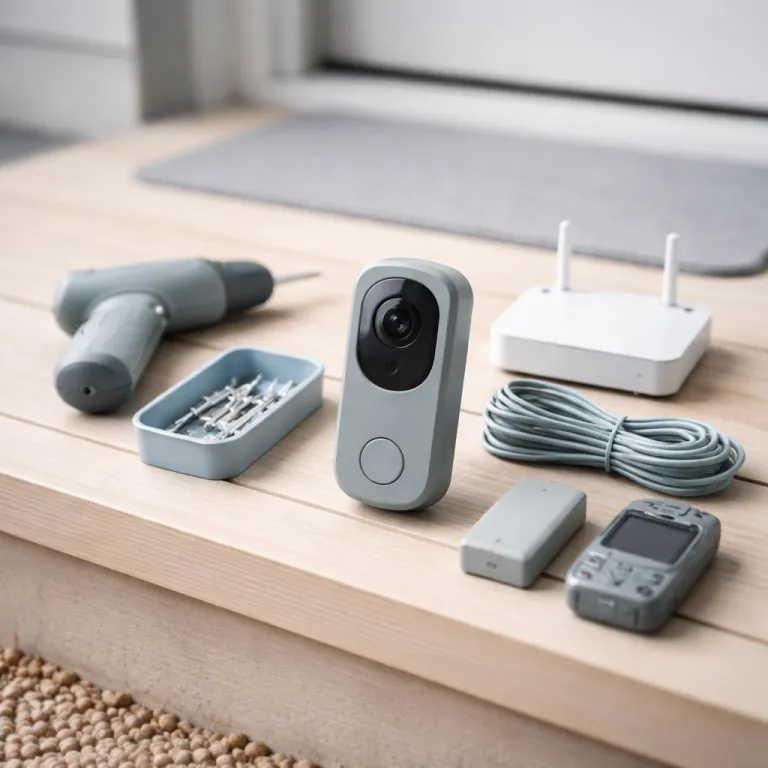
Why a Ring doorbell security response plan matters more than the hardware
Your Ring video doorbell already records crisp footage, but recording alone changes very little. A real Ring doorbell security response plan turns that video into decisions, actions, and a predictable routine your whole household can follow. Without a clear playbook, most people just glance at the notification, shrug, and watch a replay later.
That gap between notification and action is where many families lose the security advantage they thought their smart home devices would provide, especially when children are home or deliveries pile up on the doorstep. Security.org’s 2022 package theft study reports that 34 percent of porch theft victims already had a doorbell camera installed, underlining a hard truth: cameras and other Ring devices are only as strong as the behaviour and protocols wrapped around them. A thoughtful plan will define what you do for every type of visitor, how you use your alarm system, and when you escalate to an emergency response.
Start by mapping the typical events your Ring doorbell and other cameras see during a normal week. List routine deliveries, neighbours, tradespeople, unknown visitors, and genuinely suspicious behaviour, then decide in advance how your home security system should respond to each. This is the foundation of a professional style video doorbell plan, even if you never pay for professional monitoring or a Ring Protect subscription.
For routine visitors, your plan can stay simple and fast. When the Ring app pings, you or another adult will quickly check the live video feed, confirm the person, and either ignore, speak through two way audio, or open the door. The key is that everyone using the device knows that this quick check is not optional but part of your household’s security habits.
Deliveries deserve their own branch of your Ring doorbell security response plan because they are central to porch theft prevention. Decide that one person will be the default “delivery captain” who checks the camera, confirms the parcel, and uses the app to mark it mentally as received or to ask the driver to place it out of sight. A simple delivery checklist might include: (1) confirm the courier and package, (2) ask for a hidden drop point if you are not opening the door, and (3) send a quick message to a neighbour if the parcel is visible and you will be away for hours.
If you use multiple Ring devices such as a Ring solo doorbell at a side entrance and a Ring multi camera setup at the front, your plan should specify which camera to check first so you do not waste time switching views. For example, you might always review the front door camera, then glance at a driveway or side yard camera if the visitor steps out of frame.
When nobody is home, your plan should lean on automation and clear rules. Use the Ring app to enable motion alerts, link your Ring alarm to doorbell events, and set Alexa or other speakers to announce visitors loudly enough that a potential thief hears it. That simple audio cue often feels like a virtual security guard, signalling that the home is watched even when it is empty.
Families who already run a Ring alarm system often underestimate how powerful the integration can be. If your alarm pro base station is armed, your plan might say that any unexpected doorbell press after a certain hour triggers a more cautious response: you check video first, then speak through the camera before approaching the door. This is where a Ring doorbell, an alarm system, and extra cameras stop being separate gadgets and start acting like one coherent home security system.
Think of your Ring doorbell security response plan as a living document, not a one time setup task. As you learn from real events, you will refine who responds, how quickly you escalate, and which features you rely on most. Over time, that refinement is what turns a basic camera device into a professional grade layer of home protection.
Designing a tiered response: from deliveries to real emergencies
A strong Ring doorbell security response plan uses tiers, not panic, to guide what happens after each alert. Instead of reacting the same way to every ring, motion event, or video clip, you match your response to the risk level. This keeps your family calm while still taking security seriously.
The first tier is deliveries, which are the most common events your doorbell camera will see. When the Ring app notifies you, your plan might say that any adult at home will check the live camera within thirty seconds, confirm the driver, and use two way audio to ask for a safe drop point if needed. A short written package handling checklist can help your Ring devices fit into a broader strategy rather than acting alone:
- Verify the courier and package label on camera.
- Ask for a hidden drop location if you will not open the door.
- Confirm that the parcel is no longer visible from the street.
The second tier is known visitors such as neighbours, friends, or regular tradespeople. Your plan can state that you quickly check the video, verify the face, and then either open the door or speak through the doorbell if you are not ready to host. This tiered approach keeps you from ignoring alerts while avoiding the stress of treating every ring as a potential emergency.
Tier three covers strangers who do not obviously belong at your door. Here, your Ring doorbell security response plan should require a live check of the camera, a short two way audio interaction, and a decision about whether to continue the conversation or end it. If something feels off, you save the clip, note the time, and optionally message a neighbour or local chat group with a still image from the video.
Sample two way audio prompts can make this easier:
- “Hello, this is the homeowner. How can I help you?”
- “Please hold your ID up to the camera so I can see who you are.”
- “We are not interested, please leave the property now.”
The highest tier is a clear emergency, such as someone trying door handles, covering the camera, or returning repeatedly at odd hours. Your plan should say that you immediately move from the Ring app to calling emergency services, while another adult preserves the unedited video clip with visible timestamps. This is where a Ring alarm or other security systems can help, because a triggered alarm sound combined with a firm voice over the doorbell camera often stops the attempt before it escalates.
Smart homes can reinforce these tiers with automation rather than extra stress. Use Alexa announcements so that every ring or motion event is spoken aloud through speakers, making it harder to miss a critical alert when you are cooking or caring for children. Smart doorbells are reshaping home security and daily life by turning what used to be a single chime into a whole home notification system that supports your plan.
If you pay for a Ring subscription such as a Protect plan or a Pro plan, your tiers can include cloud recording and advanced detection. Security.org’s 2023 home security survey notes that 27 percent of device owners enable AI person and package detection, while 44 percent say they want facial recognition, highlighting how many households rely on smart features to prioritise which Ring app alerts deserve immediate attention. For suspicious events, your plan might say that you always download the relevant video, label it clearly, and keep it for at least a week in case neighbours or police later ask for footage.
Households using multiple Ring devices, such as a Ring Pro doorbell at the front and a Ring solo camera over the driveway, should assign each tier to specific cameras. For example, tier three suspicious behaviour might always trigger a quick check of both the front door camera and any side yard cameras to see whether the person is circling the house. By writing these steps down and walking through them once with your family, you transform scattered features into a clear, shared security plan.
Turning notifications into teamwork: family roles, neighbours, and police
A Ring doorbell security response plan only works if people know their roles. The best security systems fail when everyone assumes someone else will respond to the alert, so you need to assign responsibilities clearly. Think of it as a small incident command structure for your front door.
Start by naming a primary responder who usually carries the phone with the Ring app installed. That person’s job is to check the live video quickly, decide which tier the event fits, and either handle it or delegate it to another adult. A backup responder should also have app access, especially if your household uses several Ring devices such as extra cameras or an integrated alarm system.
Children can play a role without being exposed to unnecessary fear. Your plan might say that older kids are allowed to check who is at the door on a tablet but are not allowed to open the door or speak through the camera without an adult present. This keeps them engaged with the security system while maintaining a clear safety boundary.
Trusted neighbours are an underrated part of any Ring doorbell security response plan. Use shared access in the Ring app or temporary shared links so a neighbour can check the camera if you are travelling and an alarm or motion alert triggers repeatedly. For package heavy households, coordinate with that neighbour so parcels are moved quickly out of sight when you are away.
When something looks genuinely suspicious, your plan should include a neighbour alert step before you ever call police. Sending a still image or short video clip to a local chat group can warn others and sometimes explain the behaviour, such as a lost delivery driver or a utility worker. This step also builds a record of repeated visits that can be useful if the pattern continues.
Police only need to be involved when your Ring doorbell security response plan reaches the emergency tier. When that happens, they care about clear video, accurate timestamps, and unedited clips that show the full sequence of events. Your plan should specify that you never overlay filters, crop aggressively, or share only a short snippet without context when speaking with officers.
Households using Ring Protect plans with professional monitoring or a Pro plan that links a Ring alarm to a monitoring center should understand how that service fits into their roles. Ring’s monitoring support pages explain that its professional monitoring centers can contact emergency services when a professionally monitored Ring alarm or alarm pro base station detects a qualifying event and the user does not respond, which is a key factor when deciding whether to pay for professional monitoring. Think of the monitoring center as a remote security guard that handles alarms while you handle the human side of the front door.
Finally, your plan should include a simple checklist for what to do after an incident. Save the video from all relevant cameras, write down the time and any details you remember, and, if needed, share a clip with neighbours or police using secure methods. This calm, methodical response is what turns a shaken family into a confident household that has truly learned from the event.
When to pay for pro features and how to harden your setup
Once your Ring doorbell security response plan is in place, the next question is whether to pay for extra features. A Ring subscription can feel like just another monthly bill, but for some households it meaningfully upgrades both security and convenience. The key is to match the subscription tier to your actual risks and habits.
For light users who mainly want to check live video and talk to visitors, a basic Ring doorbell without a paid plan can still support a solid response routine. You will rely more on real time decisions and less on reviewing past clips, which is acceptable if you live in a low risk area and rarely miss alerts. In this scenario, focus your budget on reliable Wi Fi, good lighting, and perhaps one extra camera to cover a blind spot.
Families with frequent deliveries, children arriving home alone, or a history of porch theft usually benefit from at least an entry level Protect plan. Cloud recording lets you review what happened when you missed a notification, share clips with neighbours, and provide evidence if a package disappears. Over a year, that subscription often costs less than replacing a few stolen parcels, especially when combined with a thoughtful delivery routine that reduces how long packages sit in view.
Households that already run a Ring alarm or a broader security system should seriously consider Ring Protect plans with professional monitoring. When an alarm pro base station is professionally monitored, the monitoring center can call emergency services if a break in is detected and you do not respond, which is invaluable when you are travelling or your phone battery dies. This does not replace your Ring doorbell security response plan, but it adds a safety net beneath it.
Advanced tiers such as a Pro plan sometimes bundle extra benefits like cellular backup and an extended warranty for key devices. Ring notes in its support documentation that certain pro level plans include cellular backup so that an alarm system and some Ring devices stay connected during internet outages, a feature that becomes especially valuable in regions where power cuts or line failures are common. An extended warranty can also make sense if you live in harsh climates where doorbell cameras and other devices face heavy wear.
Power users who run multiple cameras, a Ring Pro doorbell, and perhaps a Ring solo camera on a shed should treat their home like a small monitored site. Your Ring doorbell security response plan can specify which camera to check first, how to rotate between views in the Ring app, and when to arm or disarm the alarm system based on daily routines. This level of detail feels professional because it mirrors how commercial security guards manage virtual security from a central screen.
Do not forget the rest of your home while optimising the front door. Window sensors, secondary cameras, and other Ring devices can all feed into the same security system, and a well designed plan will coordinate them rather than treating each device as a separate gadget. If you want to learn how sensors beyond the front door strengthen your setup, you can read a guide on how Ring window sensors extend home security beyond the entrance.
Ultimately, the right mix of hardware, subscription level, and monitoring style should fade into the background. The goal of a Ring doorbell security response plan is not to turn you into a full time security guard but to create a calm, repeatable routine that protects your family with minimal daily friction. When you reach the point where the doorbell rings, your household responds smoothly, and you barely think about the technology, you have built the kind of security system that quietly earns its keep.
Key figures that shape a Ring doorbell security response plan
- Security.org’s 2022 package theft study reported that 34 percent of porch theft victims already had a doorbell camera installed, which shows that video alone does not reliably deter theft without a clear response plan and supporting security systems.
- Security.org’s 2023 home security survey found that 27 percent of home security device users enable AI person and package detection, while 44 percent say they want facial recognition, highlighting how many households rely on smart features to prioritise which Ring app alerts deserve immediate attention.
- Ring’s monitoring support pages explain that its professional monitoring centers can contact emergency services when a professionally monitored Ring alarm or alarm pro base station detects a qualifying event and the user does not respond, which is a key factor when deciding whether to pay for professional monitoring.
- Ring states in its support documentation that certain pro level Protect plans offer cellular backup so that an alarm system and some Ring devices stay connected during internet outages, a feature that becomes especially valuable in regions where power cuts or line failures are common.
- Ring documentation also notes that extended warranty options bundled into some Ring Protect plans and higher tier Ring subscription levels can cover doorbell cameras and other devices beyond the standard period, which matters in climates where outdoor hardware faces heavy rain, dust, or temperature swings.
Ring doorbell security response plan FAQ
Do I need Ring Protect for a useful Ring doorbell security response plan?
Not necessarily. You can still build a strong routine using live view, motion alerts, and two way audio. A Ring Protect plan mainly adds cloud recording and easier evidence sharing, which becomes more important if you have frequent deliveries, porch theft concerns, or want detailed video history.
How can I use my Ring doorbell to prevent porch theft?
Combine clear delivery instructions, fast responses to alerts, and simple scripts such as “Please place the package behind the planter to the left of the door.” Add a delivery captain role, enable motion alerts, and consider AI person and package detection if your subscription includes it so high risk events stand out.
What should I say through two way audio if a stranger is at my door?
Keep it short and firm. Examples include “This property is monitored. Please state your name and reason for visiting,” or “We are not interested. Please leave now.” Avoid opening the door until you feel confident about who they are and why they are there.
When should I involve neighbours versus calling the police?
Use neighbours for low to medium concern events, such as an unfamiliar car slowly driving past several times or a package sitting out while you are away. Call police immediately if you see active tampering, attempted entry, or repeated suspicious visits that match your emergency tier.
How often should I update my Ring doorbell security response plan?
Review it briefly every few months or after any notable incident. Adjust who is the primary responder, refine your delivery routine, and update which Ring devices you check first as your hardware or household patterns change.