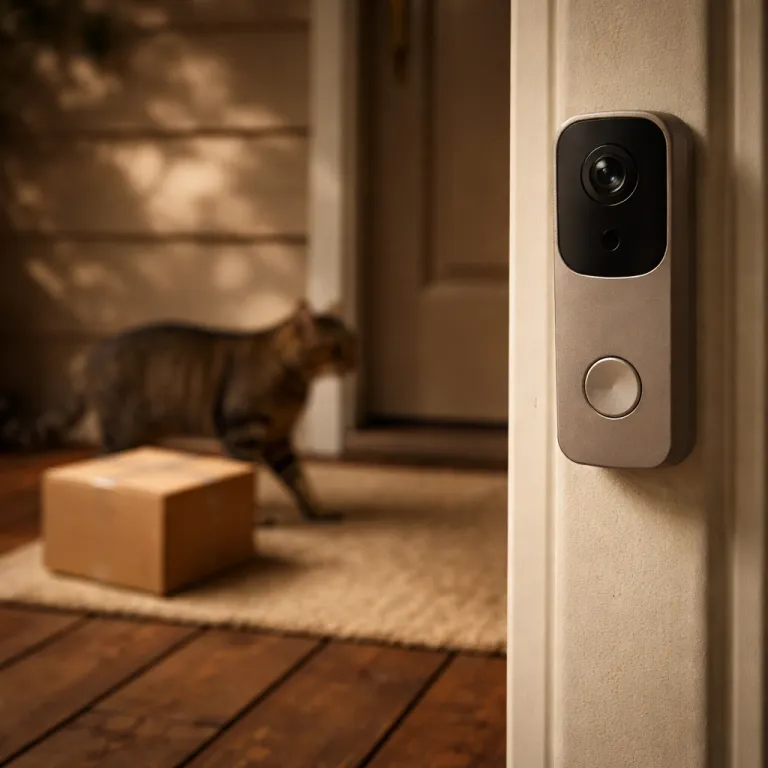

How Ring’s unusual activity alerts actually work on your doorstep
Ring unusual activity alerts arrive first on the Battery Doorbell Pro and a handful of compatible Ring devices. These alerts sit on top of the existing motion detection tools and 3D Motion Detection radar, which already map distance and angle to decide whether a passing person is a meaningful event or just a car at the end of the street. In practice, the system flags an unusual event when the artificial intelligence sees loitering, repeated visits, or movement at hours that differ sharply from your normal pattern, using the same motion history that already powers your Ring event timeline.
For families used to basic motion alert pings, these new alerts feel closer to a virtual security guard watching the front step. The Ring app now groups several clips into a single unusual activity event, adds short video descriptions, and labels why the alert was generated, which helps people with irregular routines understand whether they are seeing a delivery, a stranger, or a neighbor pacing outside. Ring video clips from doorbell cameras and Ring security cameras are still stored and shared through a Ring Protect subscription, but the extra context aims to reduce the flood of generic event alerts that once made people mute notifications entirely or disable motion alerts altogether.
Compared with the older person or package tags, unusual activity alerts rely less on what the camera sees and more on how long and how often it sees it. The system looks at repeated Ring video events from the same direction, or a single person lingering in the frame, and then pushes an alert only when that pattern crosses a threshold that Ring does not publicly detail in its support documentation. Independent reviewers who have tested the Battery Doorbell Pro in mixed urban and suburban settings report that the feature tends to trigger after several closely spaced clips or a person remaining in view for more than a brief pass-by, with some hands-on tests describing alerts after roughly two to five short events in a row, although exact timing still varies by home and configuration.
On the privacy front, unusual activity alerts require the camera to analyze more of every video, not just the first motion trigger. That means Ring devices must process extra frames, compare them with earlier clips, and maintain more detailed video descriptions to decide whether an unusual event is unfolding on your path or driveway. Ring’s own feature descriptions emphasize that this analysis is used to classify motion and generate alerts rather than to create a public profile of your household, and its privacy documentation highlights user control over video history and sharing, but the deeper monitoring is still the tradeoff for fewer false alarms and more targeted security help when something genuinely odd happens.
Families using the Neighbors app will also notice that unusual activity alerts can be shared as labeled clips with nearby residents. A single unusual event at one home can quickly become a pattern across several streets, which turns the network into a kind of crowdsourced security guard that spots repeat visitors or suspicious vehicles. That social layer is powerful for community safety, yet it also means more of your video and event descriptions circulate beyond your front door, even though Ring says it limits how emergency services and third-party partners can access those clips and requires explicit user sharing in most cases, as outlined in its public-facing support and privacy materials.
For a deeper look at how smart doorbell cameras are reshaping daily routines and security expectations, many buyers turn to independent explainers on smart home integration and practical Ring app settings. Those guides often stress that unusual alerts are only as useful as the zones and privacy settings you configure, because a poorly aimed camera will still generate noise even with advanced features. In that sense, Ring unusual activity alerts are not magic; they are another layer in a broader security strategy that still depends on careful placement, realistic expectations, and a willingness to review what the system flags as unusual and adjust settings when it gets things wrong.
When unusual activity alerts work well, they feel like a quiet filter that lets through only the events you actually care about. A parent might receive a single alert summarizing three late-night door checks by the same stranger, instead of three separate motion pings that blur together and get ignored. Independent hands-on tests published by smart home reviewers describe reductions of around 40–50 percent in raw motion notifications over a typical week when unusual activity alerts are enabled, while still surfacing roughly the same number of genuinely important clips, such as attempted door openings or repeated visits at unusual hours.
However, the same artificial intelligence that powers unusual alerts can misread context, especially in busy urban streets where neighbors, delivery workers, and passersby overlap constantly. In those environments, the line between an unusual event and normal city life is thin, so people with unpredictable schedules may still see more alerts than they want. The key is that Ring will let you dial back sensitivity, narrow motion zones, and tune which types of event alerts reach your phone, though that tuning takes time and patience and often benefits from following step-by-step configuration checklists in Ring’s own support articles.
For anyone troubleshooting why their Ring doorbells suddenly feel more chatty or strangely quiet, status lights and power issues still matter as much as software. A blinking red indicator can signal power or connectivity problems that undermine every alert, so guides that explain the meaning behind a blinking red light on your Ring doorbell remain essential reading for new owners. Without stable power and Wi-Fi, even the smartest unusual activity system becomes just another unreliable gadget on the wall, no matter how advanced the motion analysis or alert labeling may be.
False positives, kids in frame, and the reality of notification fatigue
In real homes, the biggest test for Ring unusual activity alerts is not a masked intruder but a windy afternoon. Moving tree branches, shifting shadows, and neighborhood cats have long been the classic triggers that turn motion sensors into a nuisance, and families hope that the new artificial intelligence will finally filter those out. Early use and hands-on reviews show that while the system is better at ignoring a single passing shadow, repeated motion in the same zone can still be flagged as an unusual event when the pattern looks like loitering, especially if several short clips stack up within a few minutes.
Children running through the yard several times after school are another stress test for these alerts. Ring devices now try to distinguish between playful repetition and suspicious pacing by looking at time of day, duration, and path, but the line is thin when kids loop past the same camera again and again. Parents report that the Ring app sometimes groups these clips into one long event with video descriptions that mention repeated motion, which is helpful, yet it still adds to the stream of alerts on a busy family phone and can feel like overkill when everyone already knows the children are outside.
Notification fatigue remains a central issue, because every alert competes with work messages, school updates, and other apps. Ring unusual activity alerts aim to reduce that fatigue by turning five short clips into one labeled event, but some people with irregular routines find that the system simply replaces many small interruptions with fewer, more dramatic ones. The question is whether a single unusual event alert at midnight feels less stressful than several smaller pings spread across the evening, especially when the alert language suggests that someone is lingering or returning repeatedly.
Compared with older person or vehicle tags, unusual alerts add a layer of behavioral judgment that can feel both smarter and more intrusive. A camera that once said only “motion detected” now suggests that someone is lingering or returning too often, which sounds closer to what a human security guard might say. That shift raises expectations that the system will be right most of the time, and every false positive stands out more sharply when the language of the alert implies real risk or hints at suspicious behavior around your front door.
Ring video clips that feed these judgments are stored under the same Ring Protect subscription tiers that already govern history length and sharing. For households that rely on multiple Ring cameras, Ring doorbells, and even indoor devices, the subscription cost becomes part of the calculation about whether unusual activity alerts justify the extra monitoring. Some families treat the system as a form of virtual security that complements, rather than replaces, traditional locks, lighting, and neighborhood watch habits, and independent reviewers often frame it as an upgrade to existing security rather than a full substitute for professional monitoring.
There is also the question of how much the artificial intelligence learns from your specific home. Ring says the system uses context such as time, repetition, and motion path, but it does not publicly promise that the model will adapt deeply to your children’s routines or your neighbors’ dog. That means kids racing scooters past the same camera every evening may always look like a pattern, and the app will continue to send event alerts unless you narrow zones or mute certain times, a limitation that reviewers frequently highlight when comparing Ring with other smart doorbell brands.
For many buyers, the most practical step is to start with conservative settings and then slowly open them up. Begin with a single camera or doorbell in the most important location, watch how unusual activity alerts behave for a week, and then adjust motion zones, sensitivity, and alert types before adding more devices. A simple tuning checklist is to set motion sensitivity to a medium level, draw zones that exclude streets and sidewalks, disable person detection for low-importance areas, and then review which alerts you actually tapped on at the end of each day to decide what to keep or mute.
To make that tuning more concrete, suburban households often start with motion sensitivity at a middle setting, zones that stop just short of the road, and unusual activity alerts enabled only for front-facing Ring doorbells. In dense urban environments, reviewers recommend shrinking zones to cover just the stoop or entryway, lowering sensitivity one notch, and turning off unusual alerts on cameras that face busy sidewalks while keeping them active on more controlled angles such as driveways or gated paths, where repeated visits or loitering are easier to interpret.
Technical glitches can also masquerade as unusual behavior, especially when sensors on nearby equipment misalign or fail. Homeowners who already manage garage door safety gear know that a misaligned sensor can cause repeated openings and closings that look like suspicious activity on camera, so step-by-step guides on how to fix garage door sensor problems are surprisingly relevant to Ring users. Fixing those underlying issues often reduces the number of strange-looking clips that the artificial intelligence might otherwise flag as an unusual event, and independent troubleshooting articles frequently show before-and-after examples of notification counts dropping once hardware faults are resolved.
In multi-device homes, cross-talk between different security systems and third-party smart platforms can complicate the picture. A Ring camera might see lights turning on and off because another automation routine is misconfigured, and the resulting pattern could be labeled as unusual if it repeats at odd hours. Careful auditing of all your smart home routines, not just the Ring app, is therefore essential to keep unusual activity alerts meaningful rather than mystifying, and many smart home reviewers recommend a periodic “automation audit” to catch loops that generate unnecessary motion events.
Privacy, data, and where unusual activity alerts fit in a full Ring setup
Behind every Ring unusual activity alert sits a growing pool of video data and behavioral patterns. To judge whether an event is unusual, Ring devices must compare current motion with past clips, which means more intensive monitoring and more detailed video descriptions than basic motion detection ever required. That deeper analysis raises understandable questions about who can access the data, how long it is stored, and whether emergency services or third-party partners might eventually tap into those patterns, concerns that Ring addresses in its published privacy notices and law-enforcement request summaries.
Ring states that its artificial intelligence runs primarily on the device or in the cloud under its own controls, but the company has previously faced scrutiny over law-enforcement access to user footage and data requests. The Neighbors app, which lets people share clips and event alerts with nearby residents, adds another layer of exposure when unusual events are posted publicly. A single labeled clip of someone loitering can spread quickly through a community feed, which is powerful for security but also sensitive when the person turns out to be a neighbor or a family member, and reviewers often urge users to double-check context before posting.
For households building a full Ring security stack, unusual activity alerts are only one piece of a broader puzzle. Many families pair Ring doorbells and Ring cameras with the Ring Alarm system, contact sensors, and environmental detectors that watch for smoke, carbon issues, or carbon monoxide leaks. While those smoke, carbon, and carbon monoxide alerts are governed by different rules and hardware, they all flow through the same Ring app, which becomes the central dashboard for every kind of event from a package delivery to a life-safety emergency and from a minor motion alert to a high-priority unusual activity notification.
That consolidation has clear benefits when it works well. A single interface that shows doorbell cameras, indoor Ring cameras, alarm status, and environmental sensors can feel like a professional control panel without the need for a dedicated security guard. At the same time, it concentrates risk, because a compromised account or poorly secured phone can expose not just video but also alarm controls and historical patterns of unusual activity around your home, which is why Ring’s security guidance emphasizes strong passwords, two-factor authentication, and careful control of shared user access.
Smart home enthusiasts often integrate Ring devices with other platforms to create more active warnings and automated responses. For example, an unusual event alert at the front door might trigger smart lights, play a sound on indoor speakers, or even send a message to a trusted neighbor, turning the system into a kind of virtual security patrol. Those automations can be powerful, but they also increase the number of places where your data flows, especially when third-party services are involved, so reviewers recommend checking each integration’s privacy policy and access permissions.
When evaluating whether to enable unusual activity alerts, families should weigh the extra insight against the extra data processing. If you already run multiple compatible Ring cameras and doorbells, the marginal privacy impact may feel small compared with the benefit of fewer generic alerts and more focused warnings. For lighter users with irregular schedules or those with only a single device, the tradeoff may look different, and sticking with basic motion alerts could be enough, particularly if you rarely review historical clips or share footage through the Neighbors app.
Independent reviewers who test Ring devices across apartments, townhouses, and detached homes consistently stress that configuration matters more than raw specifications. Guides on how smart doorbells are reshaping home security and daily life point out that camera placement, Wi-Fi reliability, and realistic expectations about what artificial intelligence can infer are more important than whether your model carries a “Pro” label. In that context, unusual activity alerts are best seen as a refinement tool, not a replacement for common sense or for talking with your neighbors about what normal looks like on your street, and not a guarantee that every alert will perfectly match real-world risk.
For families with children, one practical approach is to set clear household rules about when and how to review alerts. Rather than checking every ping in real time, some parents schedule short monitoring windows in the evening to review the day’s unusual events, which keeps anxiety in check while still benefiting from the system’s pattern recognition. Over time, many users report that the doorbell becomes the device they forget is even there, quietly logging video and surfacing only the few clips that genuinely need attention, such as repeated late-night visits or unexpected motion while the house is empty.
As artificial intelligence features expand, the line between helpful context and overreach will continue to be debated. Ring unusual activity alerts sit right on that line, promising sharper security with fewer interruptions, while asking for deeper insight into how people move around your property. For now, the most effective strategy is to treat them as one tool among many, tuned carefully to your home, your neighbors, and your own tolerance for risk and noise, and informed by both Ring’s official support guidance and independent testing from reviewers who live with these devices day to day.
Common questions about Ring unusual activity alerts
How do Ring unusual activity alerts differ from standard motion alerts ?
Ring unusual activity alerts analyze patterns such as loitering, repeated visits, and atypical times, while standard motion alerts trigger on any movement within your set zones. The artificial intelligence looks at duration, path, and frequency of motion events to decide whether to group several clips into a single unusual event. This helps reduce generic notifications and highlight behavior that might matter for home security, especially when combined with 3D Motion Detection and customizable motion zones.
Can Ring unusual activity alerts reduce notification fatigue for families ?
These alerts are designed to cut down on the number of separate pings by combining related clips into one labeled event. For many households, that means fewer interruptions and clearer context about what happened outside the door. However, if motion zones or sensitivity are poorly configured, families may still experience frequent alerts, just with more detailed descriptions, so following Ring’s setup guidance and reviewer-tested tuning tips is crucial.
What are the privacy implications of enabling unusual activity alerts ?
To judge whether something is unusual, Ring must analyze more video data and compare current motion with past events. This deeper monitoring can raise concerns about who accesses the footage, how long it is stored, and how it might be shared through the Neighbors app or with emergency services. Users should review privacy settings, sharing options, and account security before enabling these features across multiple devices, and consult Ring’s published privacy and law-enforcement request information for additional context.
Do unusual activity alerts work well in busy urban environments ?
Performance in dense areas is mixed, because the system must distinguish between normal city traffic and genuinely suspicious behavior. Frequent passersby, delivery workers, and active sidewalks can generate patterns that look unusual even when they are routine for that street. Careful tuning of motion zones and alert types is essential in these environments to keep notifications relevant, and independent reviewers often recommend smaller zones and lower sensitivity for street-facing Ring cameras.
Are Ring unusual activity alerts worth it if I only have one doorbell camera ?
For a single Ring doorbell, unusual activity alerts can still provide value by highlighting late-night visitors, repeated door checks, or lingering at your entrance. However, the benefits are more pronounced in multi-camera setups where patterns across several angles become clearer. If you receive only occasional visitors and already manage motion alerts comfortably, the upgrade may feel less critical, though some users still appreciate the clearer labeling and grouped events even on a lone device.