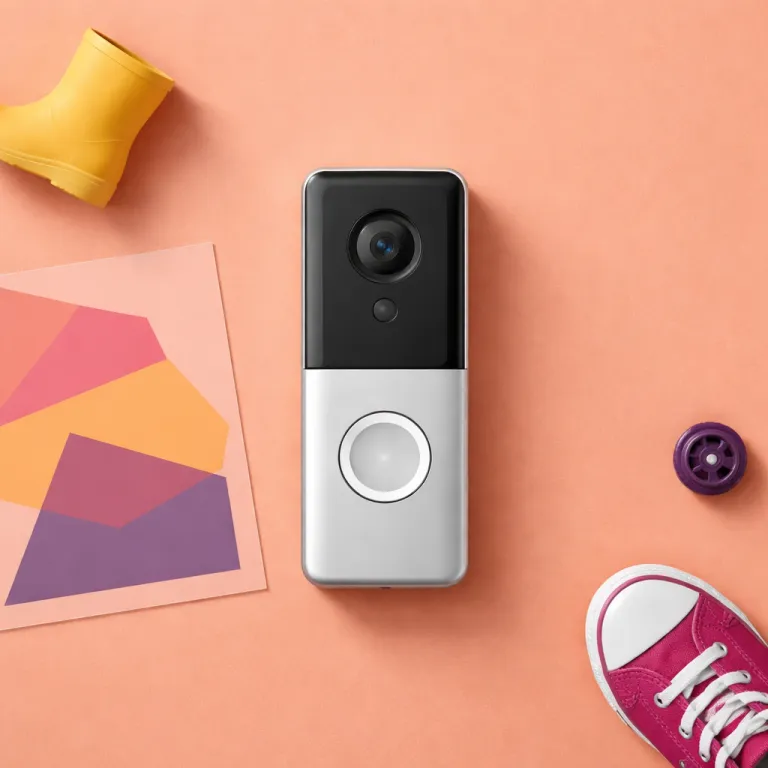
Why a family first setup for ring motion zones matters
A security camera that pings you 40 times a day is useless. When a ring video doorbell or indoor cam sends constant motion alerts, most parents mute the app and miss the one motion detection that actually matters. The goal for any ring motion zones family setup is simple, to keep every important event while cutting the noise hard.
With recent Ring models, the motion sensor and software can classify a person, vehicle, animal, or package inside specific detection zones. That means you can create a motion zone for the front path, another zone for the driveway, and a tighter zone right at the doorbell where parcels land. Used well, these smart motion settings turn cameras doorbells from nagging gadgets into a quiet, reliable layer of indoor and outdoor security.
Families should think of each Ring device as part of one calm ecosystem. You open Ring once, select device by device, and design motion zones that match how your household actually moves during the day. Done right, your ring motion zones family configuration becomes something you rarely edit, because it quietly works in the background.
How Ring’s motion detection really works for families
Every modern Ring camera and video doorbell uses a mix of pixel based motion detection and infrared from the motion sensor. The ring app then applies motion sensitivity, motion settings, and optional Smart Alerts to decide which motion events become notifications. For a busy family, the best configuration uses person based detection for the front door zone and broader detection zones for the driveway or garden.
On battery powered models, aggressive motion settings drain the battery faster, especially when zones ring across a wide street. Wired cameras doorbells and indoor cam units can afford higher sensitivity and more frequent alerts, because they are not limited by battery life. This is why a ring motion zones family plan should treat each device differently, instead of cloning one set of device settings everywhere.
When you first open Ring on the app, resist the urge to tap motion to maximum. Start with moderate motion sensitivity, then adjust motion upwards only where you miss real visitors or deliveries. You will spend less time adjusting motion later, and your family will trust the alerts that do arrive.
The three zone layout that cuts 80 percent of false alerts
The most effective ring motion zones family layout I have tested uses three layers. Closest to the house, create a tight motion zone that hugs the doorstep, porch, and any package drop point. This inner zone should use person based motion detection and Smart Alerts, because this is where you care most about a human at the doorbell.
The second zone sits further out, usually covering the path, driveway, or front garden where children play and cars pull in. Here, you still want motion alerts, but you can tune motion sensitivity lower and rely more on the event history in the ring app. This middle zone is where adjusting motion and settings motion every few months pays off, because seasons change how people and vehicles move.
The third zone is your filter against the street, pavement, and neighbours. Draw this detection zone as a thin band that catches only the edge of the road, or skip it entirely if traffic is heavy. In the motion settings, use Smart Alerts to tag vehicles and animals here, but send fewer push alerts so your family does not see every passing car.
Using the app to build and edit your three zones
To set this up, open Ring on your phone, then select device for the front doorbell. In device settings, tap the motion settings menu, then choose motion zones to start drawing your three layers. Use settings tap gestures carefully, because a few extra metres on screen can mean dozens of extra alerts in real life.
For a front facing security camera above the garage, repeat the same three zone logic. You might create a narrow inner zone over the garage door, a wider zone over the driveway, and a thin outer zone ring along the street. Each zone can have different motion detection rules, so you can edit the driveway to alert for people but not for every reversing car.
If you want a deeper technical explanation of how the motion sensor behaves at different distances, read a detailed guide about the role of door motion sensors in Ring doorbells on a specialist home security blog. Understanding that behaviour helps you adjust motion and motion sensitivity with more confidence, especially when you are fine tuning detection zones for children arriving home from school.
Smart Alerts, schedules, and school day versus night time security
Smart Alerts are where a ring motion zones family setup becomes truly livable. On compatible cameras doorbells, the ring app can label motion as a person, vehicle, animal, or package, then decide which alerts to send. For a family, the best approach is to prioritise person and package alerts at the front door while keeping vehicle alerts mostly in the event history.
Use motion schedules to split your day into school hours, evening, and overnight. During school hours, you might allow more frequent motion alerts from the front path zone, because children and carers come and go. At night, you can tighten motion sensitivity and enable alerts for vehicles in the driveway zone, since a car moving then is more suspicious.
Indoor cam devices benefit from the same logic, especially in shared spaces. Set an indoor detection zone around the main hallway so you see teenagers arriving home late, but avoid constant alerts from the kitchen. When you tap motion schedules correctly, the app becomes a quiet log of family life rather than a stream of interruptions.
Handling animals, garages, and other edge cases
Ring’s animal tag is helpful, but it is not perfect, especially with small children running behind pets. If your dog triggers too many alerts in the garden zone, lower motion sensitivity there and rely more on person based Smart Alerts near doors. For cats that roam fences, shrink the upper edge of the detection zones so the motion sensor ignores the top of the frame.
Garage areas are another common source of false alerts, particularly when a security camera faces both the driveway and the street. A clear step by step guide to fixing garage door sensor problems can help you separate mechanical door issues from pure motion detection noise. Once the door hardware is reliable, you can safely adjust motion and settings motion without chasing phantom triggers.
Remember that every edit to a zone or schedule should run for at least a week before you change it again. Families need predictable behaviour from each device, not constant experimentation. A stable ring motion zones family configuration builds that trust over time.
Family specific choices: notifications, privacy, and indoor cameras
For a family, the hardest part is not drawing zones, it is deciding who gets which alerts. Parents usually need full alerts from the front doorbell and main outdoor security camera, while children might only need a drop in view through the app. Use the ring app to create shared access so older kids can open Ring and check the live cam without changing device settings.
Privacy matters more indoors, especially with an indoor cam in living spaces. Limit indoor detection zones to entry points and hallways, and use motion schedules to pause recording during predictable family time. You can also tap motion toggles quickly from the app when hosting guests, so your cameras doorbells feel less intrusive.
Battery powered devices need extra thought, because frequent alerts shorten the time between charges. Place battery models where motion is more predictable, such as a side path or back garden gate, and keep wired cameras on the busiest views. This balance lets your ring motion zones family system stay online without constant charging.
Drop in checks versus constant push alerts
Not every event needs a push notification, especially in a busy household. For low risk zones, such as a back garden where children play, rely on the timeline in the app and occasional drop in checks. Reserve real time alerts for the front door zone, driveway at night, and any indoor cam that protects valuables.
When you open Ring and select device options, think in terms of roles. The front video doorbell is your primary gatekeeper, so it deserves the most precise motion zones and Smart Alerts. Secondary cameras, such as an indoor cam in the hallway, can use broader detection zones but fewer alerts, acting more like a quiet recorder.
If you are worried about parcel theft, pair your motion zones with a clear front door package theft plan from a reputable home security resource. Combining thoughtful detection zones with practical delivery habits gives your family better protection than any single device setting. Over time, you will rely less on constant alerts and more on a calm, well tuned system.
Quarterly tune ups: keeping your ring motion zones family ready
No family layout stays the same for long, and your motion zones should reflect that. Every three months, open Ring, select device for each camera, and review the event history. Look for patterns where you still get too many alerts or miss important motion detection events.
Seasonal changes affect how the motion sensor behaves, especially with trees, shadows, and parked cars. In summer, you might need to edit the outer detection zones to avoid moving branches, while in winter headlights can trigger the driveway zone more often. A quick settings tap to adjust motion sensitivity by one step can remove dozens of false alerts without losing real incidents.
Battery performance also shifts with temperature, so monitor how often you recharge each device. If one battery powered doorbell drains too quickly, tighten its motion zones or move it to a quieter entrance. Then let a wired security camera or cam take over the busiest view.
A simple checklist for each quarterly review
Start with the front doorbell, because it anchors your ring motion zones family strategy. Check that the inner doorstep zone still aligns with where packages land, and that Smart Alerts correctly tag people and parcels. Then review the middle and outer zones ring for the driveway and street, trimming any area that generates noise.
Next, move to each indoor cam and outdoor security camera in turn. Confirm that privacy sensitive rooms have narrow detection zones and that motion schedules still match school runs, work shifts, and bedtime. Finally, test one live motion event per device by walking through each zone, so you see exactly how the app responds.
When you treat motion settings as a living part of your home, not a one time install chore, your system stays aligned with real family life. The result is a ring motion zones family configuration that feels almost invisible day to day. It becomes not the spec sheet, but the doorbell you forget is even there.
FAQ
How many motion zones should a family use on one Ring device ?
Most families do best with two or three motion zones per device. One tight zone near the door or gate catches critical events, while one or two wider zones cover paths and driveways. More zones usually add complexity without improving real world detection.
How can I reduce false motion alerts from cars and pedestrians ?
Draw your outer detection zones so they stop just short of busy pavements and roads. Then lower motion sensitivity for that zone and use Smart Alerts to deprioritise vehicles. This combination keeps your history useful while cutting constant notifications.
Should indoor Ring cameras send motion alerts all the time ?
Continuous indoor alerts quickly become overwhelming in a family home. Limit indoor detection zones to entry points and use motion schedules to pause alerts during predictable family time. Many households rely on event history and occasional live views instead of constant push notifications.
How often should I adjust my Ring motion settings ?
A quarterly review works well for most families, with small tweaks in between if something clearly changes. Seasonal light, new cars, or growing trees can all affect motion detection. Regular tune ups keep your system accurate without turning settings into a weekly chore.
Do Smart Alerts replace the need for careful zone setup ?
Smart Alerts help classify motion, but they cannot fix badly drawn zones. If your detection zones include busy streets or tree canopies, you will still see noise. The best results come from combining precise zones with Smart Alerts tuned to your family’s priorities.
References
Security.org Doorbell Camera Guide ; Ring Help Center ; Consumer Reports home security camera reviews.