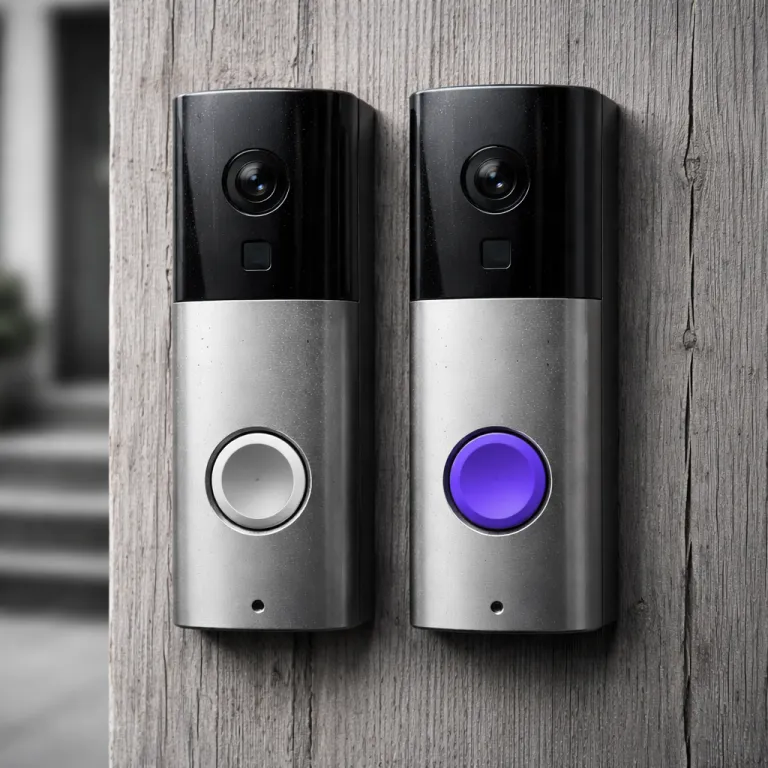
Ring vs Nest doorbell as a long term smart home choice
Ring vs Nest doorbell as a long term smart home choice
Choosing between Ring and Nest for a video doorbell quietly locks you into a wider smart home platform. Over time that single Ring Doorbell or Nest Doorbell shapes which security cameras, displays, and voice assistants you can add without friction, so treating the Ring vs Nest doorbell decision as a full security system choice is more realistic than seeing it as a one off gadget. If you already use Alexa or Google Assistant on speakers and other devices, your existing ecosystem should guide you before any shiny camera spec sheet.
Ring integrates deeply with Amazon Alexa, while Google Nest hardware leans into the Google Home app and Google Assistant for voice control. In practice that means a Ring Video Doorbell shows live video quickly on an Echo Show, and multiple Ring cameras or Ring Alarm sensors can be armed with a single Alexa routine. There is no official Google Home app integration for Ring devices, although some owners use third party workarounds via platforms such as IFTTT or SmartThings. By contrast, a Nest Doorbell or Nest Cam streams smoothly to Nest Hub displays and into the Google Home app, yet still offers basic Alexa compatibility for people who run mixed equipment in different rooms.
Think about where you want to be in three or four years, not just which video doorbells look tempting today. If you plan to add more security cameras, smart locks, or professional monitoring later, the Ring–Nest ecosystem split becomes more important than a small difference in video resolution or battery capacity. A household that already owns Chromecast, Android phones, and a Nest Thermostat will usually feel more at home with Google Nest doorbells, while a home full of Echo speakers and Fire TV sticks tends to be better served by Ring doorbells and Ring cameras.

Ring vs Nest doorbell: quick comparison table
| Feature | Ring Video Doorbell (Battery / Plus / Pro 2) | Nest Doorbell (battery / wired 2nd gen) |
|---|---|---|
| Typical resolution | 1080p to 1536p (Pro 2) | Up to 960 x 1280 with HDR |
| Motion tech | Standard PIR; 3D radar on Pro 2 | On device AI for people, packages, vehicles |
| Best ecosystem fit | Alexa, Echo, Fire TV, Ring Alarm | Google Home, Nest Hub, Chromecast |
| Recording model | Cloud only (Ring Protect) | On device event detection plus Nest Aware cloud |
Video quality, night vision, and motion detection in daily use
On paper, the Ring vs Nest doorbell comparison looks like a simple camera spec battle. Current Ring Video Doorbell models typically offer 1080p to 1536p (around 2K) resolution on the Battery and Plus models and up to 1536p with enhanced processing on the Pro 2, while the latest Nest Doorbell models lean on sharp HDR processing to keep faces and packages visible in harsh light rather than chasing raw pixels. In real porches and apartment hallways, both brands deliver clear video, but how they handle motion, shadows, and backlit scenes matters more than the marketing numbers.
Ring video processing tends to produce slightly cooler images, with strong edge detail that helps when you pause the video doorbell feed to zoom on a face or licence plate. The Pro tier Ring Video Doorbell models add 3D radar motion detection, which maps motion in front of the doorbell and cuts down on false alerts from passing cars, especially when you tune the motion zones in the Ring app. Nest rivals such as the Nest Doorbell (wired, 2nd gen) use Google Nest on device AI to classify people, packages, and vehicles, so the app can filter notifications and show only the security events you care about most.
Night vision is another area where the best choice depends on your lighting. Ring doorbells generally rely on strong infrared night vision, with some models offering colour night vision when there is enough ambient light from nearby security equipment or street lamps, while Nest doorbells combine HDR and smart exposure to keep faces readable under a single porch light. If you already use external lights such as Ring Spotlight or Floodlight models, a Ring doorbell integrates neatly with those security cameras, and a detailed comparison of those lights can be found in this guide on choosing between Ring Spotlight and Floodlight.
Ring vs Nest: pros and cons for video and motion
- Ring advantages: higher resolution options on Ring Video Doorbell Pro 2, 3D radar motion on premium models, crisp detail for zooming on faces and plates.
- Ring drawbacks: more dependent on careful motion zone tuning to avoid false alerts, cloud only recording with no local video storage.
- Nest advantages: strong HDR for tricky lighting, on device AI for people and package detection, smooth streaming to Nest Hub and Google Home app.
- Nest drawbacks: fewer ultra high resolution options, some advanced AI features tied to Nest Aware subscription tiers.
Battery life, wiring options, and installation quirks
Battery performance is where marketing promises often collide with real world habits in the Ring vs Nest doorbell debate. Both Ring and Nest doorbells offer battery powered and wired options, yet how often you get motion alerts, how long you stream live video, and how cold your winters are will decide whether you climb a ladder every few months or barely think about charging. Renters and people in older buildings with no existing chime wiring usually lean toward battery powered video doorbells, while owners planning long term security systems often prefer wired installations.
Ring battery doorbells are designed around quick swap batteries, so you can keep a spare battery charged and minimise downtime when the app warns you that power is low. In practice, a Ring battery doorbell on a busy street with frequent motion events might last four to six weeks between charges, while a quieter suburban setup with tuned motion zones can stretch to several months, especially if you limit live video streaming. Nest doorbells with batteries behave similarly, but their tighter integration with Google Nest AI features such as familiar face detection and event rich notifications can draw more power if you leave every smart detection enabled.
Wired installations change the equation for both brands, because a constant power feed lets the camera and motion sensors work harder without draining a battery. A professionally installed Nest Doorbell wired into an existing chime can feel almost invisible day to day, and a wired Ring Video Doorbell Pro 2 offers the same forget it convenience with higher resolution style processing and 3D motion mapping. If you are already considering other brands such as a Blink doorbell or an Ecobee smart video doorbell camera, this detailed review of the Ecobee wired video doorbell camera shows how subscription models and wiring constraints compare across the wider market.
Apps, cloud storage, and privacy trade offs
The app experience is where many first time buyers feel the Ring vs Nest doorbell difference every single day. Ring’s app is straightforward and fast, with clear tiles for each Ring doorbell, camera, and Ring Alarm sensor, while the Google Home app brings Nest Doorbell feeds, Nest Cam clips, and other Google Nest devices into one unified dashboard. Both apps send push notifications quickly when motion is detected, but how they handle cloud storage and privacy will matter if you are sensitive about where your video lives.
Ring offers cloud only recording, so every motion event or button press is uploaded to Ring cloud storage and accessed later through the app or web interface. Without a Ring Protect subscription you only get basic live view and alerts, which is why many households end up on the Ring Protect Basic plan, and a detailed breakdown of those subscription costs is available in this guide to the Ring subscription cost and features. Google Nest takes a slightly different path, because some processing such as familiar face recognition and event detection can happen on the device itself, reducing how much raw video hits the cloud, while Nest Aware tiers unlock longer cloud storage and richer history.
From a privacy standpoint, Nest emphasises on device intelligence and granular controls over which cameras participate in familiar face alerts, while Ring focuses on clear controls for sharing clips, linking security cameras, and managing neighbourhood style features. Neither approach is inherently the best for every household, because some people value the simplicity of one cloud storage model for all their video doorbells and security cameras, while others prefer the idea that their doorbell camera can recognise a familiar face without sending every frame to remote servers. If you are weighing Ring–Nest trade offs, think about who needs access to the app, how long you truly need to keep clips, and whether you are comfortable with cloud based professional monitoring later.
Costs, subscriptions, and long term security equipment value
Price is often the first filter in any Ring vs Nest doorbell search, but the real cost lives in subscriptions and future add ons. Upfront, Ring’s Battery Doorbell 2nd Gen, Plus 2nd Gen, and Pro 2nd Gen span a wide range, while the standard Nest Doorbell and Nest Doorbell Pro sit slightly higher for comparable features, especially when you factor in HDR and Google Nest AI extras. Over a few years, though, the monthly fees for cloud storage and optional professional monitoring can outweigh the difference between two doorbells on sale.
Ring offers the Protect Basic subscription at a relatively low monthly price for each Ring doorbell or Ring video camera, with higher tiers that bundle multiple cameras and Ring Alarm monitoring into one plan. Google’s Nest Aware and Nest Aware Plus subscriptions cost more per month but cover all compatible Nest Cam and Nest Doorbell devices in a home, which can be better value if you plan a full suite of security cameras and smart displays. When you compare these offers, remember that longer cloud storage retention, richer event history, and advanced features such as familiar face recognition are often locked behind those monthly fees.
Think of your doorbells as the front line of broader security systems rather than isolated gadgets. A household that wants a simple video doorbell with basic recording might be perfectly happy with a single Ring device on a Protect Basic plan, while a tech forward home that already owns multiple Google Nest speakers, displays, and cameras may find Nest Aware’s all in one cloud storage model more economical. Either way, map out three years of subscription costs, including any future security equipment such as extra Ring cameras or a Nest Secure style alarm setup, before you decide which brand truly offers the best long term value.
Example price ranges and subscription totals
- Typical mid range Ring and Nest doorbells often retail between 100 and 250 units of local currency, depending on sales and regional pricing.
- A Ring Protect Basic style plan at around 4 to 5 units per month adds roughly 50 to 60 units over a year, or 150 to 180 units across three years for a single camera.
- A Nest Aware Plus level subscription closer to 12 to 15 units per month can reach 150 to 180 units in one year, or more than 400 units over three years, but that fee usually covers every compatible Nest camera in the home.
Which buyer fits Ring, which fits Nest, and where alternatives sit
Different households fit different sides of the Ring vs Nest doorbell divide, and being honest about your habits helps more than chasing the latest spec. If you already talk to Alexa every day, stream on Fire TV, and like the idea of adding Ring cameras or a Ring Alarm kit later, staying inside the Ring ecosystem keeps your security equipment simple and your app experience consistent. People who live in Google’s world, with Android phones, Nest Hubs, and Chromecast on every television, usually feel more at ease when every Nest Doorbell and Nest Cam appears inside the same Google Home app.
Ring is often the better fit for buyers who want flexible devices, strong motion detection, and a wide range of doorbells at different price points. The brand’s focus on 3D motion, clear video, and straightforward cloud storage makes it easy to start with one Ring doorbell and grow into multiple video doorbells and security cameras without learning a new app. Nest, on the other hand, appeals to people who value Google Nest intelligence, on device processing, and features such as familiar face alerts that lean on facial recognition, especially when combined with other Nest compatible products in a Google centric home.
Alternatives such as a Blink doorbell or other budget video doorbells can look tempting, but they rarely match the depth of either Ring or Nest ecosystems. If you expect to add more devices, experiment with smart routines, or consider professional monitoring later, choosing between Ring–Nest platforms now will save you from ripping out equipment in a few years. The best choice is the doorbell and ecosystem that fades into the background, quietly handling motion alerts, cloud storage, and security events so completely that you almost forget the camera is there.
Key figures and practical statistics for smart video doorbells
- Subscription costs for mainstream video doorbells typically range from about 4 to 15 units of local currency per month, with Ring Protect Basic at the lower end and Nest Aware Plus near the upper end, which means a three year subscription can easily exceed the initial doorbell price.
- Independent testing from multiple consumer organisations has shown that tuning motion zones can cut false motion alerts by more than 50 percent, which directly improves battery life for both Ring and Nest battery powered doorbells.
- Studies of smart home adoption in Europe and North America report that more than 60 percent of smart doorbell buyers later add at least one additional security camera, highlighting how the first doorbell choice often defines the long term security ecosystem.
- Field measurements on popular models indicate that battery powered video doorbells mounted in cold climates can lose up to 20 percent of their effective battery capacity during winter months, making wired installations more attractive for exposed entrances.
- Consumer surveys consistently show that app reliability and notification speed rank higher than raw video resolution for most buyers, with more than half of respondents rating a stable app as the single most important feature of their smart doorbell system.
FAQ about Ring vs Nest doorbell choices
Is Ring or Nest better if I already use Alexa or Google Assistant ?
If your home already runs on Alexa speakers and Fire TV, Ring usually fits better because its doorbells, cameras, and Ring Alarm integrate tightly with Alexa routines and voice commands. Households built around Google Assistant, Nest Hubs, and Chromecast tend to be better served by a Nest Doorbell and other Google Nest devices, which all live inside the Google Home app. Mixed homes can use either brand, but choosing the platform that matches your main voice assistant keeps daily use simpler.
Do I need a subscription for Ring or Nest doorbells to be useful ?
Both Ring and Nest video doorbells work without subscriptions, but their most useful features depend on paid cloud storage plans. Without Ring Protect or Nest Aware you still get live video and basic motion alerts, yet you lose recorded history, rich notifications, and in some cases advanced AI features such as familiar face recognition. For most buyers, budgeting for at least the entry level subscription tier is sensible when comparing Ring vs Nest doorbell options.
Which brand has better motion detection and fewer false alerts ?
Ring’s higher end models use 3D radar motion detection to map movement in front of the door, which can dramatically reduce false alerts from passing cars or swaying trees when you configure motion zones correctly. Nest relies more on Google Nest AI to classify people, packages, and vehicles, so you can filter notifications by event type rather than just by area. Both approaches work well when tuned, but people on busy streets often prefer Ring’s radar based motion, while those focused on smarter event filtering lean toward Nest.
How do Ring and Nest compare on privacy and data handling ?
Ring stores recorded clips in the cloud and gives you tools in the app to manage sharing, linked security cameras, and neighbourhood style features, but it does not offer on device familiar face recognition in the same way Nest does. Google Nest devices such as Nest Cam and Nest Doorbell can process some events locally, including familiar face alerts, which reduces how much raw video is sent to cloud storage. Your comfort level with cloud based services, and whether you want more on device intelligence, should guide your choice between Ring–Nest ecosystems.
Are cheaper alternatives like Blink doorbells worth considering ?
Budget options such as a Blink doorbell can be attractive for small spaces or secondary entrances, especially if you already own other Blink cameras. However, they usually offer fewer advanced features, less polished apps, and smaller ecosystems than either Ring or Nest, which matters if you plan to add more security equipment later. For a first and primary video doorbell, most buyers are better served by choosing between Ring and Nest, then adding cheaper devices only as accessories.