
Choosing the right Ring doorbell before you touch a wall
Before any ring doorbell installation, decide how you actually live. A battery powered Ring Video Doorbell suits renters who cannot touch existing doorbell wiring, while a wired Ring device with a compatible chime transformer works better for owners wanting constant power and fewer charging breaks. Think about whether your front door has a deep porch, side stairs, or a narrow wall because that will influence mounting, the need for a wedge kit or corner kit, and how clearly the video doorbell can see visitors.
Walk outside and stand where a visitor would press the doorbell ring, then look back toward the street and note angles, shadows, and any obstructions. If your door opens onto a side path or your steps come in from the left, a corner kit can rotate the Ring device toward the approach, while a wedge kit can tilt the camera down so you see faces instead of just the sky. This early step helps you learn whether the standard mounting plate and mounting screws will be enough or whether you should set device expectations differently and order extra accessories before starting installation.
Check your existing doorbell and chime before you buy anything. If you already have a wired doorbell, remove the chime cover indoors and look for a small chime transformer label showing 16 to 24 volts AC, because that voltage range is what most wired Ring models expect for safe power. If you only see a plug adapter powering a wireless chime or no transformer at all, plan on either a battery powered Ring doorbell or a dedicated low voltage adapter, and consider professional installation if mains wiring makes you nervous.
The two minute voltage test that prevents returns
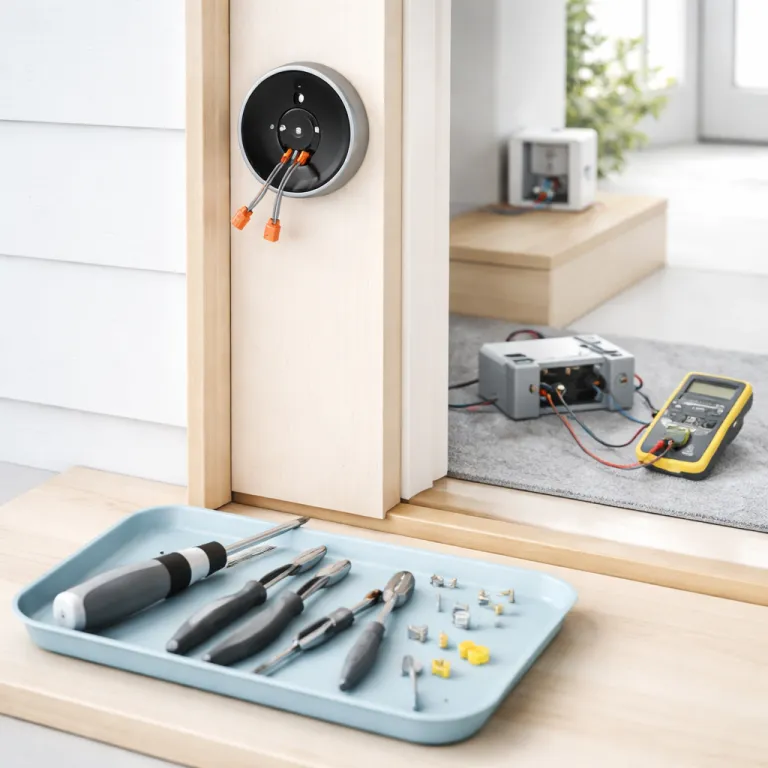
For a wired ring doorbell installation, a cheap multimeter can save you an afternoon and a product return. Turn off the correct breaker for your existing doorbell circuit, remove the doorbell button from the wall, then gently pull the two low voltage wires forward so you can access them safely. After you restore power, set the meter to AC, touch the probes to each wire, and you should read between 16 and 24 volts if the chime transformer and wiring are healthy.
If the reading is far below 16 volts, your ring device may not receive enough power to stay online or ring the indoor chime reliably. In that case, you either upgrade the chime transformer to a compatible low voltage model or switch to a battery powered video doorbell that uses a removable battery instead of relying on weak wiring. When you plan to replace or add a transformer, follow a detailed low voltage transformer safety guide and consider a step by step resource such as a dedicated article on how to safely install a low voltage transformer for your Ring doorbell so you respect mains power limits.
Always cut power at the breaker before touching any transformer or mains side adapter. Label the breaker clearly once you find it, because that small step will save you hunting through the panel during future maintenance or when you set Ring accessories later. If you feel unsure at any point, professional installation is not a failure but a smart way to secure both your home and your warranty, especially when a licensed electrician can drill, connect, and secure everything in one visit.
Mounting height, wedges, and drilling without wrecking your facade
Once you know your power situation, the next step in ring doorbell installation is choosing the right mounting height and angle. Ring recommends placing the center of the video doorbell camera around 1,20 metres above the porch, yet in many real homes 1,30 metres works better because steps and railings change the line of sight. Stand on your top step, hold the Ring device roughly where you plan to mount it on the wall, and check whether the lens can see both faces and packages on the ground.
If your door frame is recessed or your path comes from the side, a corner kit can rotate the doorbell ring toward the walkway, while a wedge kit can tilt the camera down to avoid capturing only the street. Use the included mounting plate as a template, mark the screw holes with a pencil arrow pointing up, and confirm that the plate sits flat before you ever pick up a drill. For brick or concrete, choose a drill bit that matches the supplied wall anchors, then drill slowly so you do not crack the surface or widen the holes beyond what the mounting screws and screws bag can securely grip.
On wood or uPVC, you often can skip wall anchors and use the shorter mounting screws directly, but always pre drill pilot holes to prevent splitting. If you are trying to keep your front entry tidy alongside other cameras, think about how you will route cables or hide extra hardware, and you can borrow ideas from guides on how to discreetly conceal a camera without sacrificing security even if they focus on different brands. The goal is a clean, secure mounting that looks intentional, keeps the device stable, and avoids any future wobble when someone presses the doorbell.
Wired versus battery powered setup and first app configuration
With the bracket fixed, you now handle the actual step connecting power and pairing the ring device with your network. For wired models, turn off the breaker, loosen the two terminal screws on the back of the Ring doorbell, then wrap one low voltage wire around each screw before tightening them firmly so they stay secure. For battery powered versions, fully charge the removable battery first, slide it into the device until the internal arrow clicks into place, and confirm the front light spins when you tap set on the button.
Next, install the Ring app on your smartphone and create or sign into your account so you can set Ring preferences before anyone presses the doorbell ring. In the app, choose “Set up a device”, select “Video Doorbell”, then follow the on screen guide installing steps to connect to your Wi Fi, name the location, and link any indoor chime or plug adapter you plan to use. When the ring app prompts you, scan the QR code on the back of the device or in the screws bag leaflet, then wait while the app handles setup and firmware updates without you needing to drill or touch the wall again.
Before you invite family members or guests, open the motion settings in the app and draw motion zones that cover your path and doorstep but ignore the street. This single step will dramatically cut false alerts from passing cars and swaying trees, and it is easier to adjust now than after everyone has already installed the app. Once notifications look sensible, you can set device sharing for other household members, tap set to confirm chime preferences, and relax knowing the core installation is complete.
Indoor chimes, adapters, and when to call a professional
Many first time buyers forget that a ring doorbell installation is not only about the camera at the door but also about how you hear visitors inside. If you have an existing mechanical chime, some Ring models use a small chime kit or chime transformer module that you connect inside the chime box to make the old doorbell ring work with the new smart device. Always follow the wiring diagram carefully, matching terminals and tightening each small screw so the step connecting the module does not loosen over time.
In homes without a wired chime, a wireless Ring Chime or a third party chime connected through a plug adapter can handle indoor alerts without any drilling. Plug the chime into a central socket, open the ring app, and add it as a new device so you can set Ring tones, volume, and quiet hours that match your routine. If you want a deeper walkthrough on how to install a doorbell camera for a safer front door, a dedicated installation guide can complement this overview and help you learn extra tricks for tricky layouts.
There are moments when professional installation is the right call, especially if your mains wiring looks messy or your walls are fragile stone that makes every drill bit slip. A qualified electrician can upgrade the transformer, secure all adapters, and ensure the Ring device, wall anchors, and mounting screws meet safety standards in a single visit. Once everything is stable, you will barely think about the hardware again, because the doorbell simply works in the background while you focus on daily life.
Frequently asked questions about Ring doorbell installation
How high should I mount my Ring doorbell for the best view ?
Most Ring models work best when the camera lens sits around 1,20 to 1,30 metres above the porch floor. That height usually captures both faces and packages while keeping motion alerts focused on people instead of cars. If your steps are unusually tall or your path approaches from the side, use a wedge kit or corner kit to fine tune the angle without moving the mounting position dramatically.
Can I install a Ring doorbell in a rented apartment without drilling ?
Many renters choose a battery powered Ring Video Doorbell and use no drill mounts that clamp to the door or frame. These solutions avoid permanent holes in the wall and rely on strong brackets instead of wall anchors or mounting screws. Always check your lease and ask your landlord before installation, but in most cases a reversible setup is acceptable when it leaves no visible damage.
Do I need an electrician to wire my Ring doorbell ?
You can usually handle low voltage wiring yourself if you are comfortable turning off breakers, using a simple screwdriver, and following a clear guide installing each step. However, you should hire professional installation when you need to replace a mains powered transformer, extend wiring through new walls, or if your fuse box looks confusing. Safety comes before savings, and a short electrician visit often costs less than repairing avoidable damage.
Will my existing indoor chime work with a new Ring doorbell ?
Some existing mechanical and digital chimes are compatible with specific Ring models, while others require a separate Ring Chime accessory. Check the compatibility list for your exact device, then decide whether to connect through a chime transformer module or use a wireless chime that plugs into a standard socket. If your current chime is incompatible, replacing it is usually easier than trying to adapt very old hardware.
What tools do I need for a typical Ring doorbell installation ?
Most installations only require a drill with the correct drill bit, a Phillips screwdriver, and sometimes a small level to keep the mounting plate straight. Ring usually includes a mini screwdriver, mounting screws, wall anchors, and a security screw tool in the screws bag so you do not need to buy specialized equipment. For masonry walls, you may also want masking tape to mark depth on the bit and a vacuum to collect dust while you drill.