Understanding the ring smart lighting bridge in the connected home
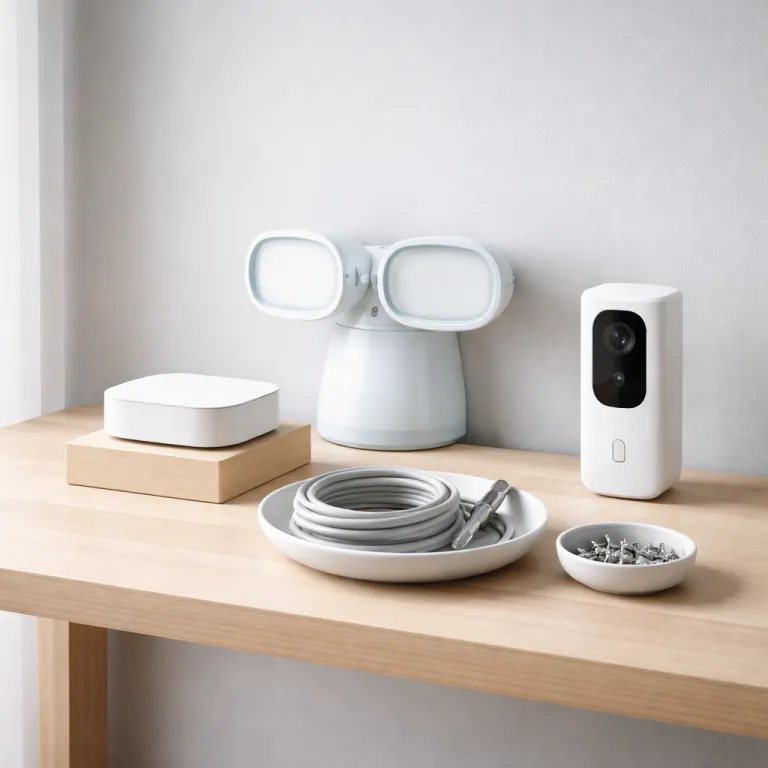
The ring smart lighting bridge sits at the heart of Ring’s outdoor lighting ecosystem. This compact bridge links compatible smart lights ring devices to your Wi-Fi and to the wider Ring app, creating a coordinated perimeter of awareness around your home. By acting as a dedicated bridge between low power lights and your network, the device reduces strain on Wi-Fi while extending smart coverage to driveways, gardens, and pathways.
When you plug in the ring bridge, it connects ring devices such as motion sensors, floodlights, and pathway lights into one smart lighting group. The bridge ring design allows these enabled devices to talk to each other, so one motion event can turn lights on across several zones simultaneously. This orchestration helps customers feel safer when arriving home after dark, because smart lights respond predictably and consistently.
The ring smart lighting bridge also integrates with the broader Ring ecosystem, including doorbells and cameras. When lights ring in response to movement, your cameras can start recording, and the app will send alerts to your phone. This tight integration between lighting, cameras, and the ring app turns a simple lighting product into a layered security system.
For many customers, the appeal lies in the bridge’s balance of simplicity and control. The setup process is guided step by step in the app, and the device automatically searches for compatible ring devices nearby. Once configured, you can adjust smart lighting schedules, brightness, and motion sensitivity without touching a single physical switch.
Because the ring smart lighting bridge is a central hub, its software security matters as much as its hardware reliability. Ring regularly updates firmware to address vulnerabilities and improve performance, which is essential for any always connected device. Understanding this bridge as both a lighting controller and a network node is key to evaluating its role in your home.
How the bridge connects ring devices, lights, and the ring app
The ring smart lighting bridge uses a low power radio protocol to communicate with compatible lights and accessories. Each device joins a local mesh, and the bridge then relays commands and status updates to the ring app over Wi-Fi. This architecture allows many smart lights to operate reliably even at the edge of your property, where Wi-Fi alone might struggle.
During setup, the app walks you through adding each product, naming zones, and testing motion detection. You can group multiple ring devices under labels such as “front garden” or “garage,” then configure how those lights ring when motion is detected in any part of the group. This granular control helps customers avoid over lighting while still ensuring that key paths and entrances turn lights on when needed.
The bridge also supports routines that link lighting with other Ring hardware. For example, when your video doorbell detects motion, the ring smart lighting bridge can automatically turn lights on along the path to your door. If you are exploring how to get a doorbell camera for free, pairing that camera later with smart lighting will still be straightforward because the bridge gen architecture remains consistent across devices.
Within the ring app, you can read customer reviews for each compatible device and adjust settings based on real world feedback. Many amazon customer comments highlight how the bridge ring improves responsiveness compared with standalone Wi-Fi lights. The app also lets you monitor battery levels for wireless lights, so you can maintain your smart lighting network without guesswork.
Because the bridge is always online, software security updates are delivered silently in the background. This continuous improvement cycle is important for customers who rely on the device to protect entrances, gardens, and driveways. A well maintained bridge ensures that your smart lights and other enabled devices remain dependable over time.
Ring smart lighting bridge, Amazon Sidewalk, and the extended sidewalk network
One of the most debated aspects of the ring smart lighting bridge is its relationship with Amazon Sidewalk. Amazon Sidewalk is a shared, low bandwidth network that can help certain enabled devices stay connected even when home Wi-Fi is weak. When the bridge participates in the sidewalk network, it can extend coverage for compatible ring devices and some third party products.
For customers, this means that smart lights at the edge of a large property may remain responsive even if they sit beyond the usual Wi-Fi range. The ring bridge can act as a sidewalk node, relaying small packets of data that allow motion alerts and basic commands to function. This can be particularly useful for detached garages, gates, or garden paths where running Ethernet or adding extra access points would be impractical.
However, the use of Amazon Sidewalk raises legitimate questions about software security, data handling, and customer control. Ring provides options in the ring app to manage Sidewalk participation, allowing customers to opt out if they prefer a more closed network. Before enabling Amazon Sidewalk, it is wise to read the latest customer reviews and official documentation, especially if you are privacy conscious.
The bridge gen hardware is designed to work whether Sidewalk is enabled or not, so core smart lighting functions remain available. You can still connect ring devices, schedule when to turn lights on, and link lighting with cameras and doorbells. If you are considering a more advanced doorbell, exploring the features and benefits of the Ring Doorbell Plus can help you understand how lighting and video work together in a layered system.
For many amazon customer households, the trade off between extended coverage and data sharing will be a personal decision. The key is to treat the ring smart lighting bridge not just as a lighting accessory, but as a network participant whose settings deserve careful attention. Informed configuration helps ensure that your smart devices align with your comfort level on connectivity and privacy.
Voice control, Alexa integration, and everyday use of smart lights
The ring smart lighting bridge becomes more powerful when paired with voice assistants. When you link the ring app to Alexa, you can control smart lights using simple spoken commands. Many customers appreciate being able to turn lights on or off without reaching for a phone, especially when arriving home with hands full.
To enable this, you must select Alexa skills that integrate Ring services, then authorize access to your ring devices. Once configured, Alexa enabled speakers can trigger routines where a single phrase will turn lights on, arm cameras, and even adjust other smart devices. This layered automation transforms the bridge ring from a silent hub into an active part of your daily routine.
For example, you might create a routine called “goodnight” that turns lights off around the garden, checks that exterior cameras are armed, and confirms that no motion has been detected recently. The ring smart lighting bridge coordinates these actions by relaying commands to each connected product. Over time, customers often refine these routines based on how their family actually moves through the property.
Voice control also helps people with reduced mobility or limited reach manage outdoor lighting more safely. Instead of walking to a switch in the dark, they can ask Alexa to turn lights on before stepping outside. This combination of smart lighting, voice control, and responsive devices can significantly improve both comfort and perceived security.
For those building a broader smart home, the bridge gen hardware fits alongside other hubs and controllers. It focuses on lighting and Ring security, while leaving climate control or entertainment to different systems. If you are also considering a camera upgrade, you may want to enhance your home security with a smart 2K Wi-Fi video doorbell featuring chime, which can integrate smoothly with the same app.
Evaluating customer reviews, star ratings, and real world reliability
When assessing the ring smart lighting bridge, customer reviews and star ratings on platforms like Amazon provide valuable context. Many amazon customer comments focus on ease of setup, reliability of motion triggers, and how well the bridge maintains connections with distant lights. Reading both positive and critical reviews helps you understand how the device performs in varied homes and gardens.
On product pages, you will often see aggregated stars alongside detailed customer reviews. Pay attention to mentions of bridge gen stability, frequency of software security updates, and how quickly the ring app responds to motion events. Verified purchase labels add weight to reviews because they confirm that the customer actually installed and used the bridge ring in a real environment.
Some customers praise how the bridge allows them to connect ring devices across large properties, while others note challenges with thick walls or complex Wi-Fi layouts. These experiences can guide your own expectations about where to place the bridge and how many smart lights to deploy. If several reviews mention the same issue, it may indicate a pattern rather than an isolated case.
It is also useful to read reviews that compare the ring smart lighting bridge with earlier generation hubs or competing products. Comments about improved range, more responsive lights ring behavior, or better integration with Amazon Sidewalk can signal meaningful progress. Conversely, repeated concerns about firmware bugs or delayed notifications may suggest that you should wait for further updates.
Ultimately, the combination of star ratings, written feedback, and verified purchase indicators forms a practical evidence base. By taking time to read and interpret this information, customers can make a more informed decision about whether the bridge’s capabilities match their needs. This careful approach reflects a broader trend toward data driven choices in smart home investments.
Security, data, and long term considerations for the ring smart lighting bridge
Because the ring smart lighting bridge sits between your home network and the sidewalk network, its security posture deserves close scrutiny. The device handles motion data, lighting schedules, and interactions with other ring devices, all of which can reveal patterns about when you are home or away. Robust software security and transparent policies are therefore essential for maintaining trust.
Ring states that it uses encryption for data in transit and at rest, and that firmware updates are designed to patch vulnerabilities promptly. Customers should ensure automatic updates remain enabled in the ring app, so the bridge gen hardware always runs the latest protections. Regularly reviewing app permissions and Sidewalk settings also helps align the device’s behavior with your privacy expectations.
Over the long term, the value of the ring bridge depends on continued support, compatibility, and integration. As new smart lights and other enabled devices reach the market, backward compatibility will determine whether your existing bridge can connect ring products from future lines. Checking product descriptions for explicit references to the ring smart lighting bridge can prevent unpleasant surprises.
Energy use is another practical consideration, because the bridge and connected lights run every day. While each device consumes relatively little power, a growing network of smart lighting products can add up over time. Thoughtful scheduling, motion sensitivity tuning, and grouping can help you turn lights on only when they genuinely enhance safety or comfort.
For households that rely heavily on Ring for security, the bridge ring becomes part of a larger resilience strategy. Combining lighting, cameras, and doorbells with clear policies on data sharing and Sidewalk participation can create a balanced system. To deepen your understanding of how Ring’s ecosystem evolves, you may want to read more detailed product analyses and expert commentary from independent reviewers.
Questions people also ask about the ring smart lighting bridge
How does the ring smart lighting bridge work with existing Ring doorbells and cameras ?
The bridge links compatible smart lights to the same ring app that manages your doorbells and cameras. When motion is detected by a light or sensor, the bridge can trigger recording on nearby cameras and send a unified alert. This coordination helps create a layered security perimeter around entrances and paths.
Do I need Amazon Sidewalk for the ring smart lighting bridge to function ?
No, the bridge operates over your home Wi-Fi and its own low power radio network even if Amazon Sidewalk is disabled. Sidewalk can extend connectivity for some devices at the edge of your property, but it is optional. You can manage participation in the sidewalk network directly from the ring app settings.
Can I control ring smart lights with Alexa voice commands ?
Yes, once you link your Ring account to Alexa and enable the appropriate skill, you can use voice commands to control smart lights. You can ask Alexa to turn lights on or off, adjust groups, or run routines that include other devices. This integration relies on the ring smart lighting bridge to relay commands to each connected light.
What happens if my Wi-Fi goes down while using the ring smart lighting bridge ?
If Wi-Fi fails, the bridge cannot communicate with the cloud or send notifications to your phone. However, local interactions between some lights and sensors may continue, depending on how the devices are designed. Once Wi-Fi is restored, the bridge resynchronizes with the app and resumes normal remote control.
Is the ring smart lighting bridge suitable for large gardens or long driveways ?
The bridge is designed to support multiple smart lights spread across a property, and its low power radio can often reach farther than Wi-Fi alone. For very large gardens or long driveways, careful placement of the bridge and additional lights may be necessary. Reading customer reviews from owners of similar properties can provide useful guidance on real world range.