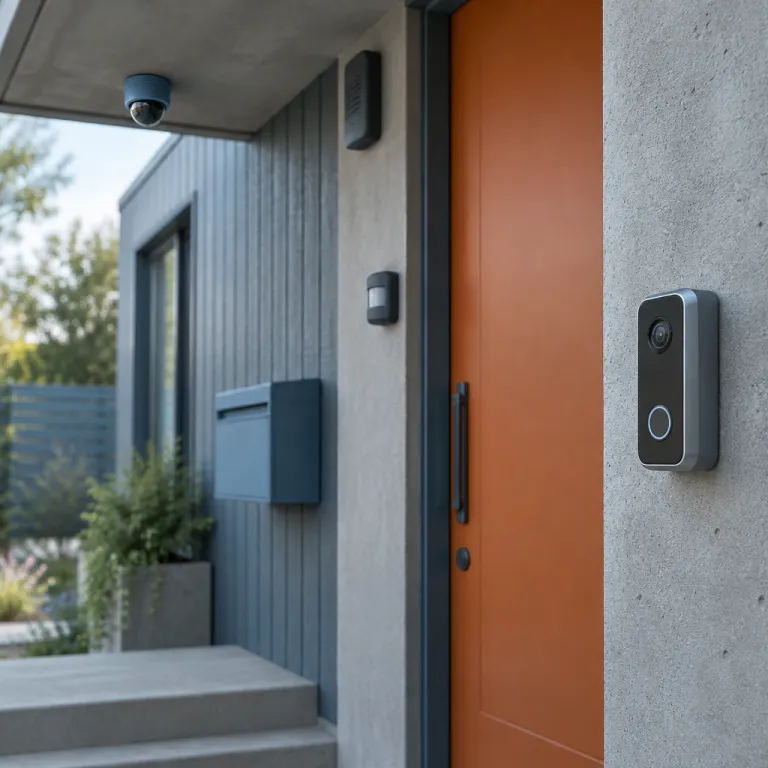
The ring security system complete setup for a coordinated home response
A modern Ring home security setup in 2026 is less about a single gadget and more about how every Ring device talks to the next. When you connect the doorbell, cameras, sensors, and a Ring Alarm or Ring Alarm Pro into one chain, you turn scattered devices into a coordinated response that actually protects your family. The goal is simple; when something moves, breaks, or forces a door, the right camera records, the right alarm sounds, and the right phone in your home gets the alert.
Think of the stack in four layers; the video doorbell at the front, outdoor and indoor cameras around the shell, contact and motion sensors on entry points, and the alarm backbone with its base station and keypad. Each layer of this Ring security stack covers a different risk, from porch piracy to a forced back door, and the magic comes when the Ring app links them into one automation chain. A good whole-home Ring configuration does not just notify you, it decides which alarm, which camera, and which person should react first.
The base station is the quiet star of the system, acting as the central hub that keeps every sensor and device online. Around it you add kit pieces like door and window sensors, a motion detector in each hallway, and optional devices such as glass break sensors or flood sensors that may be sold separately. When you design this security kit as a whole instead of buying one piece at a time, you avoid blind spots and make professional monitoring or self monitoring far more effective.
How Ring layers work together
Start with the doorbell, because that is the icon you and your visitors touch every day. A Ring Video Doorbell (for example, Ring Video Doorbell 4 or Ring Battery Doorbell Plus) with a strong Wi-Fi link becomes the front trigger in your alarm system, capturing faces, packages, and motion before anyone even reaches the lock. When you pair that doorbell with a compatible Ring Chime and a nearby camera, one press or motion event can wake up several devices at once.
Next come the outdoor cameras, which extend Ring security beyond the porch into driveways, side yards, and back patios. In a thoughtful whole-home Ring security configuration, each camera is mapped to nearby sensors so that a side gate contact sensor can start recording on the closest camera instead of every device in the house. This targeted response saves bandwidth on your Wi-Fi system and makes review clips shorter, sharper, and easier to scan.
Indoor cameras and sensors form the final layer, especially important for families with children or pets. Place a motion detector at the base of stairs, contact sensors on ground floor windows, and a keypad near the main entry so arming the Ring Alarm or Alarm Pro becomes part of leaving the house. When the base station hears from any triggered sensor, it can sound the siren, send a push through the Ring app, and, if you have professional monitoring, escalate to emergency services.
From doorbell to whole home: mapping your first complete Ring layout
Most households start with a single Ring doorbell, then slowly add devices as new worries appear. That piecemeal approach often leads to overlapping coverage in some corners and big gaps in others, especially if you never revisit the original installation plan. A better way is to sketch a whole home map first, then build a complete Ring security layout that follows your actual floor plan and daily routine.
Walk the perimeter of your home and mark every entry; front door, back door, side gate, garage, and any basement access. Each of these points deserves at least one sensor and, where possible, a camera that can see a person’s face at two metres, because identification matters more than wide angle scenery. For many suburban homes, a budget friendly video doorbell paired with a single front yard camera like the model reviewed in this guide to a 100 dollar Ring doorbell that fits most front doors will cover deliveries and casual visitors well.
Inside, decide where you actually move when you wake up at night or leave for work. Place the keypad where you naturally pass, not hidden in a corner, because an alarm system only works if arming and disarming it feels effortless. Then assign each sensor and device to a room name in the Ring app, so that when you later review an alert you see “kitchen window sensor” instead of a meaningless serial number.
Planning for moves and life changes
Families rarely stay in one place forever, and your Ring security stack should survive a move. If you expect to change homes soon, favour wireless devices and non permanent mounts so that professional installation is optional, not mandatory. A well planned Ring Alarm and camera setup lets you unmount a doorbell, reset the base station, and reinstall the same security kit in a new layout with minimal downtime.
When you do move, treat the uninstall as carefully as the first installation. Label each sensor and keypad with painter’s tape, photograph the original operating conditions, and store every small mounting piece in a single box so nothing goes missing. A dedicated playbook such as this moving houses with Ring uninstall and reinstall guide can save you hours of guesswork on the other side.
Life changes inside the same house also matter, especially with children growing or elderly relatives moving in. You may need to shift a motion detector higher to avoid a toddler’s reach, or add extra sensors near a ground floor bedroom window. Revisit your Ring Alarm and camera placement at least once a year, checking that every device still has strong Wi-Fi, healthy batteries, and a clear field of view.
Ring sensors, Sidewalk range, and the quiet backbone of monitoring
The least glamorous part of any Ring home security system is the network that keeps sensors talking to the base station. Ring uses a mix of Wi-Fi, Z-Wave, and Amazon Sidewalk to connect devices, and that blend determines whether a sensor in your detached garage feels like part of the same alarm system. When Sidewalk is enabled, compatible Ring sensors can hop through neighbouring Sidewalk bridges, extending range beyond your own router’s reach.
New Sidewalk powered sensors announced at CES (for example, Ring Alarm Glass Break Sensor and Ring Alarm Flood & Freeze Sensor updates highlighted at CES 2024) include fire, flood, carbon monoxide, air quality, glass break, and temperature models, which turn the Ring Alarm into more than a simple intrusion alarm tool. These devices are designed to send low bandwidth signals over long distances, which is ideal for monitoring basements, attics, or outbuildings where Wi-Fi is weak. In practice, that means a temperature sensor in a shed can still warn you about freezing pipes, even if the shed is beyond your normal Wi-Fi system coverage.
Every sensor, from a basic contact sensor to a specialised motion detector, reports back to the base station, which then decides whether to trigger a siren, send a notification, or call the professional monitoring centre. You can tune these responses in the Ring app, choosing which devices are armed in Home mode versus Away mode, and which should stay silent but log events for later review. The result is a layered alarm cellular and Wi-Fi backbone that quietly watches doors, windows, and environmental risks without overwhelming you with noise.
Operating conditions and reliability
Each Ring device has specific operating conditions for temperature, humidity, and power that you should respect. Outdoor cameras and sensors are usually rated for rain and heat, but they still need solid mounting and, where possible, some shade to protect lenses and batteries. Indoor sensors dislike being placed near vents or radiators, because sudden temperature swings can confuse motion detection and shorten battery life.
When planning a complete Ring security setup, match each device to its environment instead of forcing a single kit piece to do everything. Use weather rated sensors on gates and garages, and keep standard contact sensors for interior doors and windows where conditions are stable. If you live in an area with harsh winters or very hot summers, check the product pages for exact operating conditions before finalising your security kit; for example, Ring’s own specs for many battery powered cameras list operating ranges around -20°C to 50°C.
Reliability also depends on software security and firmware updates, which Ring pushes through the Ring app over Wi-Fi. Make a habit of checking for updates monthly, especially on the base station and Ring Alarm Pro models, because these are the brains of your alarm setup. A well maintained system with updated software security, fresh batteries, and tested sensors is far more likely to perform correctly during a real emergency.
Automation chains: from glass break to siren, camera, and phone alert
The real power of a complete Ring security configuration lies in automation, not just passive recording. Automation chains let you say; when this sensor trips, that camera records, this alarm sounds, and these phones get notified. Done well, these chains turn a scattered set of devices into a single coordinated response that feels almost professional.
Consider a glass break sensor in the living room paired with an indoor camera and the main alarm system. If the sensor hears breaking glass while the system is armed, the base station can immediately trigger the siren, start recording on the nearest camera, and send a high priority push through the Ring app to every adult in the household. You can even add a secondary rule so that an outdoor camera facing the street also records, capturing a getaway vehicle while the indoor device records the entry.
Motion based automations work similarly, especially around driveways and side yards. A motion detector near the garage can start recording on both a driveway camera and a side yard camera, while a subtle chime plays on the keypad or a smart speaker inside. For families with children, you can set a softer rule; when the back door contact sensor opens after bedtime, send a silent alert to parents’ phones without sounding the full alarm siren.
Designing practical routines, not gimmicks
It is tempting to turn every Ring device into a flashy smart home icon, but restraint pays off. Focus on three or four high value automation chains that match real risks; night time entries, daytime deliveries, and travel periods when the house is empty. A lean set of rules is easier to test, easier to explain to family members, and less likely to misfire.
Start by mapping which sensors should trigger which cameras in each mode. In Home mode, you might want only exterior sensors and cameras armed, so that kids can move freely inside without waking the Alarm Pro siren. In Away mode, you can arm every sensor, enable professional monitoring if your subscription required tier supports it, and let the system escalate more aggressively.
Test each automation chain in daylight and at night, walking through the house as if you were an intruder. Watch how quickly cameras wake, how loud the siren sounds from bedrooms, and how fast notifications reach your phone over Wi-Fi or cellular backup. Adjust delays, chime volumes, and which devices are linked until the complete Ring security setup feels like a calm, predictable routine instead of a jumpy gadget show.
Cellular backup, Ring Protect, and the subscription layer
Any serious Ring Alarm configuration must plan for the moment when Wi-Fi fails. Power cuts, router crashes, or a simple cable outage can all knock your network offline at the worst possible time. That is where cellular backup on the base station or Ring Alarm Pro models becomes critical, keeping professional monitoring and alerts alive even when your internet is down.
Ring offers different Ring Protect plans, and the details matter more than the marketing names. At the basic level, Ring Protect enables video recording and cloud storage for individual devices, while higher tiers cover multiple devices and unlock professional monitoring for the Ring Alarm system. For full alarm security with dispatch, you need a plan where subscription required is clearly stated, because without it your system behaves more like a loud local siren than a monitored alarm system.
Cellular backup usually kicks in automatically when the base station detects a Wi-Fi outage, switching to an embedded SIM that talks to the monitoring centre. During this period, you may see limited video quality or slower clip uploads, but core alerts and professional monitoring should continue. Treat this feature as insurance; you hope never to need it, yet when a storm knocks out power and your router goes dark, that quiet alarm cellular link can be the difference between a logged event and a real emergency response.
Balancing cost and coverage
Subscriptions add up, especially in a large Ring camera and sensor deployment with many devices. Before you subscribe, list every device you own, then check which Ring Protect tier covers them all without paying for unused capacity. In many family homes, a mid tier plan that supports multiple devices and professional monitoring offers the best balance of cost and coverage.
Remember that some advanced features, such as rich notifications, extended video history, or certain professional monitoring options, may be locked behind specific plans. Read the fine print on subscription required notes, especially if you rely on cellular backup or want to integrate new Sidewalk sensors like fire or flood detectors. If you are unsure, start with a lower tier, then upgrade only if you find yourself hitting limits on clip history or monitoring features.
Whatever you choose, build the subscription into your annual security budget alongside hardware costs. A realistic view of total cost, including Ring Protect, replacement batteries, and occasional professional installation for tricky wiring, will keep your Ring security ecosystem sustainable over the long term. The aim is a system you can afford to keep running year after year, not a flashy stack that becomes too expensive to maintain.
Hardware choices, professional installation, and total system cost
Choosing the right mix of hardware is where many buyers feel overwhelmed. Ring sells everything from simple battery powered doorbells to Ring Alarm Pro base stations with built in routers, and each piece carries different installation demands. A clear plan for your complete Ring Alarm and camera setup will keep you from overbuying devices that do not fit your wiring, Wi-Fi, or comfort with tools.
For most security conscious families, a practical starting bundle includes a video doorbell, one or two outdoor cameras, a Ring Alarm security kit with base station and keypad, and at least six contact sensors. Extra motion detectors, glass break sensors, and specialised environmental sensors can be added as each risk becomes clear, often sold separately so you are not locked into a single kit piece count. If you live in a larger home, consider a Ring Alarm Pro base station, which combines routing and security functions and can simplify wiring while adding features like cellular backup.
Professional installation is optional for many Ring devices, but it can be worth the fee in homes with complex wiring or weak Wi-Fi coverage. An installer can optimise camera angles, ensure the base station sits in a central, protected location, and verify that every sensor reports reliably before leaving. If you prefer to do it yourself, take your time, follow the Ring app step by step, and do a full walk test of the alarm system before trusting it with your family’s safety.
Estimating the real budget
Total cost for a full Ring security deployment depends on house size, number of entry points, and your appetite for redundancy. A compact apartment might be well served by a single doorbell, a small Ring Alarm kit, and two or three sensors, while a detached family home with a garage and yard could easily use ten or more sensors and four cameras. Remember to include the price of mounts, extra batteries, and any devices sold separately, such as a secondary keypad or a chime for upstairs.
Over time, subscription fees for Ring Protect and any professional monitoring will likely exceed the initial hardware cost. That is not a flaw; it reflects the ongoing service of cloud storage, software security updates, and access to a staffed monitoring centre. To keep the budget under control, review your device list annually, retiring unused cameras or sensors and adjusting your plan so you are not paying to protect areas you no longer care about.
Renters face a slightly different equation, because drilling into walls or door frames may be restricted. In that case, lean on battery powered devices, adhesive mounts, and flexible kits that can move with you, as outlined in this full Ring setup guide for tenants who cannot drill. With careful planning, even a rental can host a robust Ring Alarm and camera configuration that feels permanent while remaining fully reversible.
Daily use, software security, and living with a Ring security stack
Once the hardware is mounted and the automations are tuned, the real test begins; does your Ring security setup fade into the background of daily life. A good system should feel like a reliable appliance, not a needy gadget that constantly begs for attention. You want to forget about it most days, then have it perform flawlessly the one night it matters.
Daily routines revolve around the keypad, the Ring app, and a few key devices like the doorbell and main hallway motion detector. Teach every adult and older child how to arm and disarm the alarm system, how to silence a false alarm, and how to use the app to check live views before opening the door. For younger children, focus on simple rules; do not touch the keypad without a parent, and always wait for an adult before opening exterior doors when the alarm security system is armed.
Software security deserves as much attention as physical sensors. Use strong, unique passwords for your Ring account, enable two factor authentication, and review which phones and tablets have access to the Ring app at least twice a year. Regularly audit shared access for neighbours, babysitters, or contractors, revoking permissions when they no longer need to monitor or control any part of your Ring security configuration.
Keeping alerts meaningful over time
Alert fatigue is the enemy of any alarm system, especially one with many cameras and sensors. If your phone buzzes every time a car passes or a tree moves, you will eventually ignore notifications, which defeats the purpose of professional monitoring or careful self monitoring. The fix is to tune motion zones, sensitivity, and schedules so that only genuinely interesting events reach you.
Start by adjusting motion zones on cameras to exclude streets and focus on walkways, porches, and doors. Then tweak sensor behaviour so that interior motion detectors are disabled in Home mode while exterior sensors and the Ring Alarm perimeter remain active. Over a few weeks, you should see a sharp drop in noise and a rise in signal, with each alert from your Ring security stack feeling worth a glance.
Finally, schedule a quarterly review of your system, treating it like a fire drill. Test the siren, walk past every motion detector, open and close each contact sensor, and confirm that notifications arrive on all intended phones over both Wi-Fi and, where available, cellular backup. This small ritual keeps your Ring setup honest, so that when something truly goes wrong, the system behaves like a calm, well trained guard rather than a collection of random gadgets.
Key figures for Ring security and smart home monitoring
- The United States smart home security camera market was valued at about 3.9 billion US dollars in the mid decade, and Future Market Insights projects it to reach roughly 11 billion US dollars by the mid next decade, implying an annual growth rate of around 11.2 percent as more households adopt connected cameras and alarm systems (see Future Market Insights’ smart home security camera market report for detailed methodology).
- In a typical family home with three exterior doors and eight ground floor windows, a balanced Ring Alarm setup often uses between 10 and 14 sensors, which usually means one starter security kit plus several extra contact sensors sold separately.
- Most Ring battery powered cameras and sensors are designed to operate roughly between minus 20 degrees Celsius and plus 50 degrees Celsius, but performance and battery life are best in the mid range, so placement away from direct sun or ice buildup significantly improves reliability; you can confirm exact ranges on individual Ring product specification pages.
- For many households, ongoing Ring Protect and professional monitoring subscriptions represent between 40 and 60 percent of the total five year cost of ownership for a complete Ring security configuration, which makes subscription planning as important as the initial hardware purchase.
- Sidewalk enabled sensors can extend effective communication range to several hundred metres in dense neighbourhoods where many Sidewalk bridges exist, which allows detached garages or sheds beyond normal Wi-Fi coverage to remain part of the same alarm security network, as outlined in Amazon’s own Sidewalk technical documentation.
FAQ about connecting Ring doorbells, cameras, sensors, and alarms
How many sensors do I need for a typical Ring alarm setup
Most single family homes need at least one contact sensor on every exterior door, plus sensors on easily accessible ground floor windows. A common starting point for a complete Ring Alarm configuration is six to ten contact sensors and one or two motion detectors, then you add more pieces for basements, garages, or side entries. The exact number depends on your floor plan and which areas you consider high risk.
Do I really need cellular backup for my Ring alarm system
Cellular backup is strongly recommended if you rely on professional monitoring or live in an area with frequent power or internet outages. When Wi-Fi fails, the base station or Ring Alarm Pro can use alarm cellular connectivity to keep sending alerts and contacting the monitoring centre. Without cellular backup, your alarm security system becomes a local siren only whenever your router or modem is offline.
Can I install a Ring security kit myself or should I pay for professional installation
Most Ring devices are designed for do it yourself installation, with clear instructions in the Ring app and simple mounting hardware. If your home has complex wiring, thick walls that weaken Wi-Fi, or you feel unsure about placing cameras and sensors, professional installation can be worth the extra cost. A hybrid approach also works; install easy pieces like the keypad and contact sensors yourself, then hire help for the doorbell or exterior cameras.
What Ring Protect plan do I need for full alarm and camera coverage
To get cloud recording for multiple cameras and professional monitoring for a Ring Alarm system, you need a Ring Protect tier that explicitly supports both multi device video and alarm monitoring. Lower tiers may only cover video storage for a single device, so always check the subscription required details before committing. For a full Ring security stack, most families choose a mid or upper tier plan that balances cost with comprehensive coverage.
How do Ring sensors and cameras work if my wifi signal is weak
Ring devices closest to the router usually connect over Wi-Fi, while more distant sensors use Z-Wave or Sidewalk to reach the base station. If your signal is weak, you can add Wi-Fi extenders, move the base station to a more central location, or choose a Ring Alarm Pro model that doubles as a router. In some neighbourhoods, Sidewalk enabled sensors can also benefit from nearby Sidewalk bridges, extending the effective range of your complete Ring security setup.