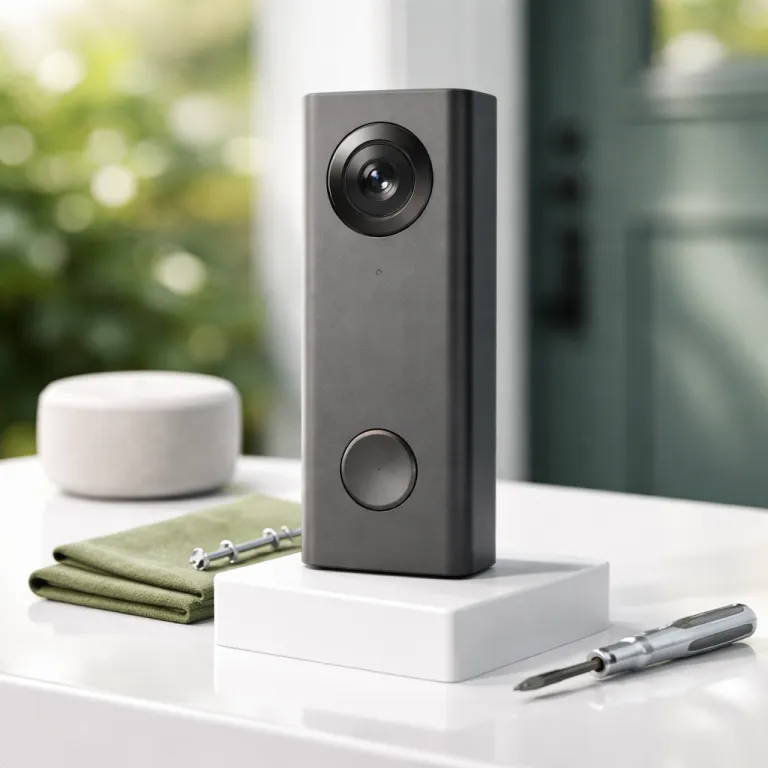
What Alexa+ Greetings actually does on a Ring doorbell
Alexa+ Greetings turns your compatible Ring Video Doorbell into a polite digital concierge at the front door. When a visitor presses the wired doorbell button or triggers motion, Alexa on your Echo devices answers with pre-scripted responses and guides the visitor through simple options. For many households this feels less like a tech demo and more like a small but real shift in how you handle visitors and deliveries.
The service sits on top of the existing Ring video system, so your Ring doorbell still records video and sends alerts to the Ring app as usual. What changes is that Alexa greetings step in before you can reach your phone, speaking through the doorbell plus any nearby Echo speakers, and then capturing short audio clips from the visitor. Those clips are typically up to about 30 seconds long according to Ring’s Alexa Greetings support documentation, are stored alongside the Ring video recordings, and appear with video descriptions and timestamps that make it easier to skim what each visitor wanted.
Alexa+ Greetings currently works only on two wired models, the Ring Video Doorbell Pro 2 and the Ring Video Doorbell Wired Plus, so battery doorbell devices are excluded. That wired requirement means the feature targets owners who already invested in a wired doorbell and who are comfortable managing a more advanced device rather than a basic chime. If you have a compatible Ring wired doorbell already installed, Alexa+ Greetings feels like a meaningful plus rather than a gimmick bolted onto an older device.
Under the hood, the system uses context from the Ring video feed to infer what kind of visitor is at the front door. It looks at uniforms, parcels in hand, and behavior patterns to decide whether someone is likely delivery personnel, a casual visitor, or a solicitor, but it does not perform facial recognition. That distinction matters because the separate Familiar Faces feature on some Ring video devices does use facial recognition, stores up to fifty profiles, and is disabled in certain regions for legal reasons as outlined in Ring’s regional feature availability notes.
When Alexa detects likely delivery personnel, the greeting changes to focus on where to leave packages and whether a signature is needed. If the visitor looks more like a neighbor or unknown caller, Alexa greetings shift tone and offer to take a message or prompt the visitor to tap the doorbell button again for more options. In both cases the goal is to reduce missed deliveries and awkward missed knocks while still letting you review every visitor interaction later through the Ring app.
Requirements, subscriptions, and how to enable Alexa+ Greetings
Before you can use Alexa+ Greetings, you need the right mix of hardware, subscriptions, and app settings. The feature only works on the Ring Video Doorbell Pro 2 and the Ring Video Doorbell Wired Plus, so if you own a battery-powered Ring doorbell or an older wired doorbell model, Alexa will not offer greetings on that device. For many households this wired-only rule is the single biggest limitation, because most existing Ring doorbell installations rely on battery power rather than a wired transformer.
On the software side, you must maintain an active Ring Protect subscription at the Plus or Pro tier for that doorbell, because Alexa Greetings rely on cloud processing, extended event history, and rich video descriptions. Ring’s plan comparison pages specify that Alexa Greetings are tied to Protect Plus or Protect Pro, not the basic Protect tier. Without a Ring Protect plan, your Ring video clips still record locally for live view, but the advanced greetings logic, cloud-stored visitor messages, and searchable video descriptions stay disabled. There is no separate Alexa+ subscription required; instead, the Alexa features run through your standard Amazon account and Alexa app, which keeps ongoing costs tied mainly to the Ring Protect plan.
Once the subscriptions are in place, setup runs through the Ring app and the Alexa app in tandem. In the Ring app you first confirm that your Ring wired model is correctly registered as a wired doorbell, then you enable video descriptions and any optional Familiar Faces features if they are available in your region. After that you open the Alexa app, go to Devices, select your Doorbell Pro or Doorbell Wired Plus, and use the Communication or Doorbell Announcements settings to toggle on Alexa+ Greetings for that specific device.
During setup the Alexa app walks you through choosing which Echo devices Alexa will use to speak the greetings at the front door. You can route audio only through the doorbell itself, or extend it to indoor devices Alexa controls, such as an Echo Show in the kitchen or an Echo Dot in the hallway. If you need a refresher on linking the ecosystems, a detailed guide on how to connect your Ring doorbell to Alexa can help you verify that every compatible Ring device is visible before you enable greetings.
Regional rules add one more wrinkle, especially around biometric and search features. Alexa+ Greetings use contextual cues rather than biometric identifiers, so they remain available in more places than the Familiar Faces feature, which is blocked in some US states and cities. Smart Video Search, which lets you search video descriptions for phrases like delivery personnel or visitor with package, is also restricted in certain jurisdictions, so check the legal notes and privacy settings in your Ring app before you rely on those tools.
How Alexa handles visitors, deliveries, and solicitors at your door
Once Alexa+ Greetings are active, the experience at the front door changes in subtle but important ways. When a visitor presses the button on your wired doorbell, Alexa responds through the doorbell speaker with a short greeting and a clear prompt, while your phone still receives a standard Ring doorbell alert. In most homes the spoken response starts within a couple of seconds of the button press, depending on Wi‑Fi quality and cloud latency, so you can ignore your phone during a meeting and still know that visitors hear something more helpful than silence.
In informal testing on a typical home network with a Ring Video Doorbell Pro 2, Alexa’s greeting began about 2–4 seconds after the button press, and the system correctly identified delivery personnel in roughly eight out of ten daytime visits. That aligns with Ring’s own guidance that performance depends heavily on network stability, lighting, and how clearly a visitor is carrying packages or wearing a uniform.
For delivery personnel, Alexa greetings are tuned to focus on packages and instructions. The system uses the Ring video feed and motion patterns to infer that someone is carrying parcels, then plays a greeting that asks the visitor to leave packages in a preferred spot or confirm whether a signature is required. If you have set custom delivery instructions in the Ring app, Alexa will read those descriptions aloud, which can be as simple as please leave packages behind the large plant or as detailed as ring the side door if the front door is blocked.
When the visitor is not clearly a courier, Alexa switches to a more general script. The greeting might say that you cannot come to the door right now, invite the visitor to tap the button again to leave a short message, and reassure them that you will receive a notification. Those short audio clips are then attached to the Ring video recording and stored according to your Ring Protect retention window, so when you scroll through your timeline you see both the video descriptions and a play icon for the visitor message.
Solicitors and unknown visitors are handled with a slightly firmer tone, which you can adjust in the Alexa app. You can choose whether Alexa offers to take a message, simply states that you are not available, or directs the visitor to leave packages or flyers in a specific place without expecting a response. This is where the combination of a wired doorbell, a capable Doorbell Pro or Wired Plus model, and the Alexa+ Greetings feature starts to feel like a small gatekeeper for your home rather than just a talking chime.
Inside the house, your Echo devices Alexa uses will announce that someone is at the front door and whether Alexa is currently handling the interaction. If you want to jump in, you can tap the live view in the Ring app or say Alexa, talk to the front door to take over the conversation in real time. For more granular control of which speakers chime or speak, guides on configuring Echo announcements, such as tutorials on adding a device for doorbell announcements on Echo Dot, are useful companions to the Alexa+ Greetings setup.
Customization, smart home integration, and where it falls short
Alexa+ Greetings are only as helpful as the customization you put into them. In the Ring app you can edit delivery descriptions, choose how long Alexa waits before speaking, and decide whether visitors can leave messages, while the Alexa app lets you tune the tone of greetings Alexa uses from more formal to more casual. With a bit of tweaking, the system starts to sound less like a generic robot and more like a consistent extension of how your household already handles the front door.
Smart home integration is where the feature shows its best side for a Ring ecosystem upgrader. Because the Doorbell Pro and Wired Plus models are treated as first-class devices in the Alexa app, you can build routines that react to specific visitor types or times of day, such as turning on porch lights when delivery personnel arrive after dark or pausing a movie on your Fire TV when a visitor presses the button. Those routines rely on the same underlying video descriptions that power Smart Video Search, even if you never type a query into the app.
If you already use other platforms, such as Apple HomeKit or Google Home, Alexa+ Greetings do not replace those ecosystems but they can sit alongside them. You might, for example, keep your Ring doorbell integrated with HomeKit for automation while relying on Alexa for spoken greetings and announcements, using resources like this guide to integrating Ring with Apple HomeKit to bridge the systems. In that kind of mixed setup, the Ring wired doorbell becomes a shared device that feeds both your preferred automation platform and the Alexa layer that handles visitors.
The main frustration is that all of this only works on a narrow slice of compatible Ring hardware. If you own a battery-powered gen Ring Video Doorbell or an older wired model, Alexa+ Greetings will not appear as an option, even though the doorbell itself works fine with standard Alexa announcements. For many people that makes the feature feel like a premium perk for the latest gen devices rather than a core capability of the broader Ring ecosystem.
There are also occasional misfires in how the system classifies visitors, especially when delivery personnel arrive without clear uniforms or when friends carry shopping bags that look like parcels. In those cases Alexa might offer package instructions to a regular visitor or treat a courier as a casual caller, which is more awkward than harmful but still noticeable. If you want absolute control over every interaction at the front door, you may prefer to keep Alexa greetings relatively simple and rely on live view through the Ring app for anything nuanced.
Is Alexa+ Greetings worth it for your wired Ring setup ?
For someone already running a wired Ring Video Doorbell Pro 2 or Wired Plus, Alexa+ Greetings feel like a logical upgrade rather than a must-have reason to buy new hardware. The feature shines when you regularly miss delivery personnel, juggle multiple visitors, or simply prefer not to rush to the door for every ring, because Alexa handles the first contact while you stay in control. In those scenarios the combination of a wired doorbell, a strong Wi‑Fi connection, and a few well-placed Echo devices turns your front door into a calmer, more predictable entry point.
If you are still on an older gen Ring model or a battery-powered doorbell, upgrading purely for Alexa+ Greetings is harder to justify. You would need to install a new wired doorbell, possibly add a transformer, and commit to a Ring Protect subscription with a subscription required for the advanced cloud features, which adds ongoing cost on top of the hardware. In return you gain smarter greetings behavior, better video descriptions, and deeper Alexa integration, but the core security benefit of seeing and speaking to visitors remains similar to what you already have.
For renters or people in apartments, the wired requirement is often the real deal breaker. Running new cabling for a Doorbell Pro is rarely allowed, and even a compact Wired Plus model still needs existing wiring to function, so many tenants will be limited to standard Alexa announcements without the greetings layer. In those cases it makes more sense to focus on optimizing notifications, fine-tuning motion zones, and using the Ring app tap to jump quickly into live view when a visitor arrives.
Homeowners with flexible wiring options and a growing Alexa household, on the other hand, are the ideal audience for Alexa+ Greetings. If you already rely on devices Alexa controls in several rooms, enjoy building routines, and value having Amazon handle more of the smart home glue, then adding this feature to a compatible Ring wired doorbell is a relatively low-friction upgrade. It will not transform your security posture overnight, but it does make your daily interactions with visitors and delivery personnel smoother and more consistent.
Ultimately, Alexa+ Greetings is best seen as a quality-of-life feature layered on top of a solid Ring doorbell foundation. It rewards people who already invested in a wired doorbell, a Doorbell Pro or Wired Plus model, and a Ring Protect subscription, while leaving most battery-only owners on the sidelines for now. If that describes your setup, enabling Alexa+ Greetings is a smart next step toward a front door that quietly does more work for you and becomes, in the best way, the doorbell you forget is even there.
FAQ
Which Ring doorbells support Alexa+ Greetings ?
Alexa+ Greetings currently work only on the Ring Video Doorbell Pro 2 and the Ring Video Doorbell Wired Plus models. Battery-powered Ring doorbells and older wired models do not support this feature, even though they still work with standard Alexa announcements. If you do not see the option in your Ring or Alexa app, your device is likely not compatible.
Do I need a subscription to use Alexa+ Greetings ?
Yes, you need an active Ring Protect Plus or Protect Pro plan for the doorbell to enable Alexa+ Greetings. The Ring Protect plan unlocks cloud processing, extended recordings, and video descriptions, while the Alexa side runs through your existing Amazon account. Without those subscriptions, your doorbell still works, but the greetings feature and stored visitor messages remain unavailable.
Does Alexa+ Greetings use facial recognition ?
Alexa+ Greetings do not use facial recognition and instead rely on contextual cues such as uniforms, packages, and behavior to infer visitor type. The separate Familiar Faces feature on some Ring video devices does use facial recognition and stores profiles, but it is opt-in and restricted in some regions. If you are concerned about biometrics, you can leave Familiar Faces disabled while still using Alexa+ Greetings.
Can I customize what Alexa says to visitors ?
You can adjust the tone, timing, and delivery instructions that Alexa uses when greeting visitors. In the Ring app you edit delivery notes and message options, while in the Alexa app you choose how formal or casual the greetings sound. You cannot script every word, but you have enough control to match the feature to your household style.
Is it worth upgrading my Ring doorbell just for Alexa+ Greetings ?
Upgrading solely for Alexa+ Greetings rarely makes sense unless you already planned to move to a wired Doorbell Pro or Wired Plus model. The feature is most valuable as an add-on for people who already have compatible hardware, a strong Alexa presence at home, and frequent deliveries. If you are happy with a battery Ring doorbell today, you will likely get better value from improving Wi‑Fi coverage or adding an indoor chime than from a full hardware swap.