
Summary
Editor's rating
Value for money: strong if you use HomeKit and the hub features
Design: modern enough, a bit chunky but practical
Power and battery: flexible, but expect to tweak settings
Build quality and reliability: sturdy enough, with some quirks
Video, detection, and app behavior: strong hardware, fussy software
What the Aqara G410 actually offers in real life
Pros
- Strong HomeKit Secure Video support with local face recognition and SD storage in the indoor chime
- Built-in Zigbee and Matter hub so you can connect other Aqara/smart devices without buying a separate hub
- Accurate motion detection with mmWave radar and flexible zones, with fewer false alerts than basic PIR doorbells
Cons
- Aqara app is confusing at first, with small fonts, odd labels, and a clunky setup flow
- Battery life drops fast with high sensitivity in busy areas; works best when wired to existing doorbell power

Specifications
View full product page →| Brand | Aqara |
A smart doorbell that actually plays nice with Apple Home
I’ve been using the Aqara Smart Doorbell Camera G410 for a few weeks, replacing a basic wired chime and, before that, a Ring. I wanted something that works properly with Apple HomeKit Secure Video, doesn’t hammer me with upsells, and doesn’t randomly drop Wi‑Fi like my old Nest used to. On paper, this one checks a lot of boxes: 2K video, built‑in chime, local face recognition, and it even acts as a Zigbee/Matter hub. That’s a lot of stuff for a doorbell.
In day‑to‑day use, it feels like a product designed by people who actually use smart homes, but with an app that still needs some polish. The hardware side is pretty solid: the doorbell looks decent on the wall, the chime is loud enough, and the Wi‑Fi connection has been stable on both 2.4 and 5 GHz. I haven’t had those annoying connection drops that I got from Nest, which is already a win for me.
Where it gets a bit more mixed is the software. The Aqara app is powerful but not exactly friendly at first. There are a ton of options, automations, and weird labels like “lurker” that sound like something from a horror movie. It took me a couple of days of poking around to feel comfortable, and I can see less techy people getting annoyed quickly. Once it’s set though, you don’t really have to live in the app every day.
Overall, it’s not perfect, but it does what I bought it for: it records, it notifies me quickly, it works with Apple Home and other platforms, and I’m not forced into yet another expensive subscription. If you’re deep into the Apple or mixed‑ecosystem smart home world, it’s honestly one of the more sensible options right now, as long as you’re ready to wrestle with the setup and app a bit.
Value for money: strong if you use HomeKit and the hub features
Price‑wise, the Aqara G410 sits in the same general zone as Ring and Nest doorbells, maybe slightly better when you factor in what’s included. You get the doorbell, the chime, the angled mount, and a built‑in Zigbee/Matter hub all in one box. With Ring, the chime and angled mounts are often add‑ons, and you’re almost pushed into a subscription. With Nest, you’re also nudged toward a paid plan if you want proper history. Here, you can get by with HomeKit Secure Video (if you’re in Apple’s world) or just the SD card without paying Aqara a monthly fee.
Where it really starts to look like good value is if you plan to use it as a central hub for other Aqara devices. If you add door sensors, motion sensors, or a smart lock from the same brand, you basically got a hub for free included with your doorbell. That’s something most competitors don’t do. For someone slowly building a smart home, that saves you the cost of a separate hub and keeps things a bit simpler.
On the flip side, there are trade‑offs. The app is clunkier than what you get from Ring or Google, and the documentation and setup flow could definitely be clearer. If you’re not patient with tech, your time and frustration have a value too. Also, if you don’t care about HomeKit, local storage, or Matter, some cheaper basic doorbells will technically do the job for less money, just with fewer bells and whistles.
So, in my opinion, the value is good but not universal. For a HomeKit user or someone who wants local storage and a built‑in hub, it’s a pretty strong package for the price. For someone who just wants a simple camera that’s easy to set up and doesn’t care about ecosystems or privacy details, you might find this a bit overkill and slightly overcomplicated for what you need.
Design: modern enough, a bit chunky but practical
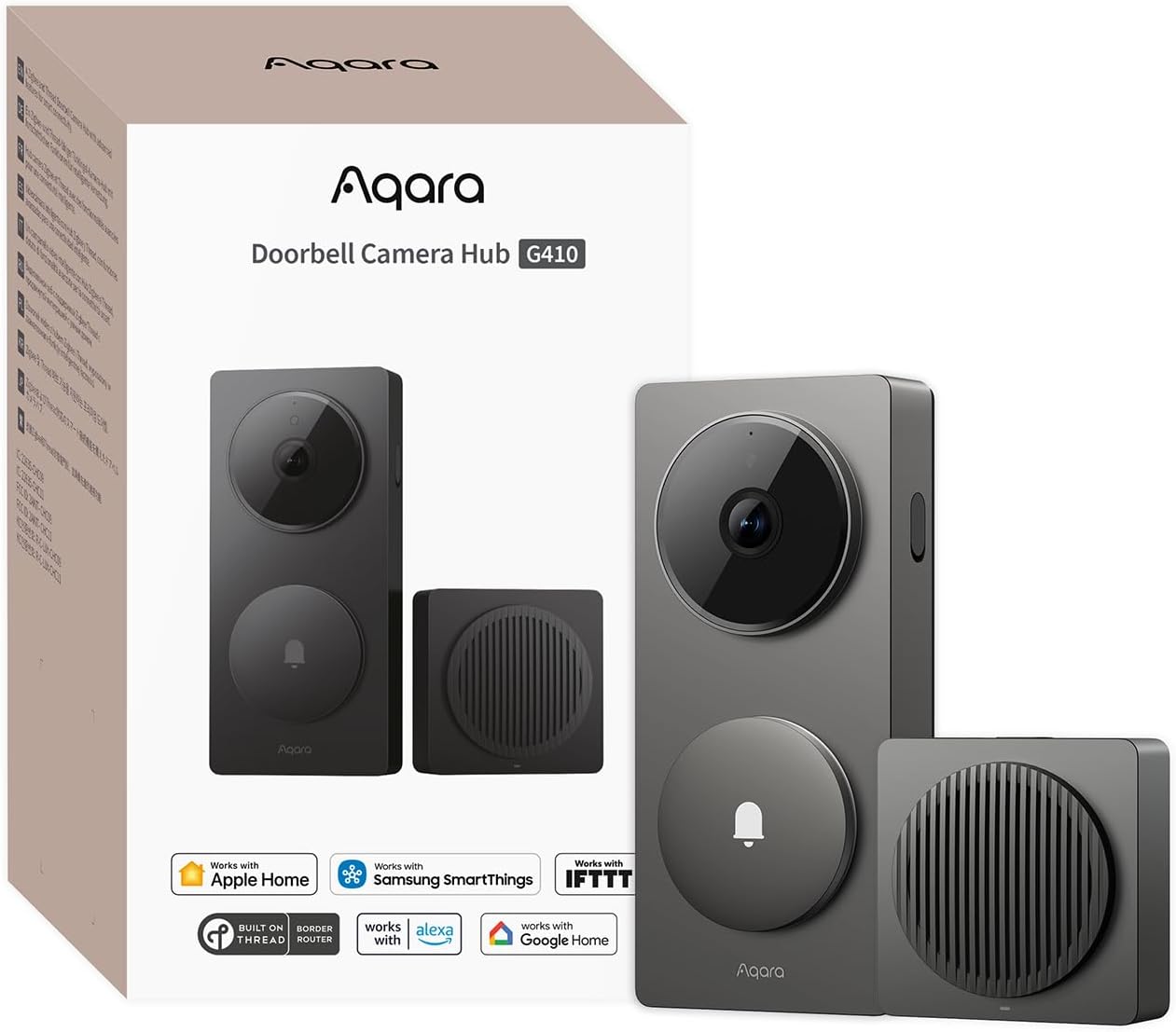
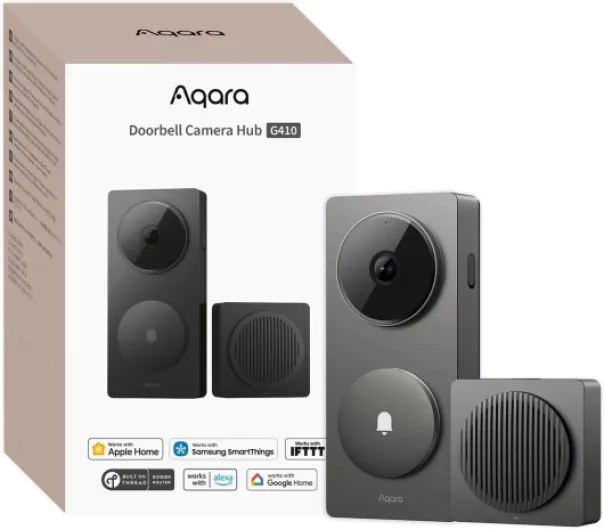
Design‑wise, the G410 is pretty straightforward. It’s a rectangular gray slab with a big camera at the top and the button at the bottom. No glossy sci‑fi look, but it doesn’t look cheap either. On my door frame, it covered the marks from the old wired doorbell, which I appreciated because I didn’t feel like doing paint touch‑ups. The included 20° wedge bracket is actually useful; I used it so the camera points more toward the path and not straight at the wall.
The doorbell unit itself isn’t tiny, but I’d call it a practical size. If you’re coming from a Ring or Nest, it won’t feel out of place. The button is easy to hit, even for older people who don’t care about smart anything. At night, the LED ring around the button is visible without being a lighthouse. The overall gray color is neutral; it blended fine with my trim and siding. It’s not a design piece, but it doesn’t make the front of the house look tacky either.
The chime/hub is a small indoor box that looks like a compact speaker. It’s USB‑C powered, which is handy, but you need to provide your own USB power brick. That’s a bit cheap on Aqara’s side, but I had a drawer full of spare chargers so it wasn’t a big drama. The chime is light enough to sit on a shelf or cabinet; there’s no huge branding screaming at you, which I like.
One small thing I appreciated: they include a proper mounting kit with wall plugs, screws, a small screwdriver, and the angled wedge. With Ring, you often pay extra for the nicer mounts, here it’s in the box. The backplate design is also decent; the doorbell clips on securely and the tamper switch triggers if someone tries to yank it off. Just be aware of that during setup or you’ll get blasted by the siren unexpectedly, like I did when I was testing it on a desk.
Power and battery: flexible, but expect to tweak settings
The G410 can run on batteries or wired power, and I actually tried both. Out of the box, it comes with 6 AA batteries. With the default settings (fairly sensitive motion, lots of notifications), the battery drain was noticeable. After a week of pretty heavy testing and a busy street, I could already see the level dropping faster than I’d like for long‑term use. If you leave it like that, you’ll be swapping batteries more often than you want.
Once I switched to a more sensible configuration – narrowed motion zones, slightly lower sensitivity, and less aggressive recording – the drain slowed down. There’s also a battery‑saver mode which helps but can delay detection a bit. This is the usual trade‑off: if you want instant alerts and lots of clips, batteries suffer. If you’re okay with slightly slower wake‑ups and fewer events, the batteries last longer. It’s fine, but don’t expect miracles if your door faces a busy sidewalk.
Then I tried wiring it to the old doorbell power (standard low‑voltage transformer). Once wired, the stress about batteries basically disappears. It still technically uses the batteries as backup, but you don’t have to care. For me, that’s clearly the better option if you can access the wires and your transformer is compatible. It lit up right away on the existing wiring and I haven’t had a power‑related issue since.
The chime/hub itself uses USB‑C power and stays on all the time. No battery there, so if someone unplugs it, your chime and local SD recordings stop. It’s not a huge deal, but you’ll want to put it somewhere it won’t get unplugged by accident. Overall, I’d say the power side is flexible but leans much nicer if you can wire it. As a pure battery doorbell, it’s usable, just be ready to fine‑tune settings or live with changing batteries more often than with some ultra‑optimized low‑res models.
Build quality and reliability: sturdy enough, with some quirks
In terms of build, the G410 feels solid for a residential product. The doorbell unit has a sturdy plastic shell that doesn’t creak or flex when you press the button. I’ve had it exposed to sun and a couple of heavy rain days, and there’s no sign of water ingress or fogging inside the lens. The button still clicks fine and the LED ring hasn’t dimmed or done anything weird. It’s not a tank, but it doesn’t feel fragile either.
The tamper switch is both a plus and a bit of a hassle. It’s good that if someone tries to pull the doorbell off, it starts shrieking along with the chime inside. That’s some basic deterrence. But during setup, if you’re playing with it off the wall, be ready for both units to yell at you. Once it’s properly mounted, it’s not an issue anymore. The mounting plate keeps it snug; I tried tugging on it and it doesn’t feel like it will fall off easily.
On the software reliability side, it’s mostly stable but not flawless. The Wi‑Fi connection has been better than my old Nest: no random offline periods so far, even with 5 GHz. Firmware updates through the Aqara app worked, though one update did make adding it to Apple Home a bit temperamental until I retried a couple of times. Motion detection and notifications are consistent once tuned; I haven’t had days where it just stops recording for no reason.
As for long‑term durability, it’s obviously still early days for me, but based on Amazon reviews and my own gut feeling, I’d rate it as decent but not bulletproof. The plastic casing and seals seem fine for normal weather. If you live in extreme heat or cold, I’d double‑check user reports in your climate. For a typical home, though, it gives the impression it’ll handle a few years of use without falling apart, provided Aqara keeps the firmware reasonably updated and doesn’t abandon it.
Video, detection, and app behavior: strong hardware, fussy software
On the performance side, the video quality is pretty solid for a doorbell. In the Aqara app, the 2K feed is sharp enough to clearly see faces, packages, and even smaller details like logos on shirts. In HomeKit, the resolution limit is noticeable if you’re picky, but for normal use (who’s at the door, what package got dropped) it’s more than fine. Night color mode is decent: not cinema quality, but I can recognize people and see what’s going on in front of the door without guessing.
The mmWave radar for motion detection is the part that actually impressed me a bit. Compared to typical PIR sensors, I’ve had fewer false alerts from tree shadows, car headlights, or my neighbor’s cat. The app lets you tweak sensitivity and set zones, which I had to do over a couple of days. At first it was a bit too conservative and sometimes missed quick passers‑by; after bumping sensitivity up a notch and tightening the detection area, it now mostly alerts only when someone is actually approaching or hanging around the door.
The face recognition being local is a nice touch if you care about privacy. It’s not magic: you need a few clear captures of someone before it gets consistent, and sometimes it still tags a known person as “unknown.” But after a week of use, it was correctly identifying family members most of the time. I set up different chimes and automations for specific faces, like turning on the porch light when someone from the household arrives at night. That kind of thing actually works and feels useful, not just a gimmick.
The weak point is really the Aqara app experience. It’s powerful but clunky. On Android especially, buttons sometimes need a firm press, fonts are small, and some menu labels are just confusing. The terms “accessory” vs “device” vs “hub” don’t help new users. Once you fight through the initial setup and learn where things live, it calms down, but the first hour is not exactly fun. Live view loads reliably on my Wi‑Fi, but recorded clips sometimes feel a bit fragmented (short 6–12 second snippets) unless you tune the recording settings and use SD or their cloud properly.
What the Aqara G410 actually offers in real life
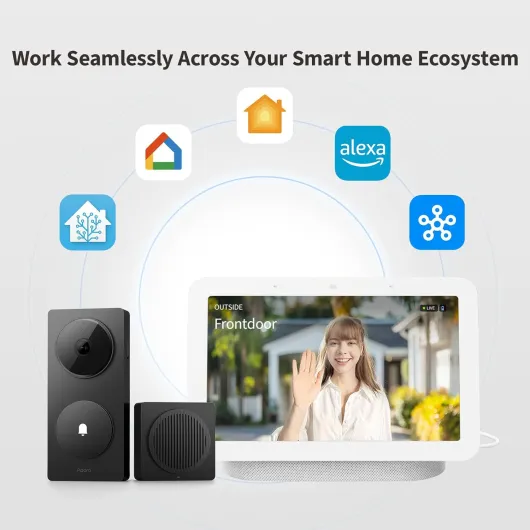
On paper, the Aqara G410 is a pretty loaded doorbell. You get a 2K camera (1920p in their wording, though HomeKit caps it at 1600×1200), a built‑in chime that goes up to 95 dB, dual‑band Wi‑Fi with WPA3, and the thing doubles as a Zigbee + Matter hub. That means, in theory, you can hook other Aqara sensors, locks, or lights to it and use it as the heart of a small smart home. It works with Apple Home, Alexa, Google, Home Assistant, and all the usual suspects, which is handy if your house is a mix of ecosystems.
In practice, the big highlights for me are: HomeKit Secure Video support (so recordings go into iCloud instead of some random cloud), local face recognition (no faces sent to the cloud), and the option to use local microSD storage inside the indoor chime. The SD slot being inside the chime is actually smart: if someone steals or smashes the doorbell outside, the video is still safe inside. I stuck in a 128 GB card and it’s been enough for my use.
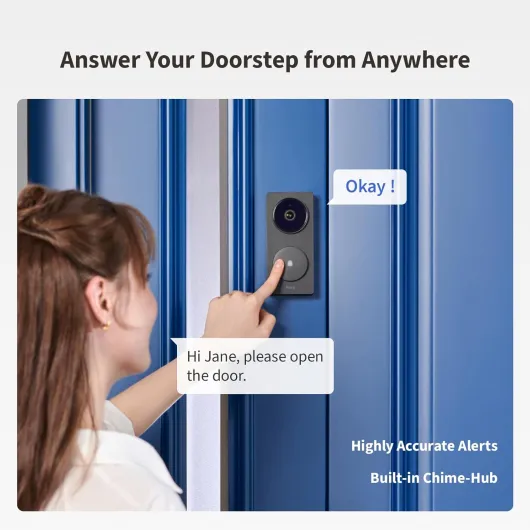
There are also some more playful or niche features: you can upload custom audio files as chimes or auto‑responses, use a voice changer when talking to strangers, and apply privacy masking on parts of the image so you’re not filming the neighbor’s door or shared hallway. Those only live in the Aqara app though; if you only use Apple Home, you’ll miss some of the advanced stuff.
Compared to Ring or Nest, the sales pitch here is: more control, more local stuff, and fewer forced subscriptions. You can take their cloud plan if you want (it’s cheaper than Google’s or Ring’s), but you can also just rely on HomeKit Secure Video or SD storage. For someone who hates upsells and long‑term fees, that’s a clear plus, even if the overall experience is a bit rougher around the edges than the big brands.
Pros
- Strong HomeKit Secure Video support with local face recognition and SD storage in the indoor chime
- Built-in Zigbee and Matter hub so you can connect other Aqara/smart devices without buying a separate hub
- Accurate motion detection with mmWave radar and flexible zones, with fewer false alerts than basic PIR doorbells
Cons
- Aqara app is confusing at first, with small fonts, odd labels, and a clunky setup flow
- Battery life drops fast with high sensitivity in busy areas; works best when wired to existing doorbell power
Conclusion
Editor's rating
Overall, the Aqara Smart Doorbell Camera G410 is a solid choice if you care about Apple HomeKit, local storage, and privacy more than having the slickest app on the market. The hardware is good: video is clear, motion detection with mmWave radar is more accurate than the usual PIR stuff, and the integrated chime is loud enough for a normal house. The fact that it doubles as a Zigbee/Matter hub and supports all the big ecosystems gives it more long‑term usefulness than a typical doorbell.
It’s not all roses though. The Aqara app is powerful but clumsy, especially on Android, and the setup process is more confusing than it should be with odd wording and multiple QR codes. Battery life is okay only if you tune the settings; if you leave it on max sensitivity in a busy area, you’ll be swapping batteries more often than you’d like. Wired power fixes most of that, so if you can hook it to existing doorbell wiring, do it.
I’d recommend this to people who are already into smart homes, especially Apple Home users, and who like the idea of local face recognition and SD storage. If you just want a super simple, plug‑and‑forget doorbell and don’t care about subscriptions or cloud privacy, a Ring or Nest might be easier to live with. For everyone else who’s willing to put in a bit of setup time, the G410 is a pretty solid, flexible option that gets the job done without locking you into one ecosystem.