Ring chime vs Chime Pro: why your floor plan matters more than specs
The headline question with ring chime vs chime pro is not about sound quality. It is about how your walls, floors, and existing wifi shape the way ring devices behave in real time. When people compare a standard chime ring accessory with a pro chime model, they are really comparing two different ways to move both sound and internet connection through a home.
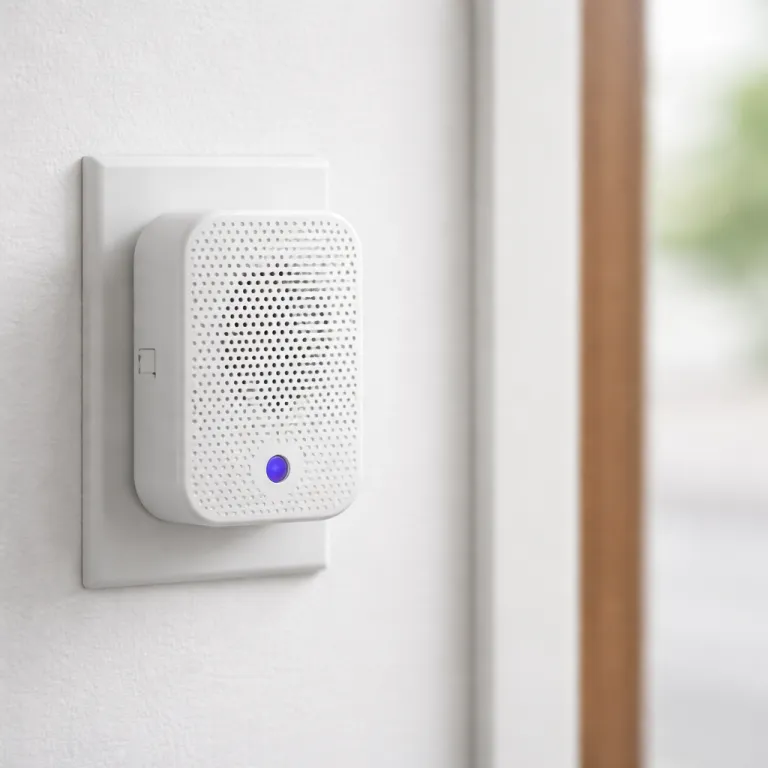
The basic ring chime is a simple plug in speaker that turns silent push notifications into an audible icon of activity at your door. It connects to your ring doorbell or video doorbells over wifi but does not act as any kind of extender for the rest of your ring devices. By contrast, the chime pro combines that same audible alert with a built in pro extender that can extend wifi coverage specifically for compatible ring doorbells and security cameras.
Think of the standard ring chime as a wireless doorbell gong and the chime pro as a gong plus a targeted mesh network node. The difference chime buyers feel day to day is whether their video doorbell and cameras stay online when the router is two rooms away. In many apartments the cheaper device is the best choice, while in long corridor houses the pro ring accessory quietly fixes laggy ring video and unreliable alerts.
What the standard Ring Chime actually does well in small and medium homes
For a compact flat or a small single storey house, the standard ring chime usually covers the basics. It plugs into a standard power socket, joins your wifi, and plays tones whenever a ring doorbell or ring video doorbell is pressed or detects motion. Because it does not extend wifi, it leaves your existing mesh network or router setup untouched and simply listens for events from your ring devices.
During setup, the ring app walks you through adding the chime as a new device, choosing tones, and adjusting volume. The setup process is straightforward for most people, especially if their router already delivers a strong 2,4 GHz wifi signal where the chime will live. In these conditions, there is no need for a pro extender because the internet connection between router, doorbells, and security cameras is already stable.
Where the standard chime shines is flexibility and price, especially when you own several ring doorbells or video doorbells. You can place multiple chimes around the home so every ring doorbell press triggers sound in different rooms, which can be more effective than a single chime pro in a tricky layout. For many buyers on Amazon or in retail stores, that ability to add several low cost chime ring units beats the extra features of one more expensive pro chime.
When Chime Pro earns its higher price as a targeted Wi-Fi extender
The chime pro costs roughly twice as much as the standard chime, yet the real value appears only in homes with weak wifi near the front door. In those cases, the chime pro acts as a focused extender that sits midway between your router and your ring doorbells or security cameras. It connects back to the router over 2,4 GHz or 5 GHz wifi and then creates a dedicated link for ring devices that struggle with distance or walls.
In practical terms, that means fewer frozen ring video feeds, faster loading of live view in the ring app, and more reliable motion alerts in real time. If your video doorbell often shows a poor signal icon or drops offline, placing a chime pro halfway along the route can extend wifi just enough to stabilise the connection. For many people this is cheaper and simpler than replacing every router or building a full mesh network from scratch.
The chime pro also adds a nightlight and slightly richer sound options, which some people appreciate in hallways or stairwells. However, those extras are secondary to its role as a pro extender for ring devices, especially when bundled with a Battery Doorbell Pro in official ring packages. For a deeper look at how this accessory changes daily use, guides such as enhance your Ring Doorbell experience with Chime Pro explain how the pro ring model can stabilise both video doorbells and security cameras in challenging layouts.
Multiple standard chimes vs one Chime Pro: upstairs, downstairs, and dead zones
Once you move beyond a compact flat, the ring chime vs chime pro decision becomes a floor plan puzzle. A tall townhouse with thick internal walls might need both an extender and multiple speakers to keep every ring doorbell audible. In contrast, a long single storey bungalow might benefit more from two or three standard chimes placed along the corridor than from a single chime pro sitting near the router.
Start by mapping where your ring devices live and where people actually need to hear alerts. If your main video doorbell is at the front and a couple of security cameras sit at the back, you may want one chime ring unit upstairs and another near a rear living space. In that scenario, the setup process for two standard chimes in the ring app is still simple, and you avoid overpaying for extender features that your existing mesh network already handles.
However, if your router sits in a corner office and the front door is diagonally opposite, a single chime pro placed centrally can extend wifi to every ring doorbell and video doorbell in one move. You can still add a second standard chime later purely for sound, treating the pro chime as the backbone of your ring devices network. For more detailed planning around brackets, angles, and where to mount each doorbell or camera, resources like choosing the right mounting hardware for your Ring Doorbell help you align physical placement with wireless coverage.
When a mesh network beats any chime extender for Ring reliability
There is a hard limit to what any chime pro or pro extender can do when the core wifi is weak. If your internet connection drops regularly or your router struggles to cover even half the home, no ring chime accessory will fully fix video doorbells and security cameras. In those cases, investing in a proper mesh network from brands such as Eero or Orbi often delivers the best long term stability for all devices, not just ring doorbells.
A mesh network uses several nodes spread around the property to create a single, stronger wifi blanket for every device. Once that is in place, your ring video doorbell, indoor cameras, and other ring devices connect directly to the nearest node without relying on a chime ring extender. Many people then find that a standard chime is enough for audible alerts, because the difference chime pro once made to connectivity is now handled by the mesh itself.
There are still edge cases where a chime pro complements a mesh network by filling a small dead zone between nodes. For example, a thick stone wall near the front door might block even a strong 5 GHz signal, and placing a pro ring extender just inside that wall can stabilise ring video streams. For a focused discussion of how extenders interact with whole home wifi, articles like enhancing your Ring Doorbell experience with a chime extender break down when to rely on mesh and when to add a targeted extender.
Practical upgrade paths by home size and Ring ecosystem maturity
Choosing between ring chime vs chime pro becomes easier when you match each option to the size of your home. In a studio or one bedroom flat with a single ring doorbell and strong wifi, a standard chime ring unit is usually the best and most economical choice. In a medium semi detached house with one video doorbell and a couple of security cameras, a chime pro placed centrally often stabilises ring video while still providing clear audible alerts.
For large multi storey homes, the smartest path is often a mix of technologies rather than a single pro chime. Many people start by improving the core internet connection and adding a mesh network, then layer in a chime pro near the front door and one or two standard chimes in bedrooms or loft spaces. This staged setup process keeps costs under control while ensuring that every ring devices group, from video doorbells to outdoor security cameras, receives both reliable wifi and audible notifications.
If you already own several ring doorbells bought through Amazon or other retailers, treat the chime decision as part of a broader security plan. Ask where people actually miss alerts, where the wifi icon shows weak signal in the ring app, and whether your router can realistically extend wifi to those corners without help. Once you answer those questions honestly, the right mix of ring chime, chime pro, and possibly a mesh network will give you a system that feels invisible in daily life yet quietly protects your home.
FAQ
Is Chime Pro always better than the standard Ring Chime for Ring Doorbells ?
Chime Pro is not always better than the standard ring chime for every ring doorbell. It is better when your video doorbell or security cameras suffer from weak wifi and need an extender to stabilise ring video streams. In small homes with strong internet connection everywhere, the cheaper standard chime ring accessory usually offers the best balance of cost and function.
Can I use multiple Ring Chimes and a Chime Pro together in one home ?
You can combine several standard chimes with a single chime pro in the same ring app household. Many people place the pro chime centrally to extend wifi for ring devices, then add extra standard chimes in bedrooms or basements for better audible coverage. This mix works well in multi storey homes where one device cannot both extend wifi and deliver sound to every room.
Will Chime Pro fix all Wi-Fi problems with my Ring Video Doorbell and cameras ?
Chime Pro can extend wifi for ring doorbells and security cameras, but it cannot fix a fundamentally unstable internet connection. If your broadband service drops frequently or your router is very outdated, even a pro extender will struggle to keep ring video feeds reliable. In those situations, upgrading the router or installing a proper mesh network is usually the more effective solution.
Do I need a Chime or Chime Pro if I already use Alexa devices for doorbell alerts ?
If you already have Alexa speakers announcing ring doorbell presses, you may not need a standard chime purely for sound. However, a chime pro can still be useful as a targeted extender for ring devices when the router is far from the front door. Many households use Alexa for voice announcements and a pro chime quietly in the background to keep video doorbells and security cameras online.
How do I know whether my home needs an extender or a full mesh network ?
Check the signal strength for each ring doorbell and camera in the ring app and note where the wifi icon shows weak or unstable connection. If only one or two devices at the edge of coverage struggle, a chime pro placed midway can often extend wifi enough to solve the problem. If many devices across the home show poor signal, a full mesh network that improves wifi for all devices is usually the more robust long term fix.