What “two-way talk” on a Ring doorbell really means at your front door
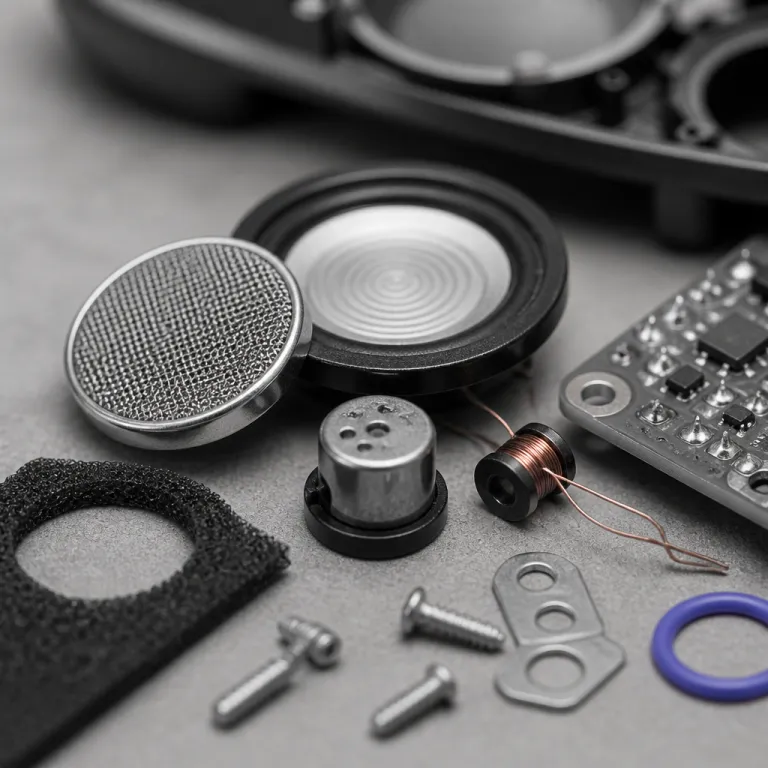
Two-way talk on a Ring doorbell sounds simple, but the reality is nuanced. The ring doorbell two way talk audio quality depends on a tiny microphone and speaker in the doorbell camera, plus your phone’s microphone and speaker running through the Ring app. In practice, you are talking through a small outdoor device while your visitor hears a compressed audio stream with a slight delay.
Every Ring video doorbell, from the basic battery doorbell to the higher end doorbell pro and doorbell elite, uses digital compression to send audio and video over WiFi. That compression keeps the live view responsive and helps motion detection, motion zones, and notifications feel snappy, yet it can flatten voices and make background noise more noticeable. When you tap to answer in the Ring app, your voice travels from your phone to Ring’s servers and back to the doorbell camera, which is why the ring doorbell two way talk audio quality always has a short but perceptible lag.
Think of the device as a compact intercom that also streams video, not as a hi fi speakerphone. On battery doorbells the ring battery has to power video, motion detection, night vision, and audio, so the system prioritizes security features like motion alerts over pristine sound. Wired doorbell models such as a ring wired video doorbell or a wired doorbell pro can be slightly more consistent because they do not juggle power saving as aggressively, yet the core character of the audio remains the same across the different ring doorbells.
How different Ring models handle two-way audio in daily use
Choosing the right Ring model has more impact on ring doorbell two way talk audio quality than most spec sheets admit. The entry level battery doorbell and the more advanced Ring Video Doorbell Pro share the same basic microphones, yet the pro models usually pair with stronger WiFi and more stable power, which reduces dropouts during live view. That means fewer missed words when you tell a courier where to leave a package or ask a visitor to wait.
In small porches, the compact doorbell cameras in the latest gen battery doorbells can sound surprisingly clear because walls reflect audio back toward the visitor. On wide open stoops, the same doorbell camera can feel thin and quiet, especially when traffic or wind competes with your voice. If your front door faces a busy street, a wired doorbell pro or doorbell elite tied into solid home networking tends to keep both video and audio more stable, which indirectly improves the perceived ring doorbell two way talk audio quality.
For most first time buyers, a mid range video doorbell hits the best balance between price, security, and everyday usability. A detailed buying guide such as the 100 dollar Ring doorbell that handles most front doors can help narrow the choice between battery and wired options. Whatever model you pick, remember that features like motion zones, motion alerts, and night vision are tuned for security first, so the ring video stream and ring doorbell two way talk audio quality are always optimized for reliability rather than cinematic sound.
What shapes real world audio quality: WiFi, placement, and power
In everyday use, WiFi quality shapes ring doorbell two way talk audio quality more than the specific doorbell model. A strong signal lets the video doorbell send both video and audio with fewer dropouts, while weak WiFi causes choppy sound, delayed responses, and missed words. If you notice that live view takes several seconds to load in the Ring app, your two way talk will almost certainly feel laggy too.
Placement matters just as much as bandwidth for both doorbells and doorbell cameras. Mounting a ring doorbell on metal, near a thick brick wall, or behind a storm door can muffle the speaker and block the microphone, which hurts audio clarity even if the ring video looks fine. Angling the device slightly toward where visitors stand, and keeping it out of direct wind paths, often improves ring doorbell two way talk audio quality more than any settings tweak.
Power mode is the third quiet culprit. Battery doorbells running on a nearly depleted ring battery or aggressive power saving may wake more slowly, so your first words get clipped when you tap to speak, while wired doorbells and ring wired models usually respond faster. If you want the most consistent performance from video doorbells, pair good WiFi with a stable power source, then use tools like motion zones and motion detection tuning to reduce unnecessary alerts and notifications that drain the device.
For buyers who care about long term reliability, it can be worth pairing a Ring system with a backup alarm setup, as explained in this guide on using Ring Alarm as a doorbell backup when a camera alone is not enough. That kind of layered security approach keeps your doorbell camera focused on what it does best, while other devices handle broader home security duties. It also means you can tune ring protect settings and subscription required features around video doorbells without overloading a single device.
When two-way talk shines and when it falls short
The ring doorbell two way talk audio quality is at its best in short, clear exchanges. Telling a delivery driver to leave a parcel behind a plant, asking a guest to wait while you come downstairs, or reassuring a teenager who just arrived home all work well through a video doorbell. Those scenarios play to the strengths of doorbell cameras, where a few seconds of audio plus a quick video check provide real security value.
Longer conversations expose the limits of both audio and video on ring doorbells. The slight delay between speaking and hearing a reply, combined with compressed sound and occasional WiFi hiccups, makes it hard to have a natural back and forth through a doorbell camera speaker. If you try to troubleshoot a contractor’s question or chat with relatives at the door, you will quickly notice how the ring doorbell two way talk audio quality and timing encourage short, directive sentences rather than relaxed dialogue.
Automated tools help bridge that gap. Features like Quick Replies and motion triggered greetings can play pre recorded messages when motion detection or motion zones are triggered, which reduces the need for live talk while still using the doorbell camera as a security device. For many households, that balance between automation and live view interaction, backed by ring protect cloud recording when a subscription required plan is active, turns video doorbells into quiet workhorses that simply send the right alerts and notifications when something important happens.
Alexa, Echo screens, and answering through the Ring app
How you answer the door changes how the ring doorbell two way talk audio quality feels. Using the Ring app on a recent smartphone usually gives the clearest audio on your side, because your phone’s microphone and speaker outperform most smart displays. Your visitor still hears the same small doorbell speaker, yet you hear them more clearly, which makes it easier to manage quick security decisions.
Answering through an Echo Show or other Alexa enabled screen shifts the experience. The smart display becomes your intercom, so you can tap to talk hands free while cooking or working, and the larger speaker often makes the visitor’s voice sound fuller than on a phone. However, the underlying ring video stream and doorbell camera hardware do not change, so the ring doorbell two way talk audio quality at the doorstep remains limited by the device’s microphone and outdoor acoustics.
Alexa routines can also tie into motion detection, motion zones, and live view, announcing when someone presses the doorbell or when the video doorbell spots motion at night. That integration is especially helpful with night vision, because you might not be looking at your phone when someone approaches after dark, yet an Echo speaker can call out the alert. Whether you answer from the Ring app, an Echo Show, or another ring wired or wireless device, the key is to treat two way talk as a fast security tool rather than a replacement for face to face conversation.
Buying guide: choosing the right Ring doorbell for clear two-way talk
When you shop for Ring doorbells, think first about your doorway, not the spec sheet. A small, covered porch with a nearby router can make even an entry level ring doorbell feel responsive, with decent ring doorbell two way talk audio quality and reliable motion detection. A recessed doorway far from your WiFi, exposed to wind and traffic, will challenge even a premium doorbell pro or doorbell elite.
If you rent or cannot touch existing wiring, a battery doorbell or hybrid model that can run on a ring battery is the practical choice. Look for recent gen video doorbells that support customizable motion zones, solid night vision, and consistent alerts and notifications, then plan to recharge the battery every few months depending on activity. Owners who can use a wired doorbell connection should consider a ring wired or hardwired doorbell pro, because stable power helps both video and audio stay more consistent over time.
Storage and subscriptions also matter. Without a ring protect plan, you can still use live view and two way talk, yet you lose recorded ring video clips that help you review what was said at the door, so for many households the subscription required cost is justified by the added security. If you want to compare Ring against other brands that offer local storage on doorbell cameras and video doorbells, resources like this overview of top video doorbells with local storage provide useful context before you commit.
Key figures on Ring two-way talk and smart doorbell adoption
- Market researchers at Statista reported that more than 30 million U.S. households used at least one smart home security camera, including video doorbells, with adoption growing steadily over recent years as WiFi coverage and smartphone use expanded.
- A consumer survey from Parks Associates found that roughly half of smart doorbell owners use two way talk primarily for managing deliveries, while a smaller share rely on it to greet guests or check on children arriving home from school.
- In tests by several independent reviewers, average latency between speaking through a phone and audio playback on a doorbell camera ranged from about 0.5 to 2 seconds, depending mainly on WiFi strength and internet upload speed rather than the specific doorbell model.
- Industry data shows that most mainstream video doorbells, including many Ring models, use mono speakers and microphones with limited frequency response, which prioritizes speech intelligibility over music like fidelity to keep power use and bandwidth under control.
FAQ: ring doorbell two way talk audio quality
Why does my Ring two-way talk sound delayed or choppy ?
The ring doorbell two way talk audio quality depends heavily on your WiFi and internet upload speed. When the connection is weak, the video doorbell has to compress audio and video more aggressively, which creates delays and dropouts. Improving router placement, using a mesh system, or wiring the router to a better modem often helps more than changing the doorbell model.
Is audio clearer on wired Ring doorbells than on battery models ?
Wired doorbells such as ring wired or doorbell pro models can be more consistent because they do not rely on a ring battery that might be in power saving mode. However, the microphones and speakers are similar across many ring doorbells, so the character of the sound remains comparable. The biggest gains usually come from better WiFi, careful placement, and tuning motion zones to reduce unnecessary wake ups.
Can I improve Ring audio quality without buying a new device ?
You can often improve ring doorbell two way talk audio quality by moving your router closer, adding a WiFi extender, or reducing interference from thick walls and metal doors. Adjusting where the doorbell camera sits, angling it slightly toward visitors, and shielding it from direct wind also help. Keeping firmware updated in the Ring app and avoiding very low battery levels on battery doorbells prevents slow wake times that clip your first words.
Do I need a Ring Protect subscription for two-way talk to work ?
Two way talk, live view, and basic motion detection work without a ring protect plan, so no subscription required for those core features. The subscription mainly adds cloud recording of ring video clips, extended storage, and some advanced analytics. Many buyers start without a plan, then add ring protect later if they want a record of what was said at the door.
Is answering through Alexa better than using the Ring app ?
Answering through an Echo Show or other Alexa device can be more convenient when your hands are busy, and the larger speaker often makes the visitor’s voice easier to hear. The ring doorbell two way talk audio quality at the door itself does not change, because the same doorbell camera microphone and speaker handle the visitor side. For the clearest experience on your end, a recent smartphone running the Ring app usually provides the best combination of microphone quality and responsiveness.