
Summary
Editor's rating
Is it good value, or just a pricey toy with a monthly fee?
Design and installation: neat look, some cable faff
Build, weather resistance and long‑term concerns
Video, night vision and motion: good, but depends a lot on your Wi‑Fi
Wi‑Fi, app, and Alexa: mostly smooth, with the usual Ring quirks
What this doorbell actually does in real life
Does it actually make you feel more secure?
Pros
- Very clear video with 4K sensor, especially when zooming faces or licence plates
- Radar‑based 3D Motion Detection reduces false alerts once properly configured
- Always‑on wired power and strong Alexa integration (Echo Show/Dot) make daily use convenient
Cons
- Real usefulness depends heavily on paying for a Ring Subscription Plan after the free trial
- Colour in low light is limited; in real darkness it still switches to black and white
- Needs solid Wi‑Fi and upload speed to really benefit from the 4K and avoid lag

Specifications
View full product page →| Brand | Ring |
A 4K doorbell… but is it actually worth upgrading?
I’ve been using Ring doorbells for a while, and this Wired Video Doorbell Pro with 4K is the one I grabbed to replace an older 1080p model. I went for the plug‑in version because I didn’t feel like messing with the existing chime wiring. I’ve had it running for a couple of weeks now, long enough to see how it behaves day and night, in real daily use, not just a quick unboxing test.
On paper, it sounds loaded: 4K video (they call it Retinal 4K), radar motion detection, wide field of view, Alexa support, and all that. In reality, a lot of that comes down to two questions: how clear are the images when you actually need them, and how annoying are the notifications. Plus the usual Ring topic: how much are you locked into the subscription to get the useful stuff.
Compared to my previous battery Ring, the first obvious shift is stability: being wired means no more charging, and the connection feels a bit snappier. The second big difference is the image quality when you zoom in on someone’s face or a number plate. It’s not like watching a Hollywood movie, but you can clearly see that it’s a step up from the older HD models, especially when something happens a bit further away from the door.
It’s not perfect though. You still depend a lot on your Wi‑Fi and upload speed, and the whole colour-at-night promise is a bit oversold in my opinion. Also, if you don’t plan to pay for the Ring subscription after the 30‑day trial, you lose a big chunk of what makes this doorbell interesting. So this review is more: here’s what actually feels better, here’s what’s just marketing, and here’s where I think Ring is pushing it a bit.
Is it good value, or just a pricey toy with a monthly fee?
In terms of price, this sits at the higher end of consumer video doorbells, especially once you factor in that it basically expects you to get a Ring Subscription Plan. You’re paying for the 4K sensor, radar motion detection, and the Ring ecosystem. If you already own other Ring cameras or you’re deep into Alexa, it feels more justifiable. You get a better‑than‑average doorbell that plays nicely with the rest of your setup and gives you pretty solid front‑door coverage.
But if you look at it coldly, there are cheaper doorbells that still give you decent 1080p or 2K video, motion detection, and even local storage on an SD card. With those, you pay once and you’re done. With Ring, the subscription is what unlocks the main security features (long‑term recording, people alerts, etc.). After the 30‑day free trial, if you don’t subscribe, you’re left with live view and notifications only. For a product in this price range, that feels a bit tight.
On the positive side, the hardware itself feels well built, the video quality is clearly better than older models, and the 3D Motion Detection plus Wi‑Fi 6 support give it some future‑proofing. Ring also promises software security updates for at least four years after they stop selling it new, which is reassuring for a connected device. You also get a one‑year warranty with theft protection, which is not bad for something mounted on your front door.
So value depends a lot on your expectations. If you want top‑tier image quality from a big brand, are okay with a subscription, and like the idea of tight Alexa integration, it’s a decent buy. If you’re trying to save money long‑term or you hate ongoing fees, there are better options with local storage that will probably make you happier. Personally, I think it’s good but not cheap, and the subscription part is the main thing that stops it from being an easy recommendation to everyone.
Design and installation: neat look, some cable faff
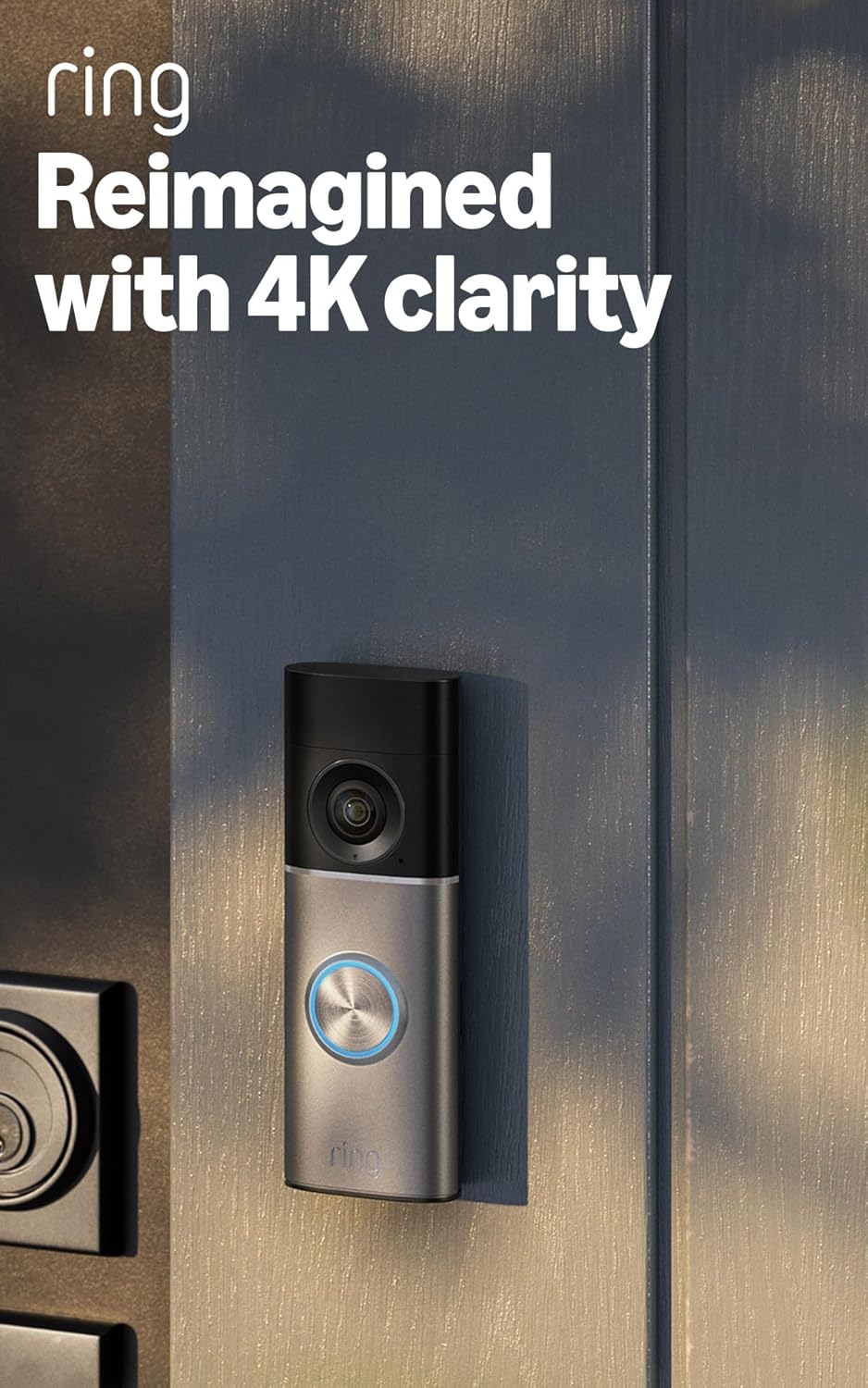
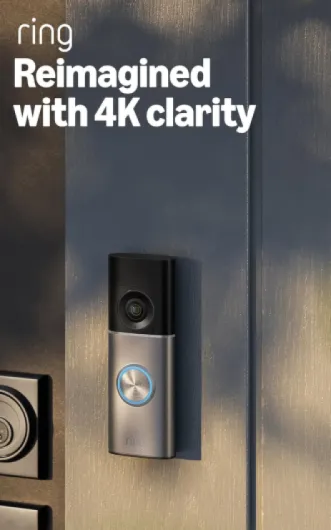
The design is pretty typical Ring: tall, slim rectangle, camera at the top, button at the bottom. The colour is Deep Silver, which basically looks like a grey/metallic front plate with a black camera section. It’s not flashy, but it looks modern enough on the wall. Compared to older Ring units I’ve had, it feels a bit sleeker and more compact, which is nice if you don’t have a huge door frame. The 1:1 aspect ratio field of view (140° x 140°) also means you see a lot vertically – you actually see packages on the floor, not just people’s faces.
For the plug‑in version, the main design point isn’t the doorbell itself but the cable. You’ve got a 6 m white cable running from a wall socket to your door. If you plan it properly and use the included clips, you can make it look fairly clean along skirting boards and corners. But you need to think ahead about where the nearest socket is. In my case, I had to slightly rearrange a hallway to avoid having the cable crossing in front of a door. Not the end of the world, but something you don’t really see on glossy product photos.
Mounting the doorbell is straightforward: drill a couple of holes, screw the plate, connect the two wires, and clip the unit on. They include a corner kit, which is actually useful if your door frame is recessed or your view would otherwise be pointing at a wall. I ended up using the corner plate to angle it slightly towards the path, and it did help with motion detection and framing. The whole physical setup took me around 20–30 minutes, including fiddling with the cable route.
From a design perspective, the thing I liked is that it feels solid and weather‑resistant without looking like a big industrial box on your door. On the downside, the plug‑in cable solution is a compromise: easier than hiring an electrician, but you’re trading that for visible wiring inside your house. If you hate exposed cables, you either go for a professional hardwire job or this may annoy you over time.
Build, weather resistance and long‑term concerns
I haven’t had this doorbell for years obviously, but based on a few weeks outside and comparing it to older Ring units I’ve owned, the durability seems decent. The body feels solid, the front plate doesn’t flex, and the whole thing gives the impression it can handle normal rain and wind without an issue. It’s rated weather‑resistant and can operate from -20°C to about 48.5°C, which covers most conditions unless you live somewhere really extreme.
One thing I’ve noticed with previous Ring devices is that prolonged direct sunlight can heat them up and sometimes cause slightly buggy behaviour (lag, temporary disconnects). Ring even mentions that high temperature can affect performance. This newer model hasn’t overheated on me yet, but my door is somewhat shaded. If yours is in full sun all afternoon, I’d keep that in mind. It’s not going to melt, but don’t be shocked if it occasionally acts up in a heatwave.
The plug‑in adapter is also rated for outdoor‑like temps, but realistically most people will plug it into an indoor socket. The cable and connectors feel sturdy enough, not flimsy. As long as you don’t keep yanking the cable or slamming doors on it, it should hold up fine. The fact that Ring promises software security updates for at least four years after it goes off sale is also part of durability in my mind – no point having hardware that works if the software becomes a security risk.
Overall, I expect it to last several years easily, based on how my older Ring gear has held up. The main long‑term concerns are less about the physical unit and more about: will Ring keep the subscription price reasonable, and will they keep supporting this model in the app without slowing it down. From a pure build and weather point of view, though, it feels like a safe bet for long‑term use on a normal front door.
Video, night vision and motion: good, but depends a lot on your Wi‑Fi
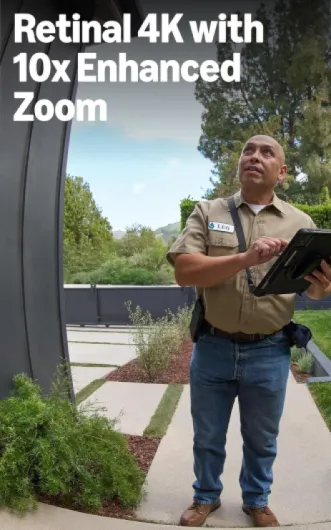
On the performance side, the 4K resolution is the headline, and it does make a difference, especially when you zoom in. Faces are clearer, you can read things like delivery labels or licence plates a bit further away than on the older HD Ring I had. But you only really see the full benefit when your internet upload speed is good. They recommend at least 10 Mbps upload, and I’d say that’s the bare minimum. On slower connections, the stream can drop quality or stutter, so don’t expect perfect 4K if your router is on the other side of the house.
Daytime video is very sharp, colours look natural, and the wide field of view is handy. You see from head to toe and a good chunk of the surrounding area. At night, it’s a bit more mixed. They talk a lot about Low‑Light Sight and Adaptive Night Vision, and yes, it handles low light better than my old model. In very low light, though, it still goes into classic black and white infrared mode. So if you were expecting full‑colour night video all the time, like one of the Amazon reviewers, you’ll probably feel a bit misled. In some near‑dark situations, you get colour, but once it’s properly dark, it’s B&W again.
The radar‑based 3D Motion Detection is actually one of the more useful upgrades. It gives you more precise control over where and how far it detects movement, which helps cut down false alerts from cars or people passing at a distance. After a few days of tweaking the zones and distance, I ended up with a setup where it mostly only notifies me when someone actually comes up the path or onto the driveway. You can also customise motion zones directly in the app, which is simple enough once you get used to the interface.
Two‑way audio with Audio+ is clear in both directions. I tested it with a couple of delivery drivers and with someone standing at the door while I was on mobile data. Voices were easy to understand, and there wasn’t a huge delay. Sometimes there’s a little lag starting Live View, especially if my phone signal is weak, but once the stream is running it’s fine. Overall, performance is pretty solid as long as your Wi‑Fi is decent and the router isn’t miles away. The fancy features like up to 10x zoom are nice to have, but day to day you mostly just notice that the video looks sharper and the alerts feel a bit smarter.
Wi‑Fi, app, and Alexa: mostly smooth, with the usual Ring quirks
Connectivity‑wise, this model supports Wi‑Fi 6 and both 2.4 GHz and 5 GHz. In my case, I connected it to a dual‑band router fairly close to the front door, and the signal has stayed stable. Live View loads a bit faster than on my older Ring, which I’m guessing is partly the Wi‑Fi 6 support and partly just newer hardware. When the internet is behaving, the delay between a motion event at the door and the notification on my phone is usually just a couple of seconds.
The Ring app is still the same story as with other Ring devices: it works, but it’s not the lightest app on earth. Setting up this doorbell in the app was easy – scan the QR code, follow the steps, connect to Wi‑Fi, done. Tweaking motion zones and detection distance takes a bit of trial and error, but the interface is clear enough. I had one instance in the first week where Live View wouldn’t load until I force‑closed the app and reopened it, but that’s more of an occasional software annoyance than a hardware problem.
Alexa integration is a strong point if you already have Echo devices. I linked the doorbell to an Echo Dot and an Echo Show. The Dot gives custom chimes and voice alerts like “Someone is at the front door,” which is handy if your phone isn’t nearby. The Echo Show automatically shows the video feed when the doorbell is pressed, which is probably my favourite part of the whole setup. Hands‑free monitoring is pretty natural – you just say “Alexa, show me the front door” and it pops up.
On the downside, if your Wi‑Fi is weak near the door, this doorbell will remind you of it very quickly. Video quality drops, Live View lags, and the 4K marketing becomes a bit of a joke. So before buying, I’d honestly check your upload speed (aim for at least 10 Mbps) and maybe consider moving your router or adding a mesh node closer to the door. The doorbell itself connects fine, but it can’t fix a bad network.

What this doorbell actually does in real life
This is the newest wired Ring Video Doorbell Pro, the 4K plug‑in version. So it’s not the battery one: you either hardwire it, use the Ring plug‑in adapter (what I did), or PoE depending on the pack you buy. The version with the plug just goes into a standard socket with a 6 m cable that you run to the door. No electrician needed, which is a relief if you’re not into electrical stuff.
In daily use, the main thing is pretty simple: it records whoever comes to your door, sends an alert to your phone, and lets you talk to them. It supports Live View, so you can open the app and see what’s going on outside anytime. The radar‑based 3D Motion Detection is meant to cut down false alerts. In practice, it does reduce the random “tree moved” notifications, but you still need to tweak the motion zones the first few days. I had to adjust the distance and the angle so it didn’t ping me every time someone walked on the pavement in front of the house.
One point that’s not always obvious when you’re just reading the product page: to really use this thing properly, you basically need the Ring Subscription Plan. Without it, you can see live video and get alerts, but you can’t go back and watch recordings after the fact. With the plan, you can save videos for up to 180 days, which is actually handy if you’re checking a delivery or some weird activity from a few days back. But that’s an ongoing cost on top of an already not‑cheap doorbell.
So overall, in practice, this doorbell is a pretty solid security gadget for your front door, especially if you’re already in the Ring or Alexa ecosystem. But it’s also clearly built around the subscription model, and the fancy features like 4K and 3D motion only really make sense if your internet connection is good and you’re willing to pay for storage. If you’re expecting a magic box that just works perfectly with no setup and no extra cost, you’ll probably be a bit disappointed.
Does it actually make you feel more secure?
In terms of pure effectiveness as a security tool, this doorbell does the job. After installing it, I pretty much stopped worrying about missing deliveries or not knowing who was at the door. The live notifications come quickly enough that I can usually catch the person while they’re still there, and the 4K detail helps if you want a clear shot of someone’s face. Compared to my older Ring, I’ve noticed fewer pointless alerts and better coverage of the area right in front of the door, especially packages on the ground thanks to the 1:1 view.
Where it really helps is those small everyday things: checking if a parcel was actually dropped off, seeing if the kids got home, or checking a noise outside without going to the door. Being able to open the app and just see what’s happening is quite reassuring. I linked it with an Echo Show, so when someone rings the bell, the video pops up automatically in the kitchen. That’s genuinely handy and feels a bit more natural than always pulling out your phone.
However, the effectiveness drops a lot if you don’t pay for the subscription after the free 30 days. Without recording history, you’re basically limited to live viewing and instant alerts. If something happens at night and you don’t catch the notification right away, there’s no way to go back and rewatch it. So in real life, the doorbell is most useful if you accept that it comes with a monthly cost. That’s the trade‑off: good security features, but tied to a paid service.
Overall, I’d say it genuinely improves front‑door security and convenience compared to a basic doorbell or older camera without smart motion. But it’s not magic, and it’s not unique – there are other brands that do similar things, sometimes with local storage instead of cloud. If you’re already in the Ring ecosystem, it’s a strong upgrade. If you’re starting from scratch and hate subscriptions, its effectiveness is kind of limited by that business model.
Pros
- Very clear video with 4K sensor, especially when zooming faces or licence plates
- Radar‑based 3D Motion Detection reduces false alerts once properly configured
- Always‑on wired power and strong Alexa integration (Echo Show/Dot) make daily use convenient
Cons
- Real usefulness depends heavily on paying for a Ring Subscription Plan after the free trial
- Colour in low light is limited; in real darkness it still switches to black and white
- Needs solid Wi‑Fi and upload speed to really benefit from the 4K and avoid lag
Conclusion
Editor's rating
After using the Ring Wired Video Doorbell Pro (4K, plug‑in) for a while, my feeling is pretty clear: it’s a solid upgrade if you already like Ring and Alexa, but it’s not some miracle device. The 4K image is genuinely sharper than the older HD models, especially when you zoom in on faces or plates, and the radar‑based motion detection does help cut down on useless alerts once you’ve tuned the zones. Daytime video is great, night performance is decent, but the whole “colour in low light” thing is a bit optimistic – in proper darkness it still goes black and white.
Where it shines is convenience: always‑on power, quick alerts, clear two‑way audio, and smooth integration with Echo devices. It really does make everyday stuff like deliveries and random knocks easier to handle. The catch is the same as with most Ring gear: to get the full benefit (video history, smarter alerts, long retention), you need the subscription. So you’re paying a premium price upfront and then a monthly fee on top. If you’re fine with that and you want one of the better‑specced doorbells from a big brand, this is a good pick. If you’re trying to avoid subscriptions or you don’t have solid Wi‑Fi and upload speed, I’d look at simpler, cheaper options with local storage instead.