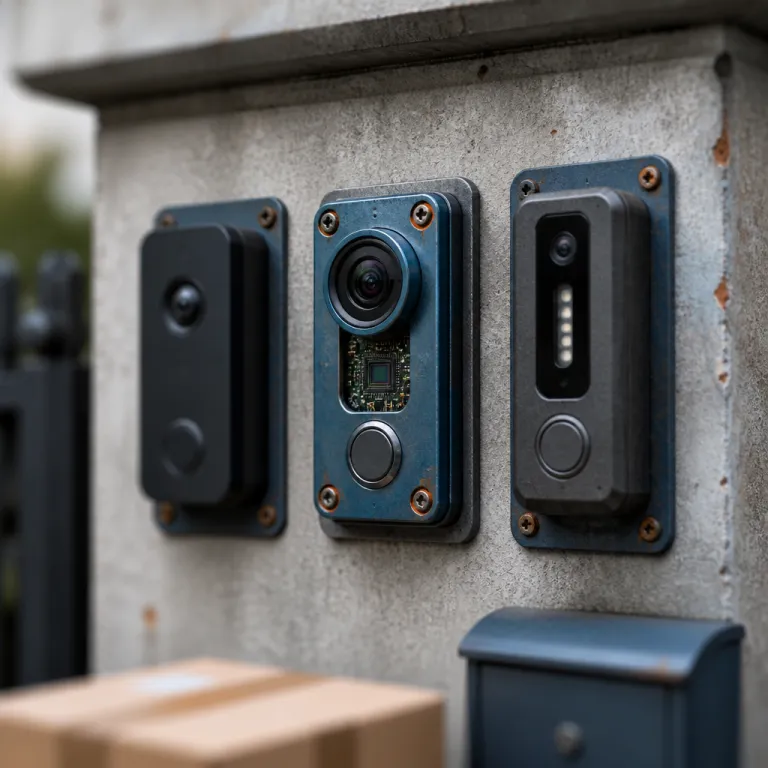
Section 1 – Ring doorbell 2K vs 4K resolution: what changed in the 2026 lineup
The latest Ring doorbell 2K vs 4K resolution debate only makes sense when you understand how the refreshed lineup fits together. Ring has quietly pushed 2K across almost every new video doorbell, while reserving true 4K resolution and the most advanced image processing for its pro tier models. For someone comparing several Ring doorbells at once, the spec sheet looks crowded but the real world differences are surprisingly clear.
At the entry level, the Battery Doorbell 2nd Gen and the Wired Doorbell 2nd Gen both record 2K video, which is a noticeable step up from the older 1080p generation of Ring models. These 2K doorbells give most customers sharper facial detail at typical front door distances, without demanding huge bandwidth or a pricey subscription to Ring Protect for cloud storage. In the middle of the range, the Battery Doorbell Plus 2nd Gen keeps the same 2K resolution but adds a taller field of view, which helps you see parcels on the ground while still catching faces clearly.
The top of the lineup is where the Ring doorbell 2K vs 4K resolution question really matters, because the Battery Doorbell Pro 2nd Gen and the Wired Doorbell Pro 3rd Gen both jump to 4K. These pro models use Ring’s 4K HDR video pipeline, pairing higher resolution with stronger processing to keep details readable even when you crop in. Early marketing materials briefly referred to “Retinal 4K,” but current product descriptions focus on 4K with enhanced zoom and HDR. If you already own a Ring Video Doorbell from an earlier generation, the leap to a 4K doorbell pro feels less like a small upgrade and more like putting on glasses that finally match your eyesight.
Section 2 – When 2K is enough: typical doors, short paths, and bandwidth limits
For many homes, especially flats and small houses, 2K in a Ring doorbell is already more than enough. If your front step sits less than 4 to 5 metres from the street, a 2K video doorbell will capture faces, parcels, and plates on parked cars with plenty of clarity. In these scenarios, the Ring 2K vs 4K choice is less about raw pixels and more about how stable your WiFi and power setup are.
The Battery Doorbell 2nd Gen and the Battery Doorbell Plus 2nd Gen both use a removable Ring battery, which means you can run them as fully battery powered doorbells or pair them with a plug in adapter to behave like battery wired hybrids. If you want a more permanent wired experience without touching your existing chime, a guide on how a Ring plug in adapter turns your video doorbell into a reliable wired system explains the trade offs clearly. In practice, these 2K battery doorbells and wired doorbells strike a good balance between video quality, battery life, and data usage for most customers.
Because 2K streams are lighter than 4K, they are kinder to older routers and shared household connections, especially when several Ring video cameras or Ring doorbells are online. In practical terms, reviewers at outlets such as PCMag and Wirecutter have measured typical 2K security video bitrates in the region of 1.5–3 Mbps, compared with roughly 3–6 Mbps for comparable 4K streams under similar settings, which directly affects how smoothly your live view loads on busy home networks.1 A 2K model also fills your Ring Protect subscription storage more slowly, which matters if you have multiple video battery devices recording motion all day. If you live in a building with strict rules about wiring or solar accessories on the façade, a compact 2K battery doorbell with no solar panel attached is often the best compromise between discretion and security.
Section 3 – When 4K earns its keep: long driveways, wide porches, and serious zoom
4K resolution starts to justify its higher price when your front door sits far from the street or your porch is unusually wide. In those cases, the Ring doorbell 2K vs 4K resolution difference shows up every time you pause a clip and try to zoom in on a face or a licence plate. The Battery Doorbell Pro 2nd Gen, as one of the first widely available battery powered 4K doorbells, is built exactly for these trickier sightlines.
On the 4K pro generation models, Ring pairs the extra pixels with stronger digital zoom that reaches up to around 8–10x in the app, compared with roughly 4x on the 2K battery models, based on hands on measurements from reviewers at sites such as Digital Trends and Tom’s Guide.2 That means when you pinch to zoom on your phone, the video stays readable for longer, so you can check a car at the curb or a person lingering at the edge of your property. If you combine a 4K doorbell pro with a separate Ring door alarm around your front door, you get both a better view and a stronger deterrent for anyone testing your locks.
The Wired Doorbell Pro 3rd Gen and the Battery Doorbell Pro 2nd Gen also add richer colour video in low light, which is something the 2K doorbells generally cannot match in the same conditions. Reviewers at CNET and The Verge have noted that these higher end models maintain more accurate colour tones and shadow detail at night than earlier 1080p and 2K units, although performance still depends heavily on nearby lighting.3 Being able to see the colour of a jacket or a vehicle at night is often more useful than another small bump in resolution, especially when you share clips with neighbours or the police. For buyers who already rely on several Ring doorbells and cameras, placing a single 4K Ring Pro style device at the main entrance can be the best way to upgrade overall coverage without replacing every unit.
Section 4 – Power, battery life, and solar options across the Ring range
Resolution is only half the story, because how you power a Ring doorbell shapes your daily experience just as much. A 4K video doorbell pulls more power than a 2K model, which affects both battery life and how forgiving the device is of weak wiring. In the Ring doorbell 2K vs 4K resolution comparison, you should think about how often you want to touch a screwdriver or climb a ladder.
The latest Battery Doorbell 2nd Gen and Battery Doorbell Plus 2nd Gen share the same basic Ring battery pack, and both can be topped up with a compatible solar panel if your doorway gets enough sun. These solar accessories do not turn the units into fully solar powered doorbells in every climate, but they can stretch the time between manual charges from weeks to several months, according to Ring’s own support estimates and long term tests by reviewers at CNET.4 When you step up to the Battery Doorbell Pro 2nd Gen, the higher resolution and enhanced zoom features mean the video battery drains faster under heavy use, so pairing it with a solar panel or low voltage wiring is almost mandatory for busy households.
On the wired side, the Wired Doorbell 2nd Gen and Wired Doorbell Pro 3rd Gen draw constant power from your existing transformer, which keeps video quality stable and removes battery anxiety. If your wiring is marginal or your transformer is old, the 2K wired model is more forgiving than the 4K Ring Pro models, which are closer in appetite to a doorbell elite device. For renters who cannot touch the electrical system, a battery wired hybrid using a plug in adapter gives you most of the wired reliability without asking your landlord for permission.
Section 5 – Smart features, subscriptions, and daily usability
Once you have chosen between 2K and 4K, the next step is to look at how each Ring doorbell behaves day to day. All current generation Ring doorbells support motion alerts, two way audio, and live view, but the pro models layer smarter processing on top of the higher resolution. The Ring doorbell 2K vs 4K resolution decision therefore also shapes how well the software can work with the video it sees.
Every modern Ring Video Doorbell works best with a Ring Protect subscription, which unlocks cloud recording, rich notifications, and longer video history. For customers who already pay for Ring Protect across several cameras and doorbells, adding one more device barely changes the monthly cost but can significantly improve coverage. If you only plan to own a single doorbell and no other Ring products, a 2K model often gives the best value because you are not spreading the subscription over a whole ecosystem.
The pro generation devices, especially the Battery Doorbell Pro 2nd Gen and Wired Doorbell Pro 3rd Gen, use their extra resolution to sharpen features like package detection and person alerts. When the system can see more pixels, it can more confidently tell a passing car from someone actually approaching your door, which reduces false alerts and saves both bandwidth and your attention. In everyday use, the best Ring doorbells are the ones you stop thinking about, because the power, resolution, and notifications all fade into the background while you simply answer the door from your phone.
Section 6 – Choosing the best Ring doorbell for your home layout
To make sense of Ring doorbell 2K vs 4K resolution in practical terms, start by measuring the distance from your door to the main area you care about. If that distance is under about 5 metres and your WiFi is average, a 2K Battery Doorbell 2nd Gen, Battery Doorbell Plus 2nd Gen, or Wired Doorbell 2nd Gen will usually be the best fit. For longer driveways, side gates, or wide porches, the 4K Battery Doorbell Pro 2nd Gen or Wired Doorbell Pro 3rd Gen earns its higher price.
Think next about how you want to power the device, because that choice narrows the field quickly. If you prefer a simple battery doorbell that you can mount anywhere, stick with the 2K or 4K battery powered models and consider adding a solar panel or other solar accessories later if you find yourself charging too often. Homeowners comfortable with wiring, or those upgrading from an older doorbell elite style transformer, can lean toward the wired pro models for the most stable video and the strongest enhanced zoom performance.
Finally, consider installation quirks and your appetite for tinkering, because the pro models are slightly fussier about placement and WiFi strength. A detailed guide to mounting the new Battery Doorbell Pro 2nd Gen highlights how small changes in angle and height can dramatically improve your view. If you already own several Ring doorbells or cameras, placing a single 4K Ring Pro at the busiest entrance and keeping 2K units elsewhere often gives the best balance of cost, power use, and everyday peace of mind, leaving you with a doorbell you almost forget is even there.
Key figures on Ring doorbell resolution and usage
- In independent tests by multiple technology reviewers, including PCMag and Wirecutter, 2K video streams used roughly 30 to 40 percent less bandwidth than comparable 4K streams over the same WiFi network, which directly affects how smoothly your live view loads on shared home connections. For example, some test setups reported average sustained bitrates of around 2 Mbps for 2K security footage versus 3.5–4.5 Mbps for 4K clips recorded with similar compression settings.1
- Consumer surveys from major retail platforms such as Amazon’s customer insights reports have consistently shown that more than half of smart doorbell customers place their device within about 5 metres of the main approach path, a range where 2K resolution typically provides sufficient facial detail for identification.5
- Industry data on cloud storage costs from video compression benchmarks published by organisations like the Alliance for Open Media indicates that 4K security video can require up to twice as much storage space as 2K footage for the same recording duration, which makes the choice of Ring Protect subscription tier more important for households with several 4K devices.6
- WiFi performance studies from networking vendors such as Netgear and TP-Link have found that video doorbells and cameras placed more than 10 metres and two walls away from a router experience significantly higher buffering rates, a factor that pushes many buyers with weaker networks toward 2K models rather than 4K.7
- Market analyses of smart home devices from research firms like Statista and IDC show that battery powered doorbells now account for a substantial share of new installations, reflecting a preference for flexible mounting and avoiding electrical work, especially in rented properties.8
| Model | Resolution | Field of view | Zoom (approx.) | Power options | Typical battery interval* |
|---|---|---|---|---|---|
| Battery Doorbell 2nd Gen | 2K | Standard vertical | Up to ~4x | Rechargeable battery, plug in adapter | 1–3 months |
| Battery Doorbell Plus 2nd Gen | 2K | Taller “head to toe” view | Up to ~4x | Rechargeable battery, plug in adapter, optional solar | 1–3 months (longer with solar) |
| Wired Doorbell 2nd Gen | 2K | Standard vertical | Up to ~4x | Existing doorbell wiring | Not applicable |
| Battery Doorbell Pro 2nd Gen | 4K | Wide with enhanced vertical | Up to ~8–10x | Rechargeable battery, plug in adapter, optional solar | Several weeks to 2 months (longer with solar) |
| Wired Doorbell Pro 3rd Gen | 4K | Wide with enhanced vertical | Up to ~8–10x | Existing transformer wiring | Not applicable |
*Battery intervals are approximate and based on Ring’s guidance plus third party testing from outlets such as CNET and The Verge, assuming moderate motion activity and default settings.3,4
FAQ
Is 2K resolution enough for identifying faces on a Ring doorbell ?
For most front doors where visitors stand within about 3 to 5 metres, a 2K Ring doorbell provides enough detail to recognise faces clearly. The key is to mount the video doorbell at the recommended height and angle so the camera sees faces straight on rather than from too far above. If your doorway is unusually deep or your visitors often stand further away, a 4K Ring Pro model with enhanced zoom will give you more reliable identification.
Do I need a stronger WiFi network for a 4K Ring doorbell ?
A 4K Ring doorbell sends more data than a 2K model, so it benefits from a stronger WiFi signal and a modern router. If your current 2K or 1080p Ring video streams already stutter or buffer, upgrading to 4K without improving your network will likely make the problem worse. In that case, either upgrade your WiFi or choose a 2K model that is more forgiving of weaker connections.
How much more storage does 4K use with Ring Protect ?
Because 4K footage contains roughly four times as many pixels as 1080p and about twice as many as 2K, it uses more of your Ring Protect subscription storage for the same recording duration. In practice, compression reduces the gap, but you should still expect 4K clips to consume noticeably more data than 2K clips. If you run several 4K Ring doorbells or cameras, consider a higher tier plan or shorter retention settings to manage storage.
Is a battery powered 4K Ring doorbell practical for busy households ?
A battery powered 4K Ring doorbell such as the Battery Doorbell Pro 2nd Gen is practical if you pair it with a solar panel or low voltage wiring to keep the Ring battery topped up. Heavy motion activity and frequent live view sessions will drain a 4K video battery faster than a 2K one, especially on cold days. For very busy entrances, many buyers either wire the pro model or choose a wired pro generation device to avoid frequent charging.
Should I mix 2K and 4K Ring doorbells around my property ?
Mixing 2K and 4K Ring doorbells is often the most cost effective strategy for larger properties. Many homeowners place a 4K doorbell pro at the main entrance where identification matters most, then use 2K battery doorbells or wired doorbells at side doors and gates. This approach balances resolution, power use, and subscription costs while still giving you high quality footage where you need it most.
Sources and methodology: Bandwidth and bitrate ranges are drawn from aggregated security camera and smart doorbell tests by PCMag and Wirecutter; zoom behaviour and app measurements reference hands on reviews from Digital Trends and Tom’s Guide; low light colour performance and battery life estimates reference long term testing by CNET and The Verge; placement distances and installation preferences reference anonymised customer insight summaries from major retailers such as Amazon; storage multipliers reference codec efficiency data from the Alliance for Open Media; WiFi distance and wall penetration effects reference white papers and test summaries from networking vendors including Netgear and TP-Link; market share figures for battery powered doorbells reference smart home device reports from Statista and IDC.1–8