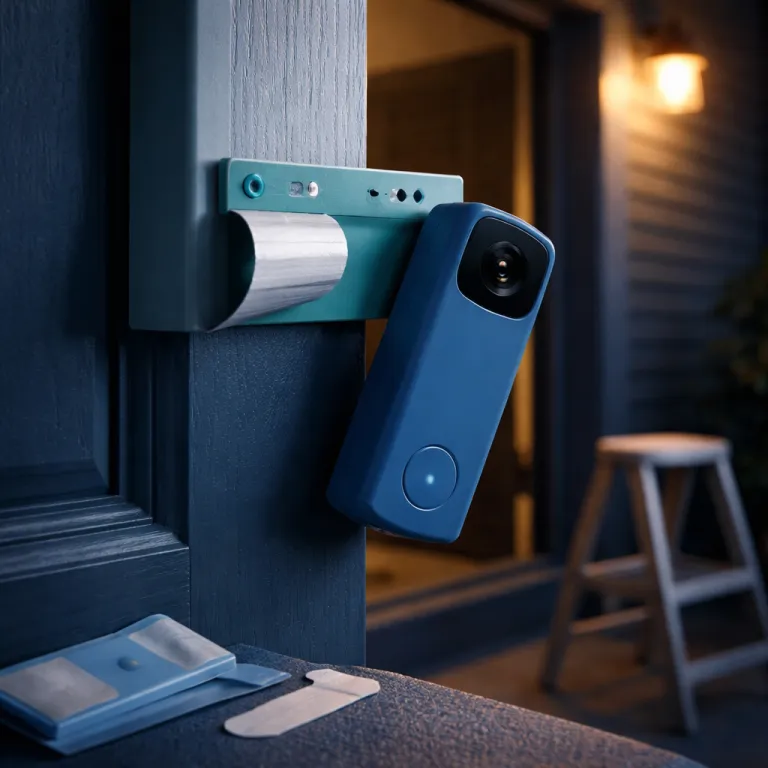
Understanding ring doorbell rental apartment setup constraints
Renters approach any ring doorbell rental apartment setup with one big constraint in mind. You want better apartment security at your front door, yet your lease terms often forbid drilling into walls or shared hallway structures. That tension shapes every choice about the smart doorbell, from the model you pick to how you handle motion alerts and privacy zones.
Before installing Ring or any other smart security systems, you must check lease documents carefully. Some lease terms explicitly ban doorbells with cameras on shared corridors, while others allow a smart doorbell as long as the installation is reversible and respects neighbors’ privacy. When you check lease clauses, look for language about fixtures, exterior doors, and cameras, then email your landlord to ensure written approval for the specific ring doorbell model and mounting method. A simple note such as “I propose to install a removable, battery-powered video doorbell on my door using an adhesive mount, with the camera view limited to my own entrance” gives them clear, concrete details to approve.
Landlords usually care about three things when tenants install ring doorbells in apartments. They want the original door and frame undamaged, they want apartment living to feel safe for everyone in shared spaces, and they want no disputes about who owns the video footage. Clarifying that your battery powered smart security setup is temporary, that the camera field of view is limited to your own door, and that you will remove all doorbells and mounts at move out often resolves early challenges and solutions. For extra reassurance, you can mention that Ring’s own support pages describe battery doorbells as removable devices rather than permanent fixtures.
Think about how your apartment layout affects motion detection and alerts. A narrow hallway with many doors can trigger constant motion alerts from a smart doorbell, while a recessed doorbell apartment entrance may miss visitors unless you tune the motion detection zones. Planning these details before installing Ring helps ensure your doorbell features support peace of mind instead of creating notification fatigue, and aligns your setup with Ring’s guidance on using customizable motion zones and privacy areas in multi-unit buildings.
Choosing the right ring doorbell for apartment living
For most renters, the best balance of flexibility and security comes from a battery powered ring doorbell. A battery model avoids any need to touch existing doorbell systems or electrical wiring, which keeps landlords happier and makes your ring doorbell rental apartment setup fully reversible. Among current ring doorbells, the compact Battery Doorbell 2nd Gen stands out for apartments because it offers 1080p HD video, reliable motion detection, and a slim profile that fits tight door frames, as highlighted in Ring’s own product specifications.
When you are installing Ring in doorbell apartments, focus on three core doorbell features. You need a wide enough field of view from the camera to see packages on the floor and faces at different heights, you want motion alerts that can be tuned for busy shared hallways, and you need a battery that lasts several weeks between charges. Ring’s documentation notes that typical battery life ranges from a few weeks to several months depending on motion activity and settings, so a battery powered smart doorbell with adjustable motion zones and rich notifications gives apartment security a meaningful upgrade without rewiring the door or violating lease terms.
Mounting is where renters often feel stuck, because you cannot drill into the door or frame in many apartments. Ring’s No Drill Mount uses strong adhesive to hold the smart doorbell against the door surface, which is ideal for a doorbell apartment where the landlord forbids screws in metal or wood. If you are comparing mounting options or dealing with tight clearances, a detailed guide to mounting a new battery Ring doorbell and its install quirks can help you anticipate real world fit issues before you buy.
Think about how your apartment living habits shape the smart security setup you choose. Night shift workers may want gentler motion alerts and quick snooze controls, while families in doorbell apartments might prioritize clear two way audio for kids arriving home. In every case, the right ring doorbells for renters are the ones that fit your daily routine so well that you barely notice the technology after the first week, yet still benefit from features like Live View, quick replies, and linked Ring devices when you need them.
Step by step installation tips without drilling
A no drill ring doorbell rental apartment setup starts with surface preparation. Clean the section of the door where you will mount the smart doorbell using isopropyl alcohol, then let it dry completely so the adhesive can bond properly. This step may feel trivial, yet it is crucial to ensure the mount stays put through seasonal temperature swings and daily door slams, and it mirrors the surface prep instructions Ring provides for adhesive-backed accessories.
Next, position the No Drill Mount at a height of about 1.2 to 1.4 metres from the floor. That height usually gives the camera a balanced field of view, capturing faces, parcels, and the immediate area in front of the door without wasting pixels on the ceiling. Press the mount firmly for the full time recommended in the instructions, because proper pressure helps the adhesive cure and supports long term apartment security. A simple three-step diagram—clean, position, then press and hold—can be helpful to keep nearby as a visual checklist while you work.
Once the mount is secure, attach the battery powered ring doorbell and pair it with your WiFi and Ring app. Many apartment doors are steel, and a steel door can reduce WiFi signal strength significantly, so test live video and motion alerts with the door closed to see if the connection remains stable. Ring’s support articles recommend checking signal strength in the app and, if you notice lag or dropped video, using a WiFi extender or a Ring Chime Pro placed inside the apartment to relay the signal and restore smart security performance.
After installing Ring, walk test the motion detection zones in the hallway. Adjust the motion sensitivity and set privacy zones so the camera ignores neighboring doors and focuses on your own entrance, which respects shared living etiquette and reduces false alerts. For renters who also worry about balcony or patio access, a separate guide to practical ways to secure sliding doors for stronger home protection can complement your doorbell smart setup and round out your apartment security plan. As a quick troubleshooting checklist, confirm the mount feels solid, the door closes without hitting the doorbell, the app shows a strong signal, and motion alerts trigger only when someone stands at your door.
Daily use, alerts, and privacy in shared hallways
Once your ring doorbell rental apartment setup is live, the real test is daily use. You want motion alerts that arrive quickly when someone approaches the door, yet you do not want your phone buzzing every time a neighbor walks past in shared corridors. Fine tuning motion detection, motion alerts, and notification schedules is where a smart doorbell becomes either a quiet guardian or a constant distraction.
Start by defining motion zones that cover only your door and the immediate area where visitors stand. Most ring doorbells let you draw shapes on the video preview, so you can exclude neighboring doors and parts of the hallway that see constant traffic in apartment living. Combining narrow motion zones with a modest sensitivity level usually gives you peace of mind without overwhelming alerts in busy doorbell apartments, and follows Ring’s own best-practice recommendations for high-traffic environments.
Privacy settings matter just as much as raw security features in apartments. Use privacy zones to black out areas of the camera field of view that include other doors, windows, or shared spaces where people expect not to be recorded. This approach respects neighbors, aligns with many lease terms about cameras in shared living areas, and still lets your smart security system capture clear video of your own threshold. In some regions, local regulations also expect residents to avoid filming beyond their own doorway, so these tools help you stay on the right side of building rules and local law.
Think about audio as well, because two way talk is one of the most useful doorbell features for renters. You can speak to delivery drivers, confirm visitors, or reassure family members at the doorbell apartment entrance even when you are away, which extends apartment security beyond the physical door. If you want in home chimes without touching existing wiring, a plug in Ring Chime or an Echo speaker can act as your doorbell smart sound source so you hear every ring even when your phone is in another room, and you can adjust volume or do-not-disturb schedules to match quiet hours in shared buildings.
Power, subscriptions, and moving out cleanly
Power management is a quiet but crucial part of any ring doorbell rental apartment setup. A battery powered smart doorbell needs regular charging, and most renters find a cadence of every one to three months depending on motion activity and video recording settings. Ring’s product pages describe this as typical usage, and keeping a spare battery on hand lets you swap quickly so your apartment security never goes offline while the main pack charges.
If you want to reduce charging frequency, consider pairing your ring doorbell with a small solar accessory where building rules allow it. A well positioned solar panel can keep compatible cameras and doorbells topped up through the year, as explained in depth in this guide on how a Ring solar panel keeps Ring cameras powered all year. In many apartments you cannot mount panels on exterior walls, yet some balconies or window ledges offer enough sun to make this a practical smart security upgrade.
Subscriptions are another part of the equation, because recorded video and rich alerts usually require a Ring Protect plan. The subscription ties to your account rather than the physical apartment, so when you move you can take the ring doorbells, keep your historical video, and simply update the address in the app. Before move out, remove the No Drill Mount carefully, clean any adhesive residue from the door, and restore the original doorbell systems if you changed anything with landlord approval.
Leaving the apartment as you found it helps ensure a smooth deposit return and keeps your landlord open to future smart doorbell requests from other tenants. Deregister the device from the old address, reset it if you plan to sell or gift it, and keep your account credentials secure to maintain long term peace of mind. Handled this way, a ring doorbell rental apartment setup becomes not just a temporary gadget, but a portable layer of smart security you can carry from one doorbell apartment to the next.
FAQ
Can I legally install a Ring doorbell in my rental apartment
In many rentals you can install a Ring doorbell, but only if your lease terms and local regulations allow cameras on shared hallways or exterior doors. Always check lease documents, then get written permission from your landlord describing the exact smart doorbell model and no drill installation method. This protects you if building management later questions the device or its impact on shared living spaces, and shows that you have considered both privacy expectations and building rules.
Which Ring model is best for renters who cannot drill
For most tenants, a battery powered Ring doorbell such as the Battery Doorbell 2nd Gen is the most practical choice. It avoids wiring changes, works well with adhesive no drill mounts, and offers strong video and motion detection for apartment security. The compact size also fits narrow door frames often found in doorbell apartments, and Ring’s spec sheet confirms it is designed for flexible, removable installation.
How do I avoid recording my neighbors in a shared hallway
Use the Ring app to set motion zones and privacy zones that focus only on your own door. By narrowing the camera field of view and masking neighboring doors, you reduce unwanted footage and respect hallway etiquette. This approach also helps address common landlord concerns about cameras in shared systems and corridors, and mirrors the privacy guidance Ring publishes for multi-unit dwellings.
What if my steel apartment door blocks the WiFi signal
Steel doors can weaken WiFi, which leads to delayed alerts or choppy video from your smart doorbell. Placing your router closer to the door, adding a WiFi extender, or using a Ring Chime Pro as a repeater inside the apartment usually restores a stable connection. Always test live view and motion alerts with the door closed after installing Ring to ensure reliable performance, and check the signal strength reading in the Ring app if problems persist.
How should I remove a no drill Ring mount when I move out
When your tenancy ends, gently follow the manufacturer’s instructions to release the adhesive from the door surface. Pull adhesive strips slowly at a low angle to avoid damaging paint or finish, then clean any residue with a mild solvent safe for the door material. Finally, deregister the device from the old address in the app so your ring doorbell rental apartment setup is ready for your next home, and keep a few before-and-after photos in case your landlord asks how the door looked after removal.