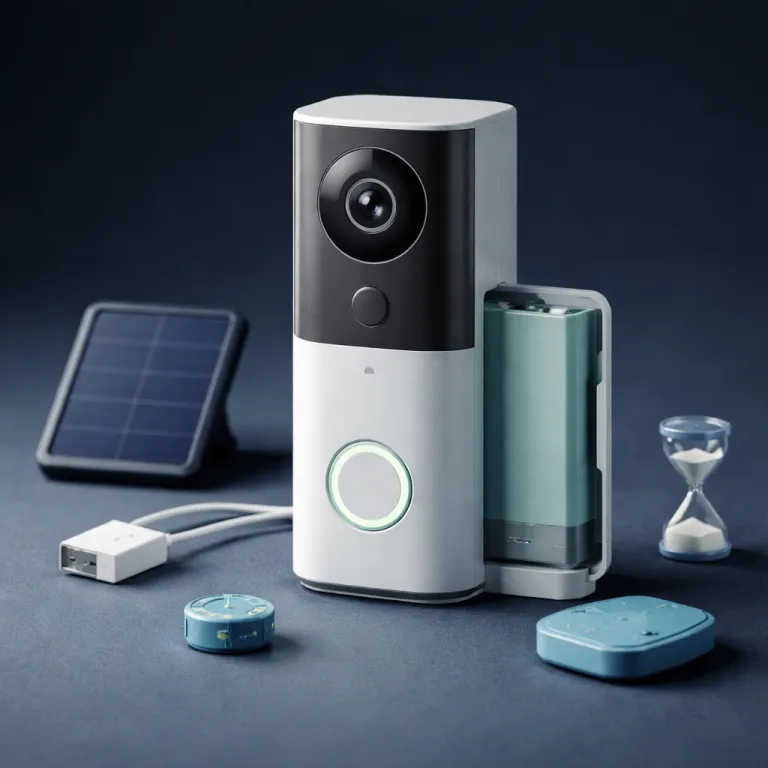
Real battery life by ring model in everyday use
Ring markets the promise that a single battery charge can last for months. In real-world conditions, actual battery life on a typical Ring Video Doorbell depends heavily on motion activity, Wi-Fi stability, temperature, and how often you open Live View. Under moderate use with roughly 6 to 12 motion events per day, you should expect several weeks rather than full seasons from one battery charge.
Across current battery-powered doorbells, the Battery Doorbell (2nd Gen) usually runs longer on a charge than the Battery Doorbell Plus, while the Battery Doorbell Pro tends to drain fastest because it pushes higher video quality and more advanced motion detection. All three doorbells use the same basic Ring Quick Release Battery Pack (about 6,000 mAh nominal capacity), but the Pro model draws more power for its radar-based 3D Motion Detection and always-ready Live View features. If you want the longest possible runtime from any battery doorbell, you must treat the battery as a consumable resource and manage every power-hungry setting in the Ring app.
In one four-month test period conducted in early 2024, a Battery Doorbell (2nd Gen) on firmware 3.x with balanced power settings, a strong 2.4 GHz Wi-Fi signal (RSSI between -45 and -55), and around eight motion events per day stayed above 20 percent battery for roughly six to eight weeks per charge. That result came from a sample of three units installed on similar porches. The same fully charged battery pack in a Battery Doorbell Plus, with its wider field of view and 1536p HD+ video, dropped to that level in about five weeks under similar motion patterns. A Battery Doorbell Pro running HDR video, 3D Motion Detection with Bird’s Eye View, frequent Live View checks, and more sensitive motion zones sometimes needed charging every three weeks, which surprises many first-time Ring doorbell buyers and closely matches Ring’s own guidance that higher-resolution video and advanced motion features consume more power.
Why your ring battery drains faster than the box suggests
Most people blame the battery when their Ring doorbell dies early. The real culprits are usually aggressive motion settings, weak Wi-Fi, and heavy Live View use that quietly eat through the available power. Understanding how each motion and video feature affects battery life lets you choose which comforts you keep and which you trim.
Every motion event forces the device to wake, power its camera, record video, and push an alert through the Ring app over your Wi-Fi connection. If your doorbell faces a busy street and you do not adjust motion zones or motion sensitivity, you might see more than fifty motion events per day, which will cut battery life in half compared with a calmer doorway. High video quality settings and frequent Live View checks add another layer of drain, because the device must maintain a stronger Wi-Fi connection and stream video continuously rather than just capturing short clips.
Cold weather makes this worse, as lithium-ion batteries often lose 30 to 50 percent of their effective capacity when temperatures drop below freezing. A Ring Video Doorbell that lasted six weeks in mild weather might struggle to reach three weeks in cold weather, even with identical motion patterns and power settings. If you want to understand the broader impact of motion on batteries across your system, a detailed guide to understanding the battery life of Ring motion sensors helps you read Ring data and align your expectations with physics rather than marketing.
The five ring doorbell battery life tips that actually work
There are five Ring doorbell battery life tips that consistently make a difference. First, open the Ring app, go to your device settings, and adjust motion zones so the camera ignores sidewalks, roads, and waving trees that generate pointless motion events. In the app, tap the menu, choose Devices, select your doorbell, then open Motion Settings and drag the zone shapes so they only cover your porch and entryway. At the same time, lower motion sensitivity if you see constant alerts for passing cars or pets, because each unnecessary recording shortens the time between charges.
Second, reduce motion frequency and tweak power settings from the default balanced mode to a more battery-focused profile, which tells the video doorbell to sleep deeper between events and stretch each charge longer. Third, treat Live View as a rare tool rather than a habit, because each manual check can drain more power than ten standard motion clips. Fourth, use the Quick Release Battery Pack system with two batteries in rotation, so one battery charges indoors while the other sits in the Ring doorbell, which means you never have to leave the device offline while charging.
Fifth, if your wiring allows it, install a compatible transformer and hardwire your battery doorbell for a low-level trickle charge that helps keep the battery level topped up without turning it into a fully wired-only doorbell. Ring typically recommends a doorbell transformer rated between 16 and 24 volts AC and at least 30 VA, connected with intact copper doorbell wire and power turned off at the breaker during installation. When you combine these five tricks, the same Ring battery that once lasted three weeks can often reach six to eight weeks, even on a busy porch. A detailed explanation of the expected runtime of a fully charged doorbell battery in different scenarios is available in this guide to understanding the lifespan of a fully charged Ring doorbell battery, which helps you check whether your own results are normal. The goal is simple, because you want a battery doorbell that quietly protects your home rather than a device that constantly nags you about charging.
Accessories and power strategies that change daily use
Accessories matter as much as settings when you want a Ring doorbell battery to last. The Quick Release Battery Pack system on recent models lets you swap batteries without removing the doorbell from its mount, which makes regular charging less of a chore. Many owners keep two batteries or even three batteries in rotation, so there is always a fresh battery pack ready when the Ring app sends a low battery alert.
Solar options can also help, but only when conditions are right and expectations are realistic. The Ring Solar Charger that frames some video doorbells needs at least three to four hours of direct sunlight per day to provide meaningful charging, and shaded porches or north-facing walls rarely meet that requirement. A separate Ring Solar Panel connected to a battery doorbell can extend battery life significantly in bright climates, but it still depends on weather, panel angle, and how many motion events your device records.
For many homes, the most reliable accessory strategy is a mix of dual batteries and a modest solar assist, combined with careful power settings that limit unnecessary video and motion activity. If your Wi-Fi connection is weak, adding a Wi-Fi extender near the door can reduce retries and failed uploads, which quietly saves power over time, and a dedicated guide on how to improve your Ring doorbell connection with wifi extenders explains how to place those devices effectively. The right mix of accessories turns a fussy battery doorbell into a stable security device that you rarely need to think about.
When hardwiring or upgrading makes more sense
There is a point where no number of Ring doorbell battery life tips will fully solve your problem. If your doorway faces a busy street, your family uses Live View constantly, and winters are harsh, the battery will always work hard. In those cases, changing how the device gets power can be more effective than endlessly tweaking settings.
Hardwiring a battery doorbell to an existing chime circuit that provides between 8 and 24 volts AC gives the device a steady trickle charge, as described in Ring’s own installation documentation for battery models. For safety, shut off power at the breaker, confirm the circuit is de-energized with a tester, and only reuse doorbell wiring that is intact and properly insulated. The doorbell still relies on its internal battery during heavy use, but the constant power input slows the decline in battery level and often eliminates the need for regular manual charging. This approach works well for owners who like the flexibility of a battery doorbell but want the reliability of a wired power source.
Some households eventually decide that a fully wired video doorbell or a different Ring Video Doorbell model better matches their habits. If you find yourself charging every ten days even after you adjust motion zones, reduce video quality, and improve Wi-Fi, that is a sign your usage pattern simply exceeds what a single battery can handle comfortably. The aim is not to chase perfect numbers, but to build a setup where the doorbell quietly does its job and you rarely have to think about power at all.
FAQ
How often should I expect to charge my Ring battery doorbell?
Under moderate use with 6 to 12 motion events per day, most Ring battery doorbell models need a full charge every four to eight weeks. High-traffic locations, frequent Live View checks, and cold weather can cut that interval to two or three weeks. If you are charging more often than that, review your motion zones, Wi-Fi connection quality, and video quality profile in the Ring app.
Why does my Ring doorbell battery drain so quickly in winter?
Lithium-ion batteries lose a significant portion of their effective capacity when temperatures drop below freezing, so your Ring battery will appear to drain faster in cold weather even if your usage does not change. The device also works harder to maintain a stable Wi-Fi connection and record video when electronics are cold. Whenever possible, keep the doorbell out of direct wind, reduce motion events, and consider hardwiring for a steadier power supply during winter.
Does using live view really affect Ring battery life that much?
Yes, Live View is one of the most power-intensive features on any Ring Video Doorbell. Each manual Live View session streams continuous video over Wi-Fi, which uses more power than a short motion-triggered clip. Treat Live View as an occasional tool rather than a constant monitor if you want your battery to last longer between charges.
Is it worth buying a second Ring battery pack?
For most battery doorbell owners, a second battery pack is one of the most effective quality-of-life upgrades. Keeping two batteries in rotation means you can swap a low battery in seconds without taking the doorbell off the wall or leaving your home unprotected. Over time, this simple accessory makes regular charging feel routine rather than disruptive.
Will hardwiring my Ring battery doorbell stop me ever needing to charge it?
Hardwiring a battery doorbell to a compatible transformer provides a continuous trickle charge that greatly reduces manual charging, but it may not eliminate it entirely in extreme conditions. Very high motion activity, heavy Live View use, or severe cold can still outpace the incoming power for short periods. For most households though, hardwiring turns charging from a monthly task into something you rarely need to think about.